Skip to content

Changelog

MeetMic 1.31

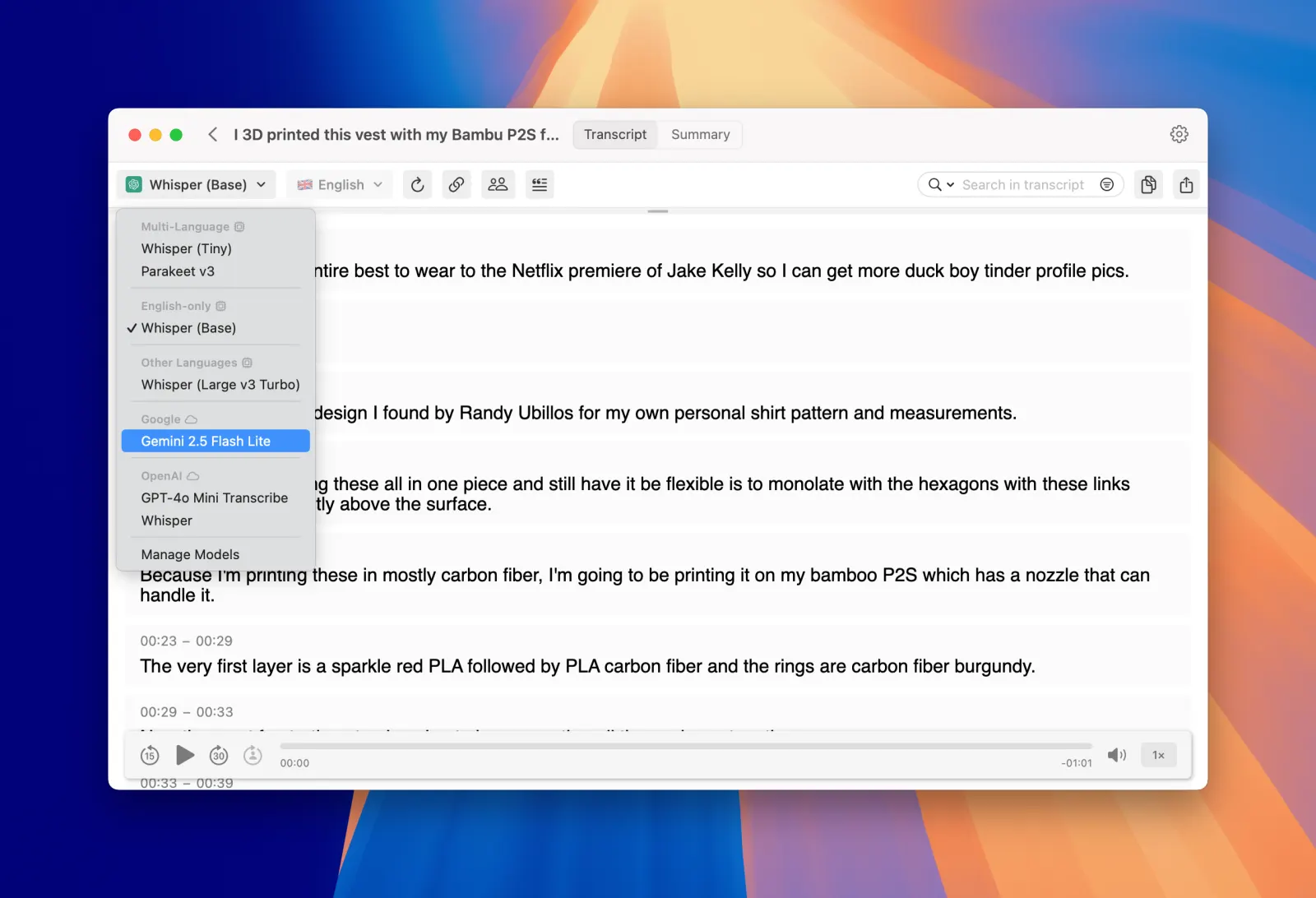
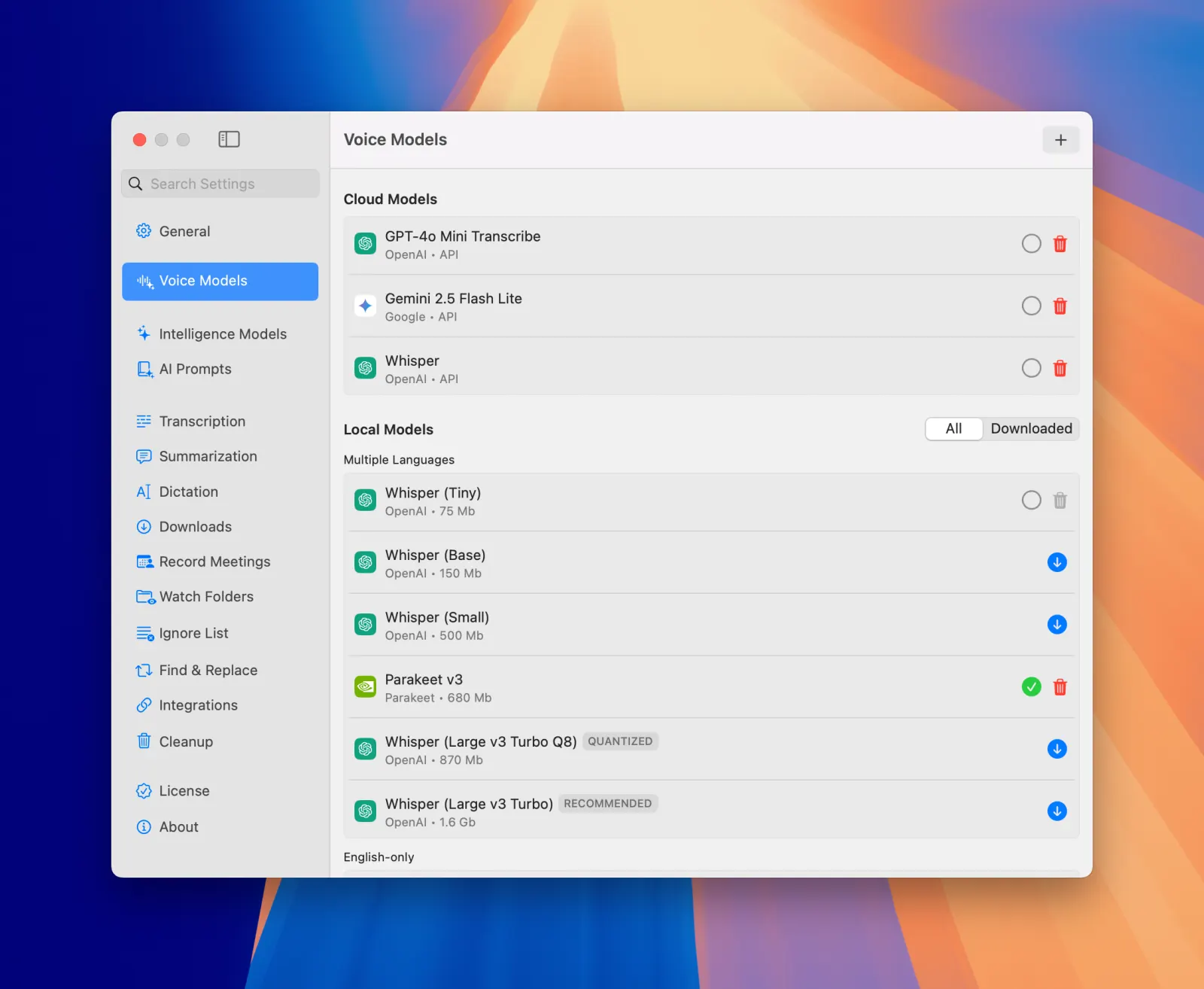
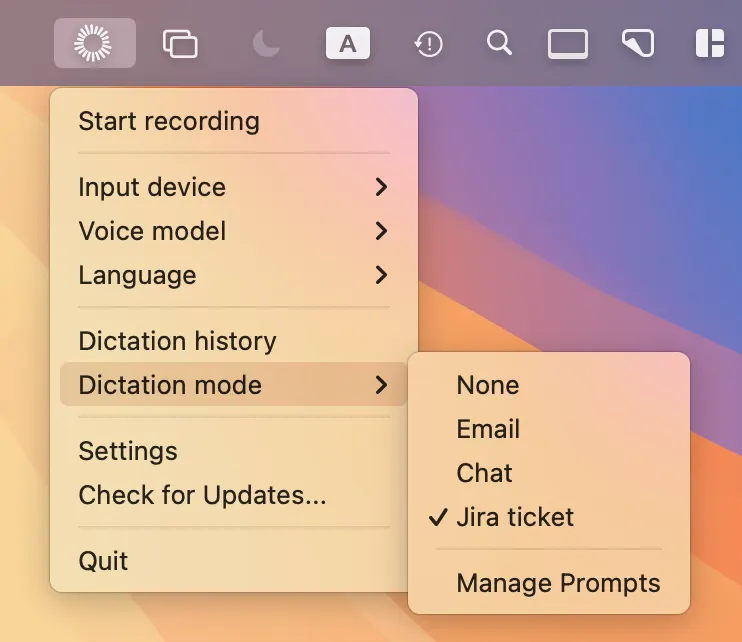
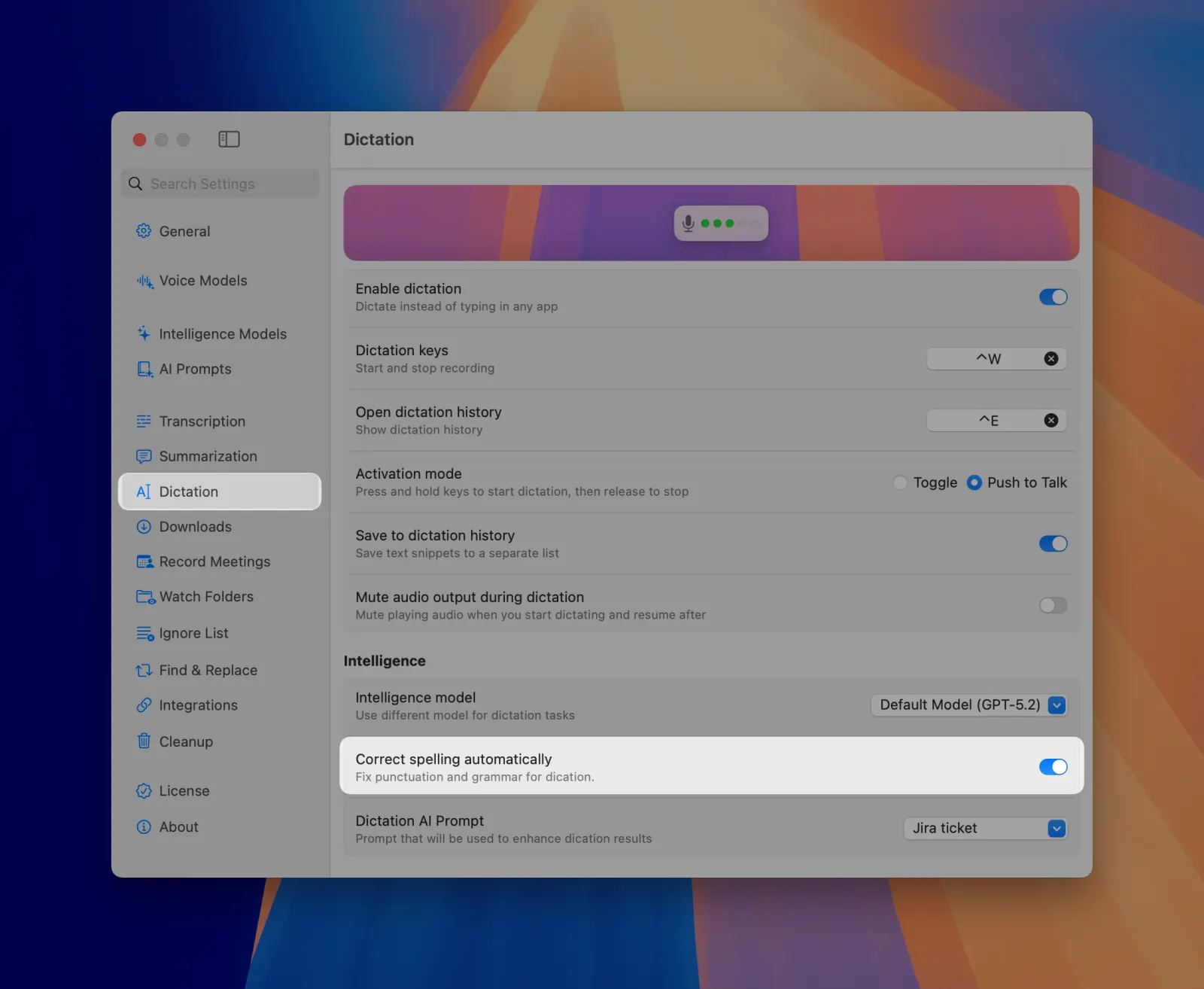
We're excited to announce MeetMic 1.31 - our biggest dictation release yet, with app-specific prompts that adapt to whatever app you're writing in, on-screen context awareness, and multiple summaries per transcript.

New Features

Floating Dictation Panel

Dictation now has a home on screen. We’ve added a floating panel that stays visible so you can start and stop dictation by clicking on a button, open dictation history, and switch AI-processing prompts without touching a keyboard shortcut.
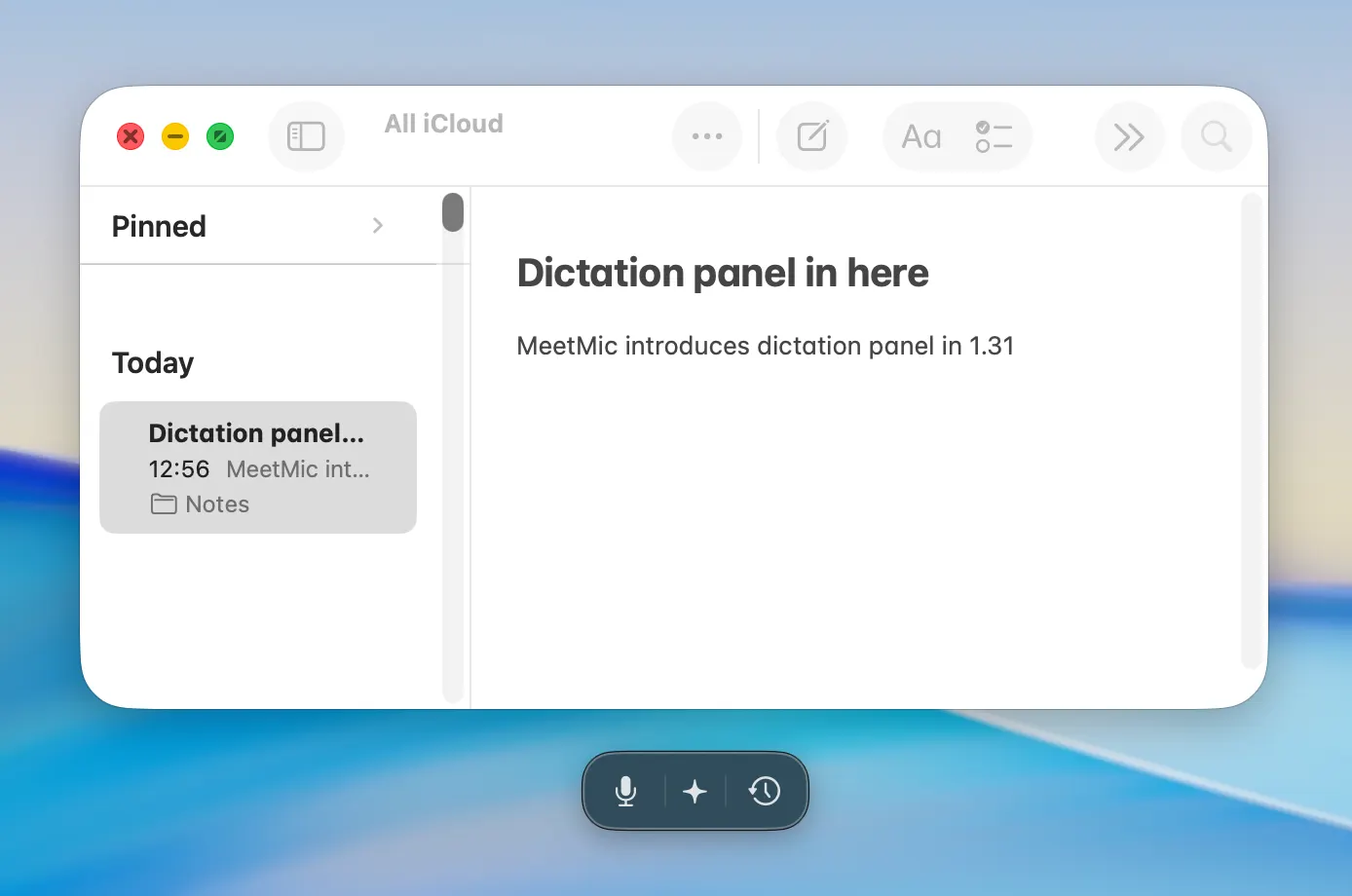
MeetMic 1.31 - Floating Dictation Panel

Need to hide it for a while? Right-click it and choose Hide for 1 hour or disable in the Settings → Dication → Show panel
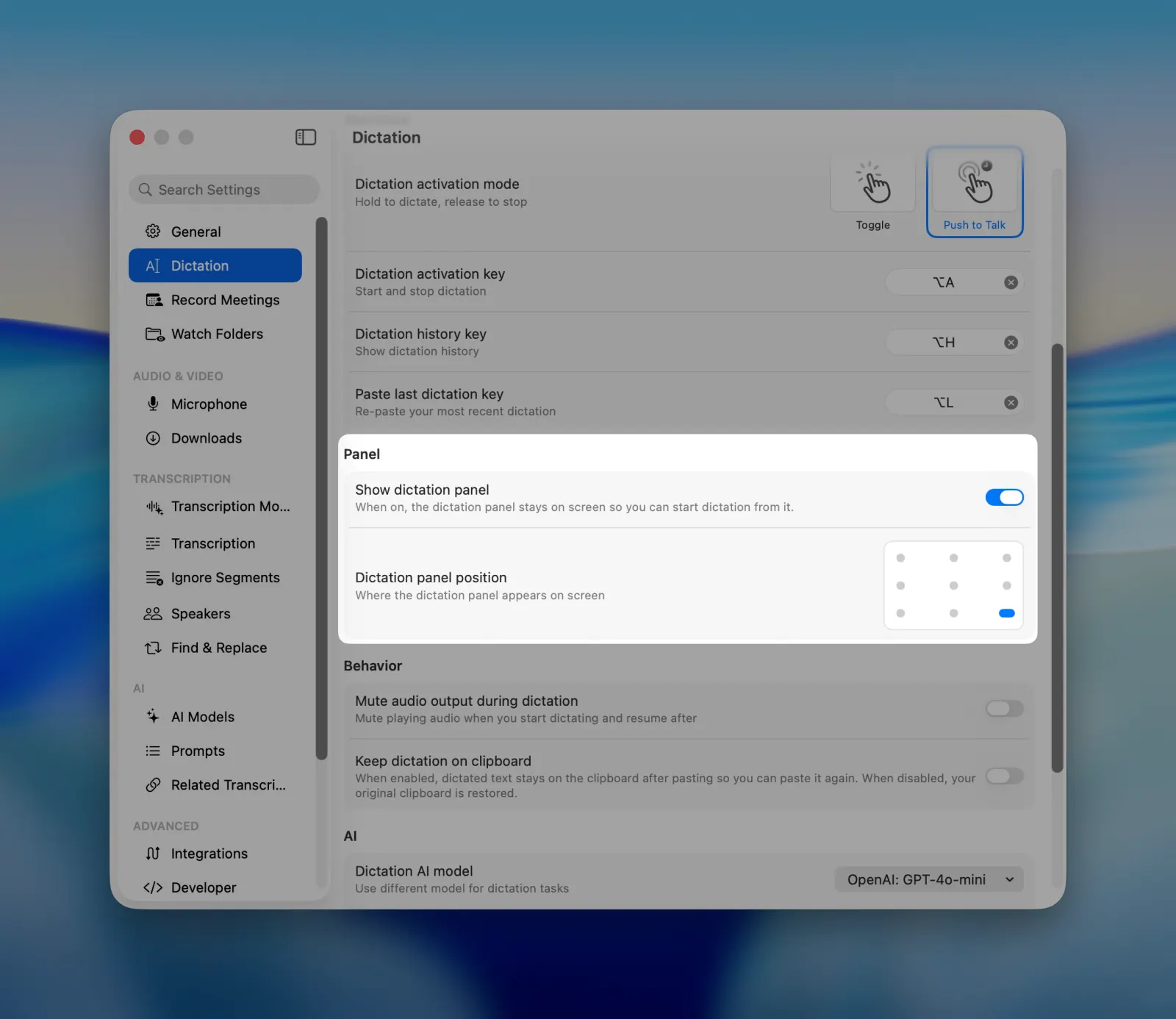
MeetMic 1.31 - Floating Dictation Panel


App and Website Prompts

Different apps deserve different writing. MeetMic can now switch your dictation prompt automatically based on where you are dictating - casual in Messages, structured in your editor, formal in Mail. You can also set separate rules for individual websites.
Set it all up in Settings → Dictation → App and website prompts.
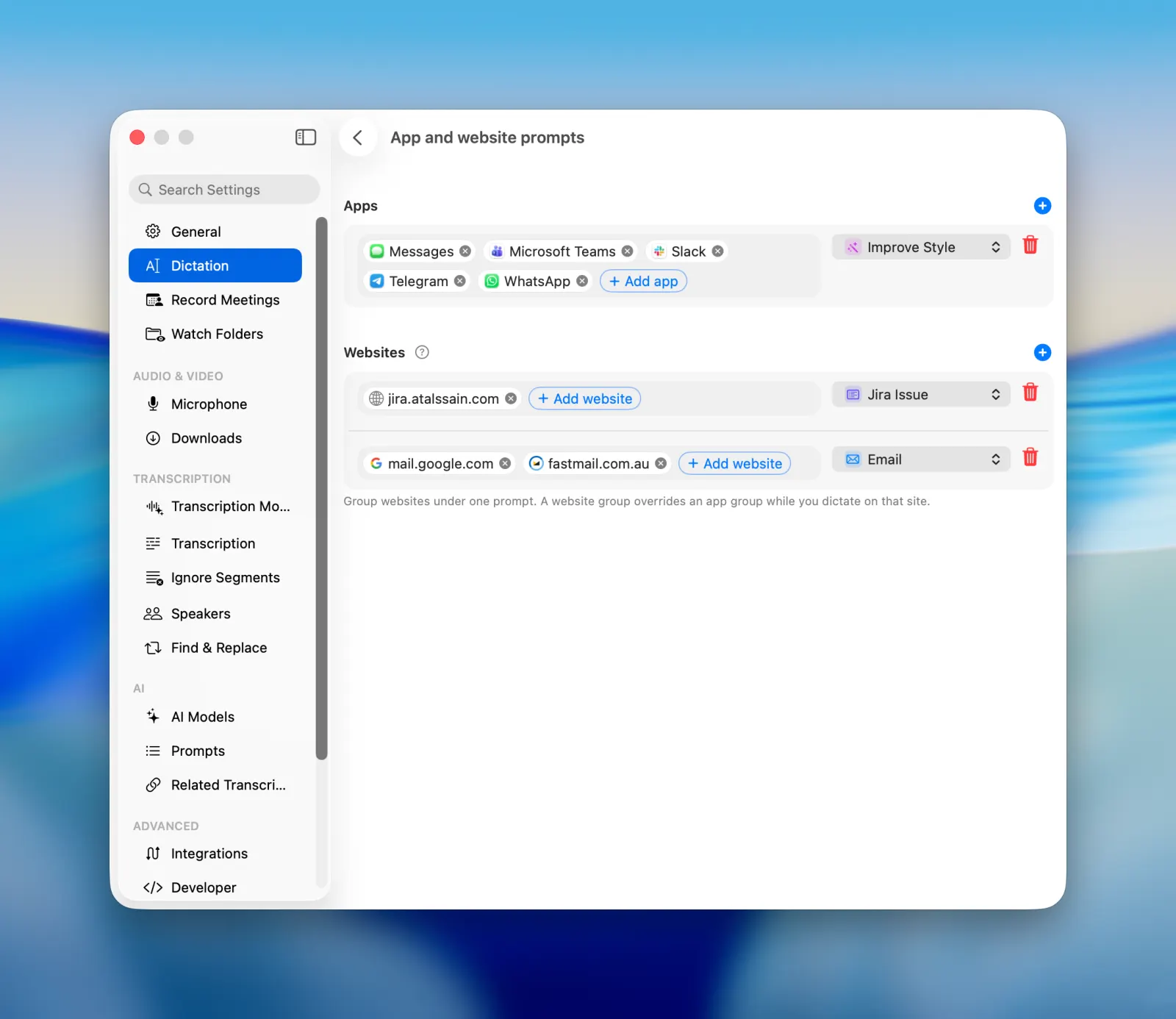
MeetMic 1.31 - App and Website Prompts

Website prompts work only in supported browsers: Google Chrome, Safari, Firefox, Brave, Arc, and Dia.


On-Screen Context

Dictation became much smarter. Turn on Use on screen context in Settings → Dictation → AI and MeetMic reads the text visible on your screen to improve each dictation. Names, jargon, ticket numbers and product terms come out spelled the way they appear right in front of you, instead of the way they sounded. Your screen context works with AI-processing, so if you use Cloud AI models be careful if you have sensitive information on the screen.
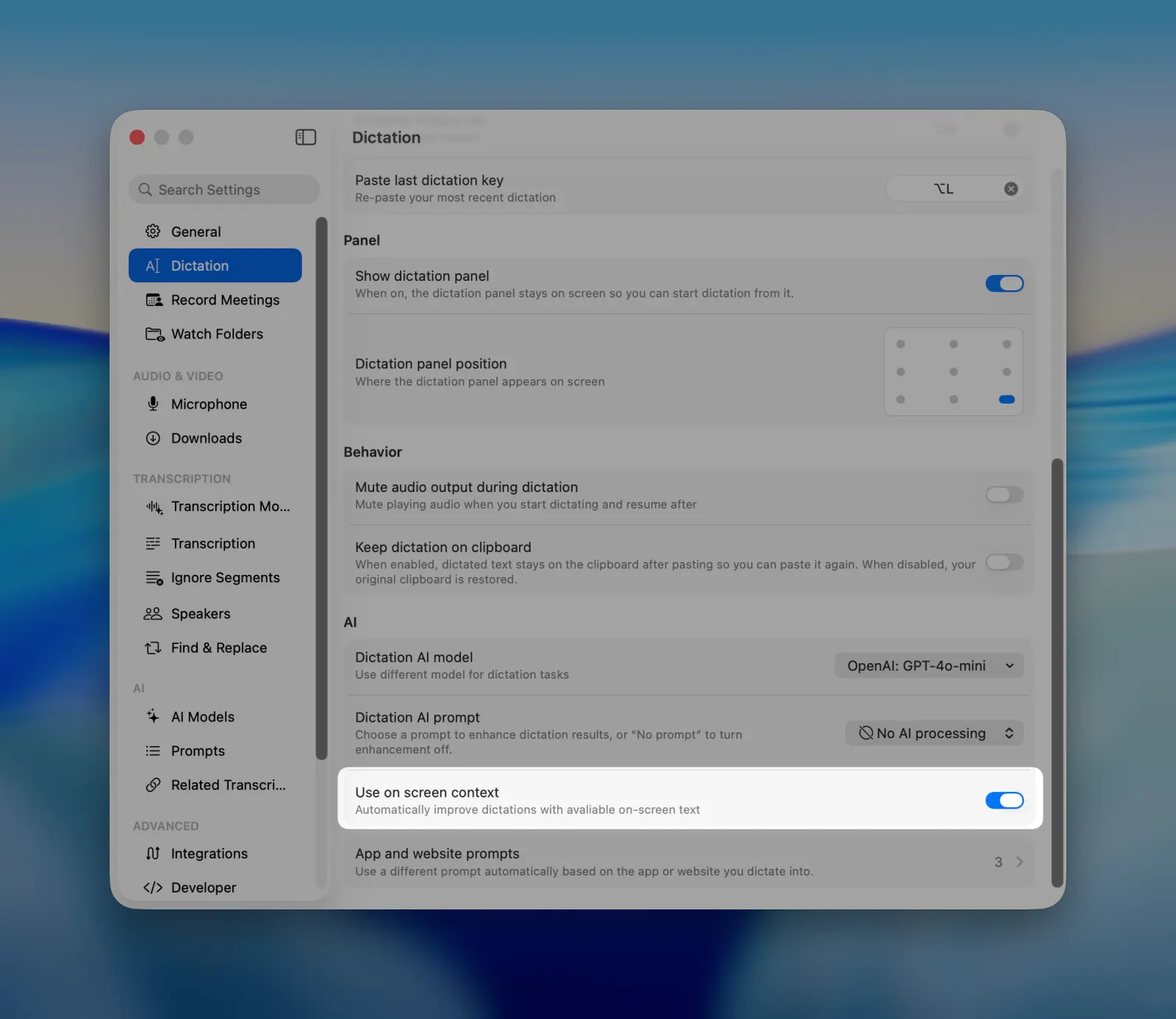
MeetMic 1.31 - On-Screen Context


Multiple Summaries per Transcript

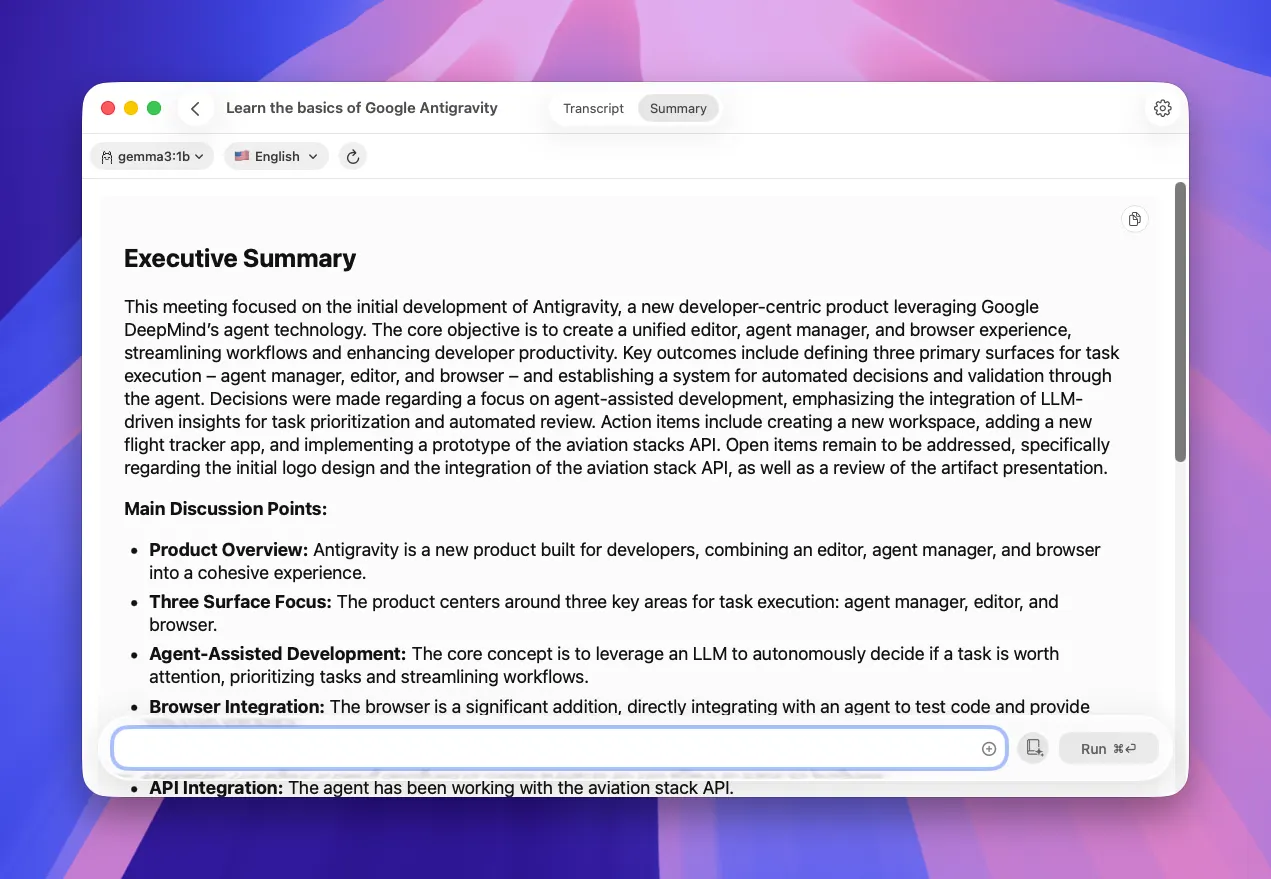
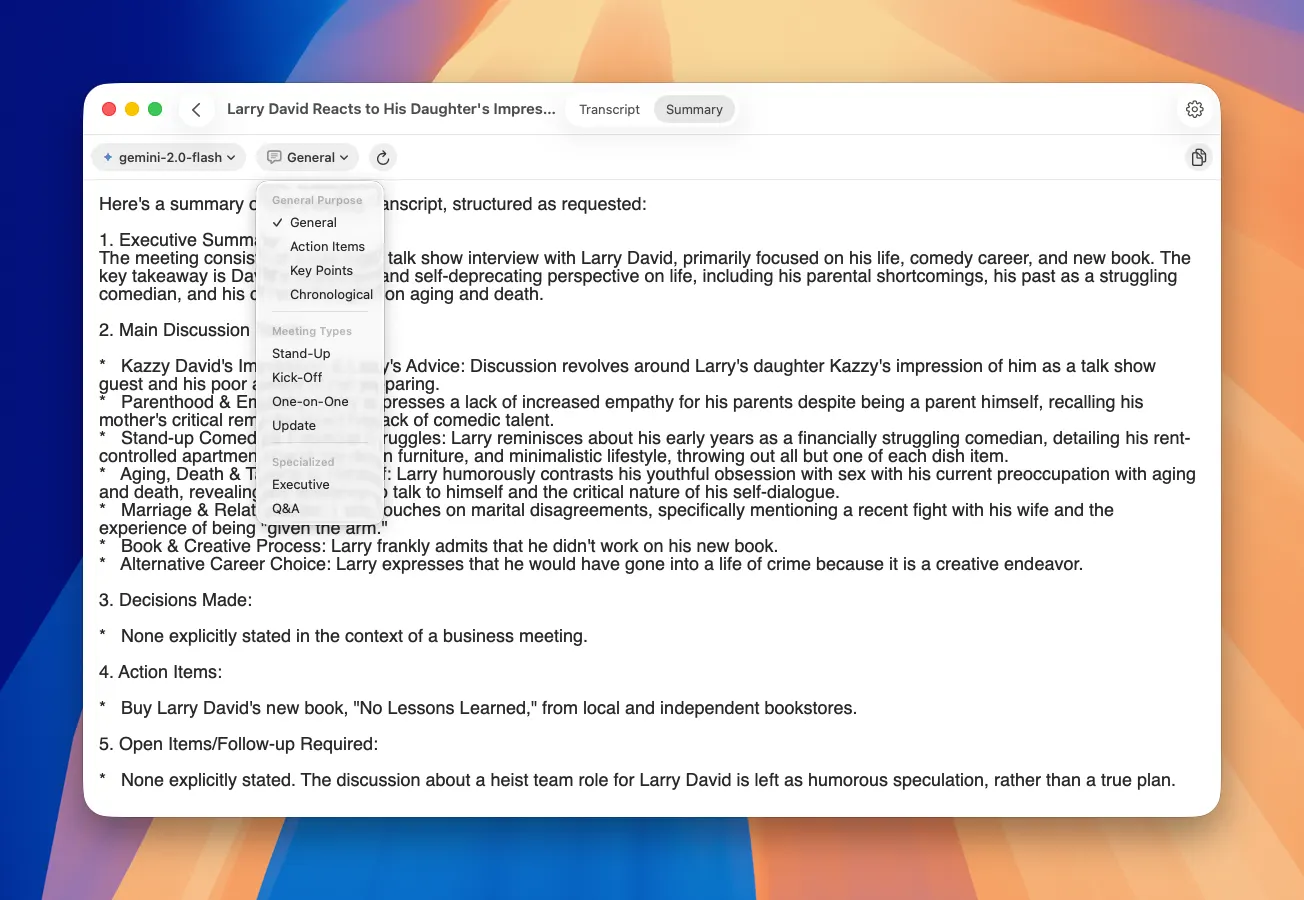
Transcripts now keep every summary you generate, not just the most recent one. Run a different prompt or a different model and compare the results from the Summaries tab in the transcript inspector, where each entry records which model produced it and when.
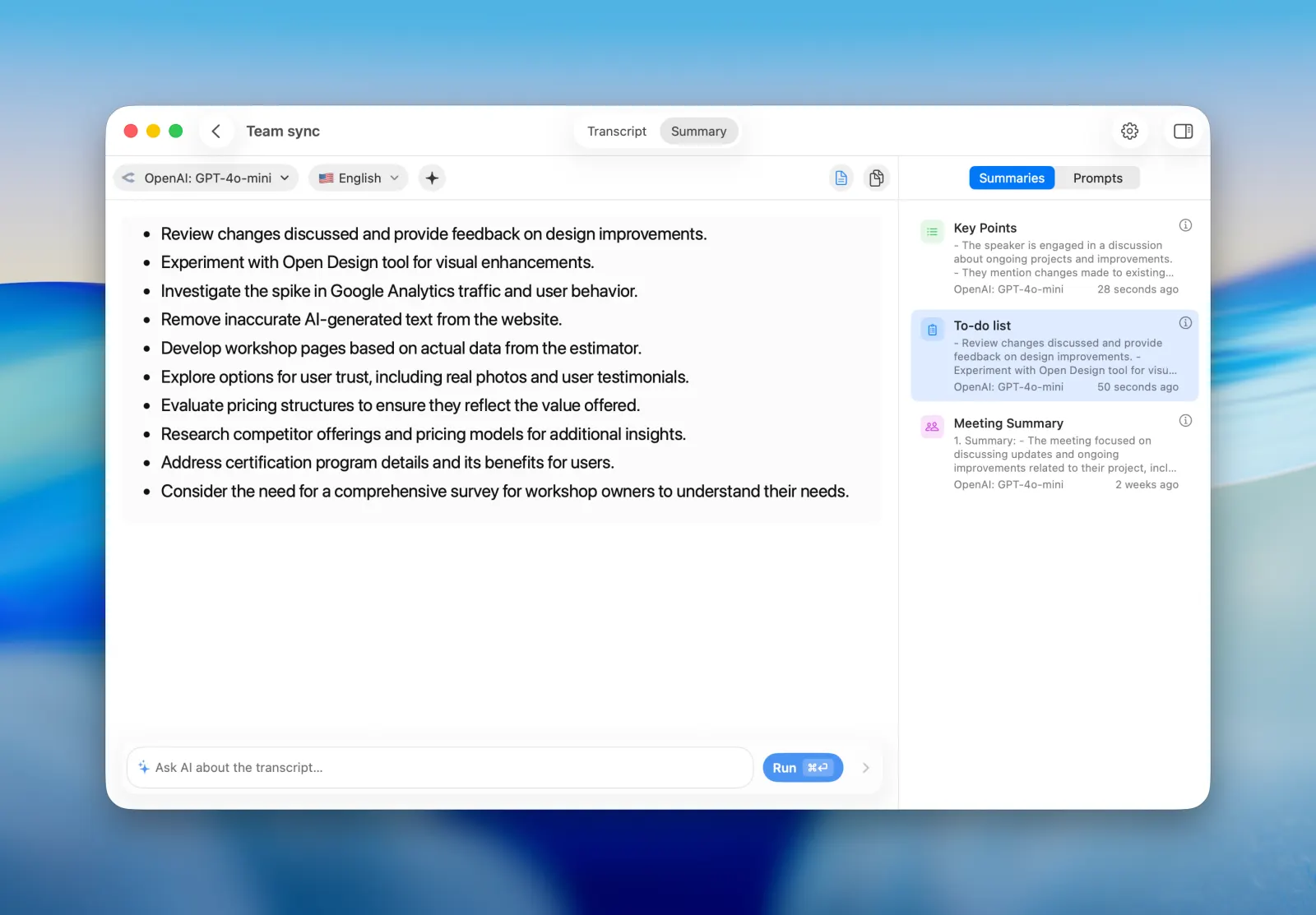
MeetMic 1.31 - Multiple Summaries per Transcript

As always, we're committed to making MeetMic better with every release. Thank you for your feedback — it shapes what we build next.

— The MeetMic Team
MeetMic 1.30

We're excited to announce MeetMic 1.30 - a release that begins with a new name and brings smarter on-device AI, open voice-model connectivity, and a wave of polish.

Download MeetMic


New Features

MeetMic is now MeetMic

We renamed the app from MeetMic to MeetMic. The old name only pointed at OpenAI's Whisper models, but the app has grown well beyond that - you can connect a variety of transcription and AI providers. MeetMic reflects what you actually do here: record meetings, dictate, capture voice notes, transcribe any audio, and summarize it. Same app, same data, clearer identity.

Modern On-Device AI Models

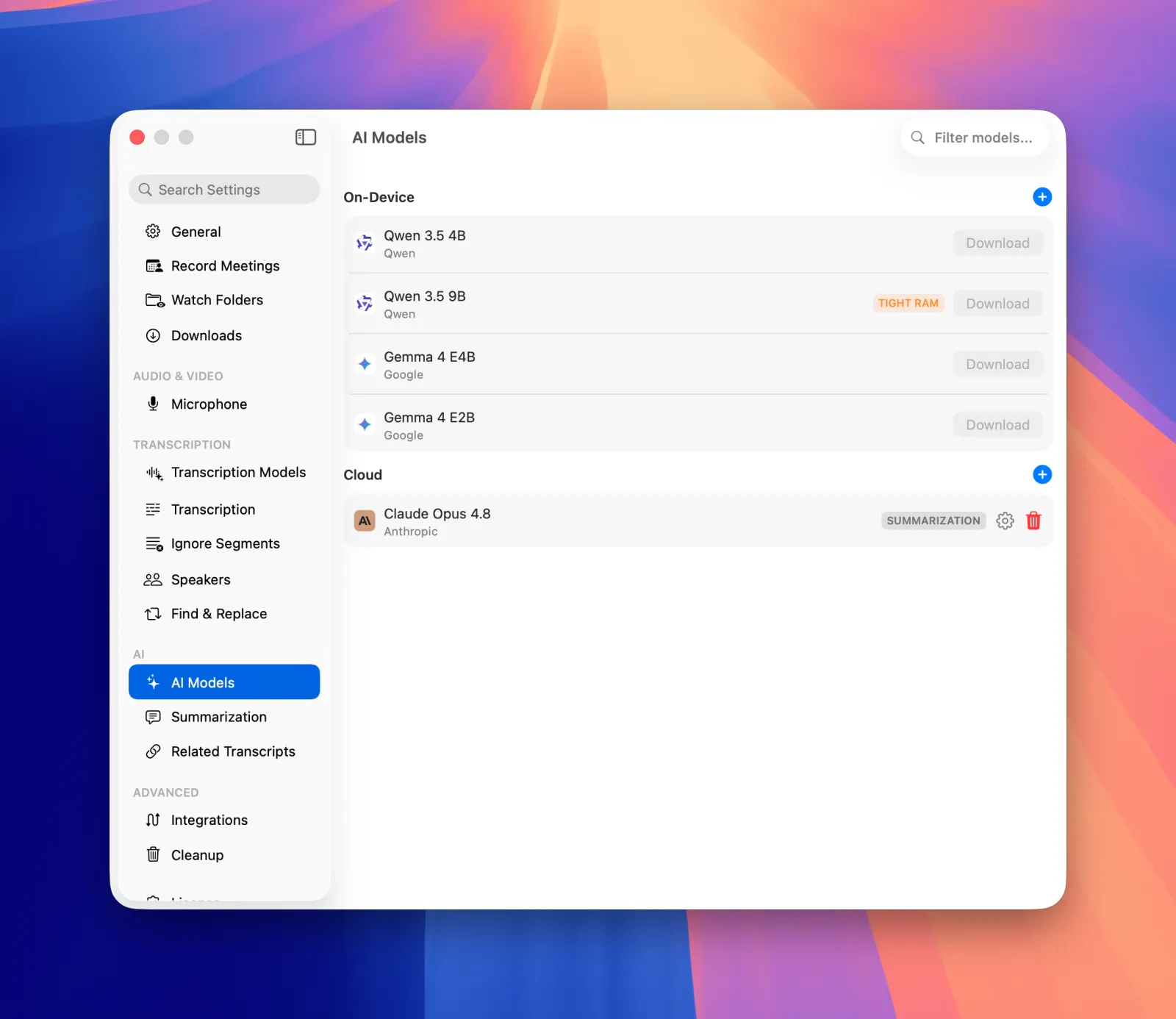
We refreshed the on-device model catalog with current, state-of-the-art options - including Google's Gemma 4 and Qwen 3.5.

  • Retired-but-still-installed models are clearly tagged Legacy.
  • Downloads now run a disk-space pre-flight check.

Find them under Settings → AI Models.

MeetMic 1.30 - Modern On-Device AI Models

Workflow & Interface Polish

A round of refinements to make everyday recording faster and clearer.

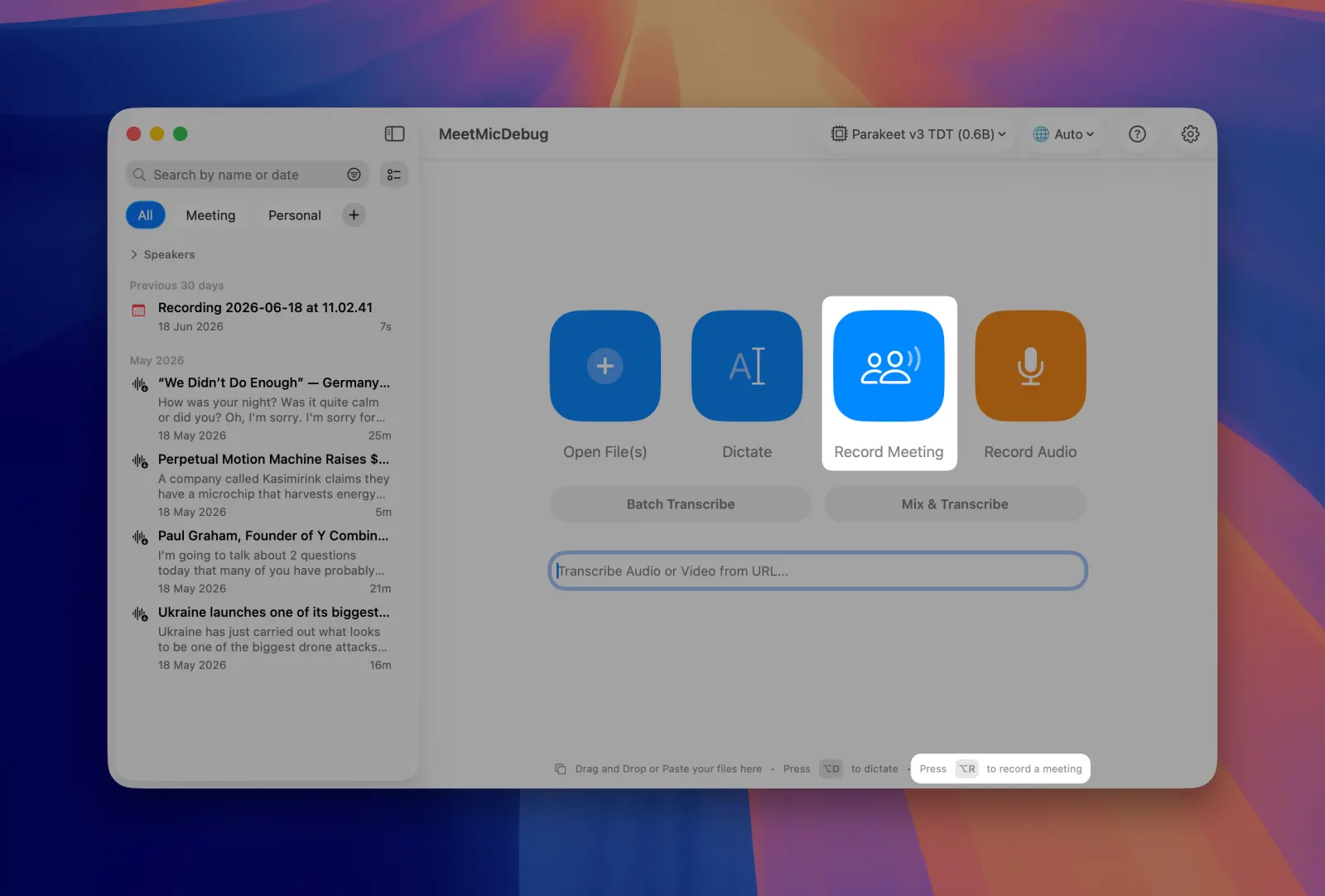
  • New default Option+R hotkey to start a meeting recording, with an on-screen hint.
  • First-click explainers on the Dictate and Record Meeting buttons, plus descriptive tooltips on the main action buttons.
  • Stop button added to the toggle-mode recording overlay.
  • History sidebar stays visible by default.

MeetMic 1.30 - Workflow & Interface Polish

Fixes & Improvements

Many bug fixes and performance improvements across the app - including correct Portuguese (pt-BR) mapping for Apple transcription, fresh installs defaulting to Whisper (Tiny).

MeetMic 1.29

We're excited to announce MeetMic 1.28, featuring a redesigned main interface, powerful organizational tools, expanded voice model options, and workflow enhancements!

Download MeetMic


New Features

Related Transcriptions

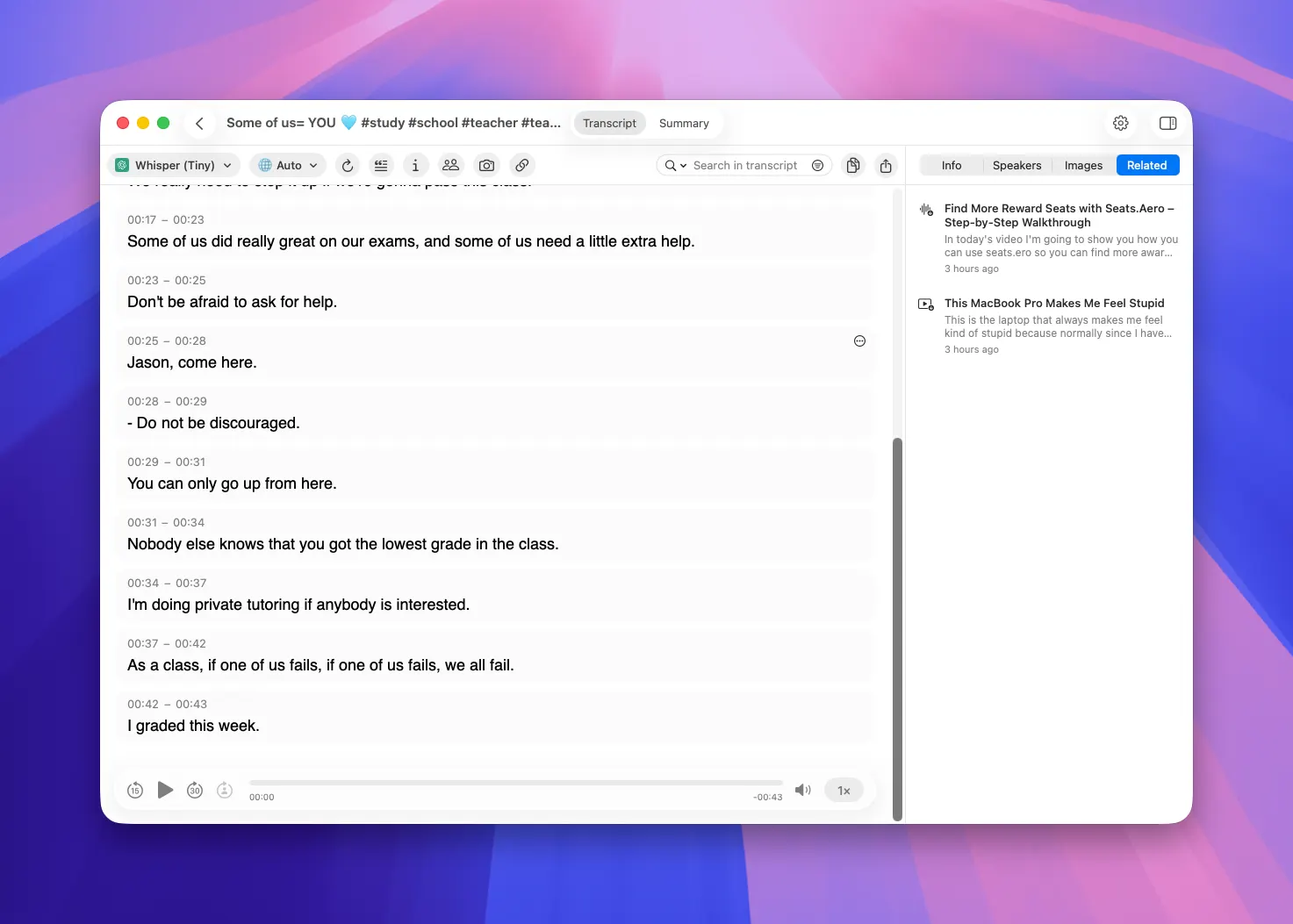
MeetMic now understands what your recordings are about. Every transcription you record or import is analyzed for meaning, and a new sidebar surfaces previous transcripts that are semantically similar to the one you're viewing. It's a fast way to pull up the last conversation on the same topic or revisit related notes from weeks ago.

Only recordings longer than 200 characters are indexed, so short clips won't clutter your related list.

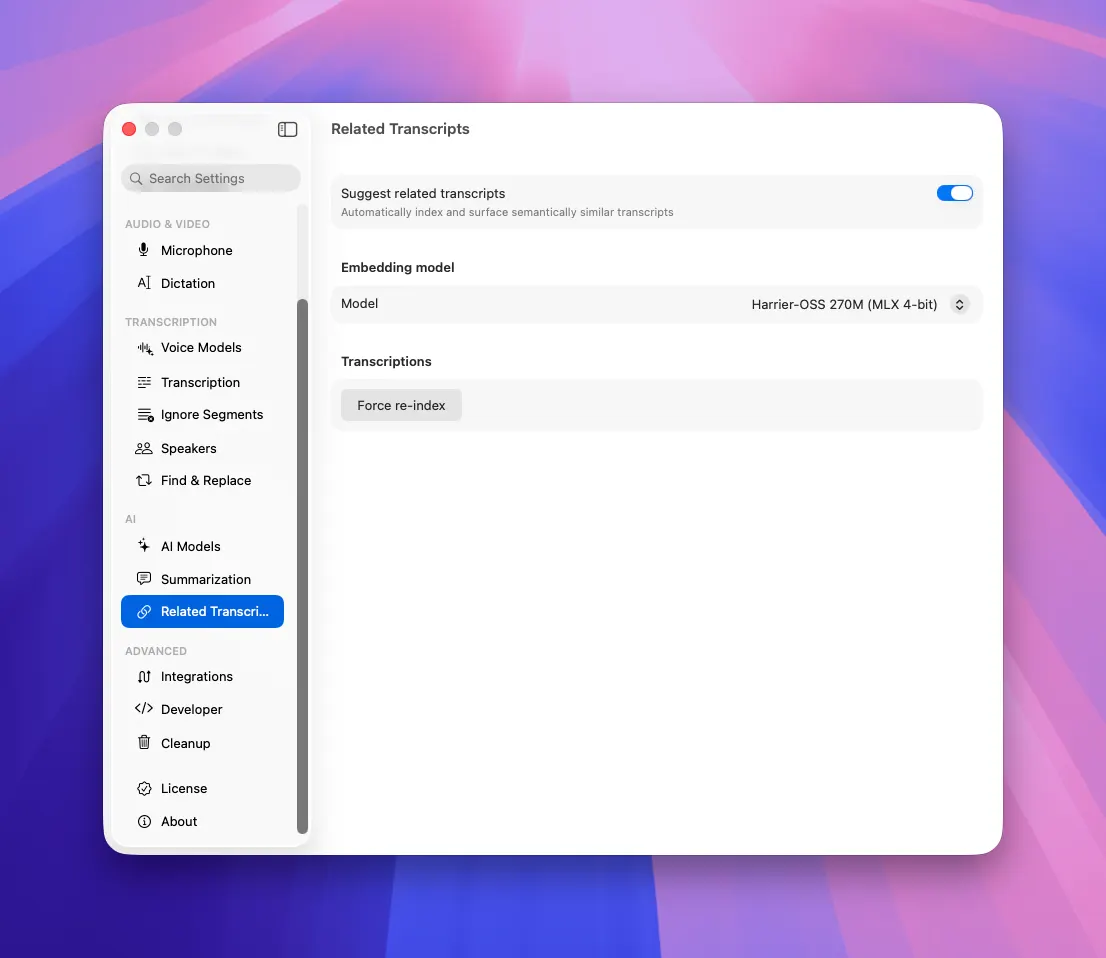
If you need to re-index your whole catalog of transcripts go to Settings → Related Transcripts → Force Re-index

MeetMic 1.29 - Related Transcriptions

MeetMic 1.29 - Related Transcriptions


Semantic Search

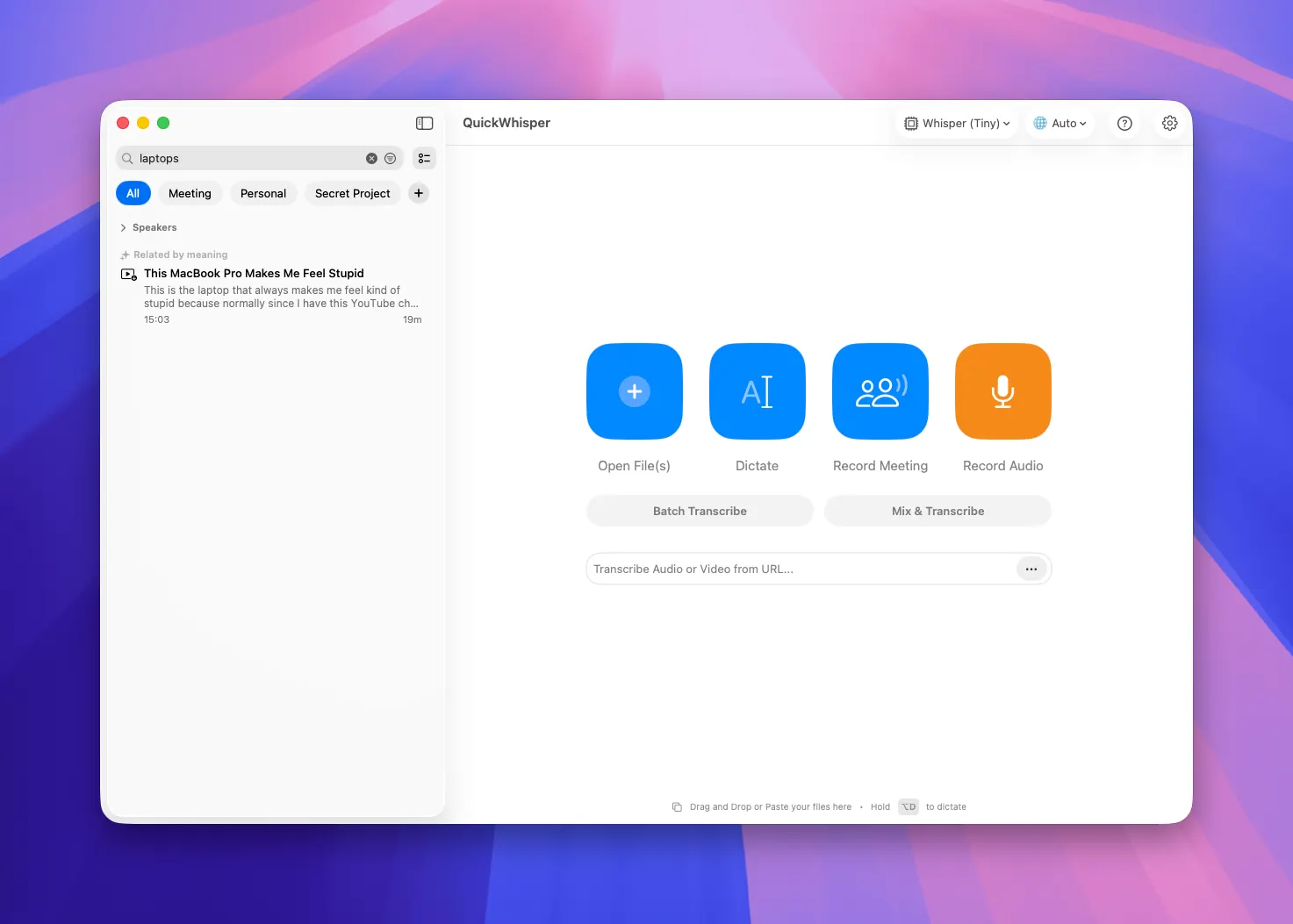
Now that your transcripts are indexed by meaning, search does more than match titles. When you search your History, MeetMic also looks for transcripts that are about what is inside.

This is an experimental feature, and we'd love your feedback as we refine it.

MeetMic 1.29 - Semantic Search


Global Speakers

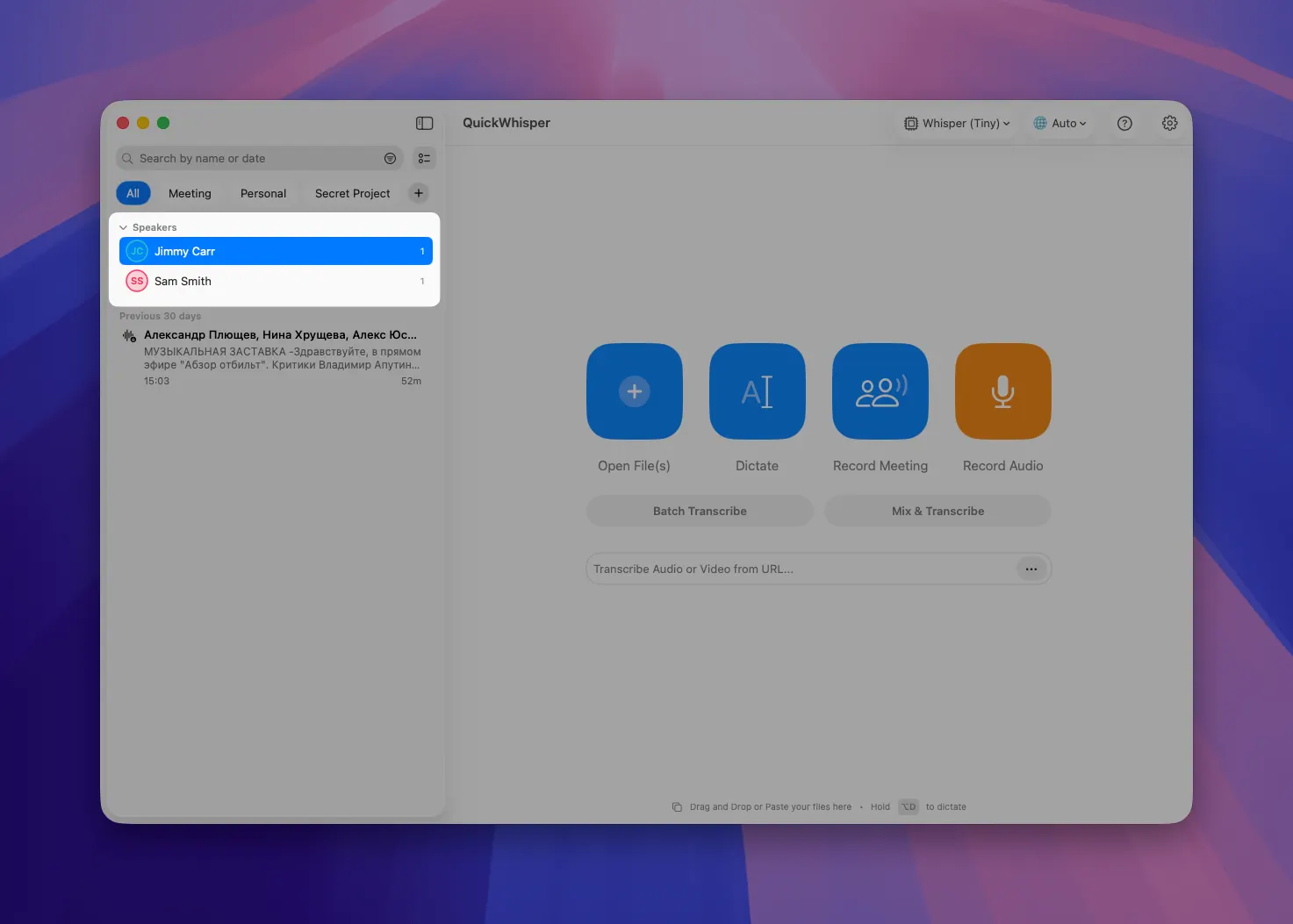
We've finished what we started with the Global Speakers list. Every speaker you add to a transcript now joins your global speakers list automatically. And in History, you can filter transcripts by the speakers they contain. If you have recurring meetings with the same people - customers, colleagues, collaborators - this filter is a real time-saver for finding every conversation with a given person.

MeetMic 1.29 - Global Speakers

MeetMic 1.29 - Global Speakers


New Cloud AI Models

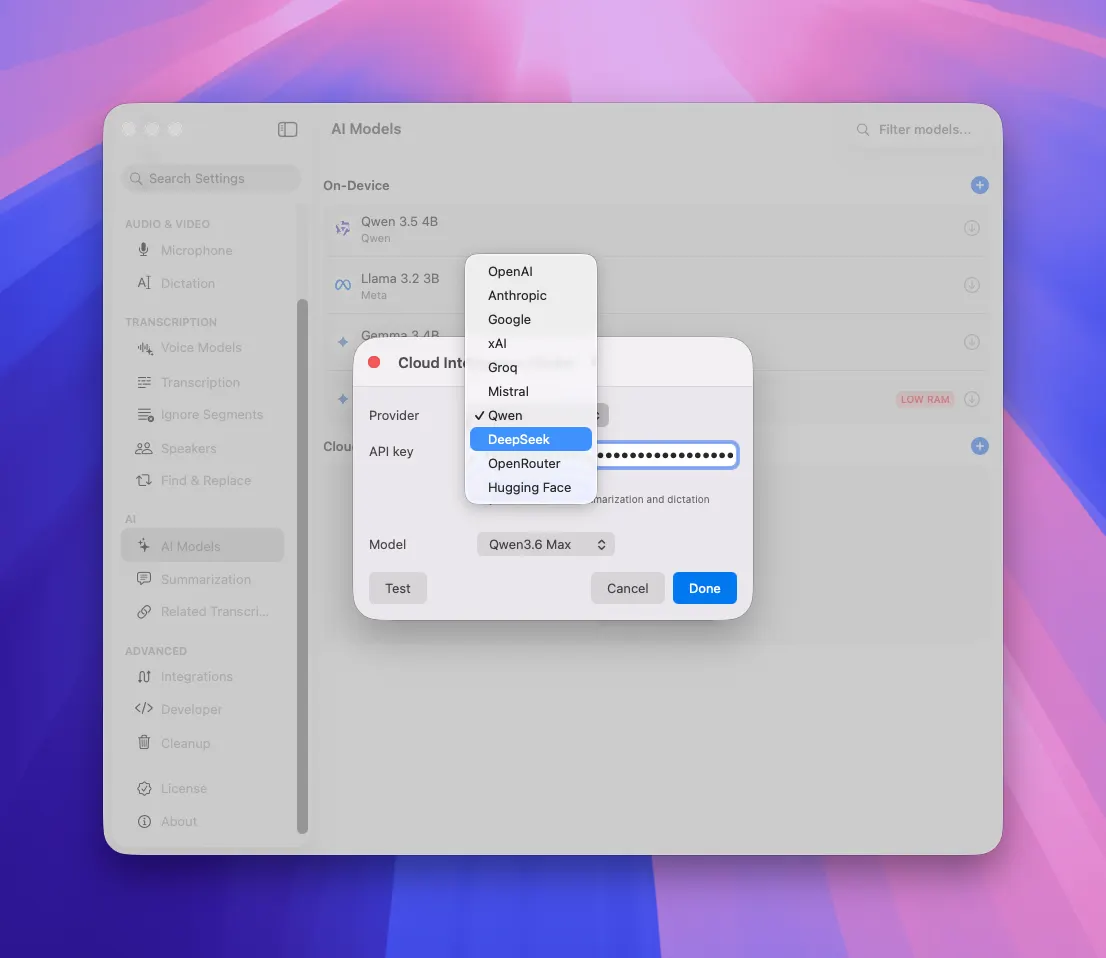
MeetMic now supports Qwen and DeepSeek cloud AI models. If you have an API key from them, you can use them for summarization and other AI-powered features.

MeetMic 1.29 - New Cloud AI Models


As always, we're committed to making MeetMic better with every release. Thank you for your feedback - it shapes everything we build.

The MeetMic Team
MeetMic 1.28

We're excited to announce MeetMic 1.28, featuring a redesigned main interface, powerful organizational tools, expanded voice model options, and workflow enhancements!

Download MeetMic


New Features

Global Speakers List

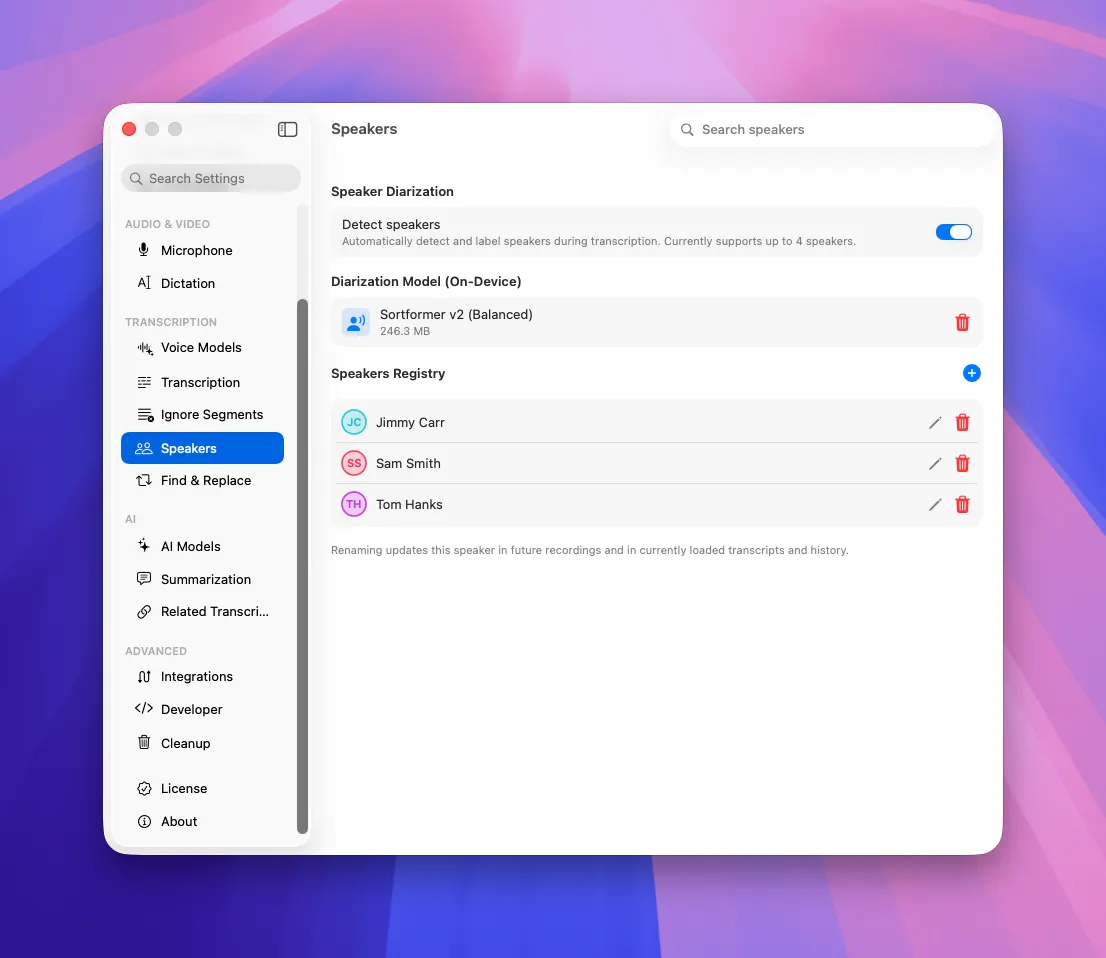
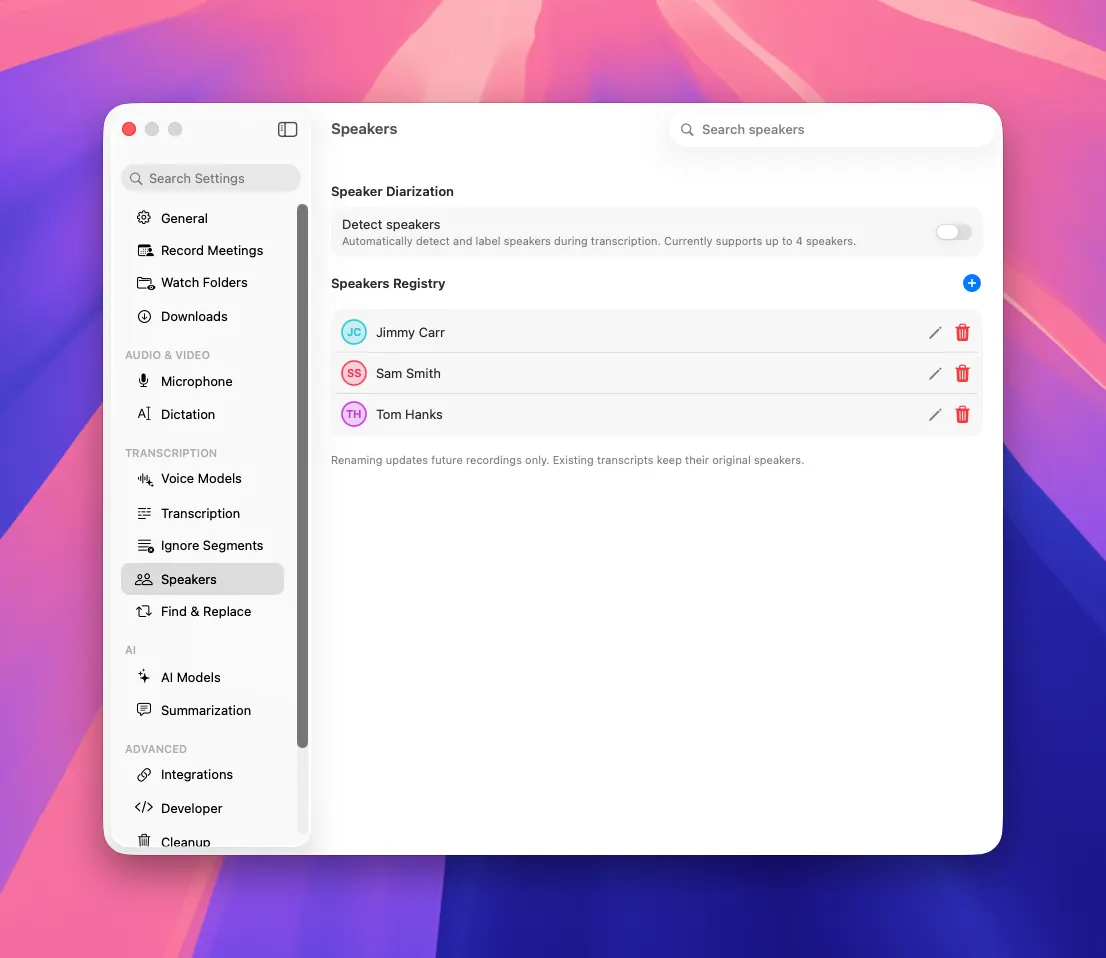
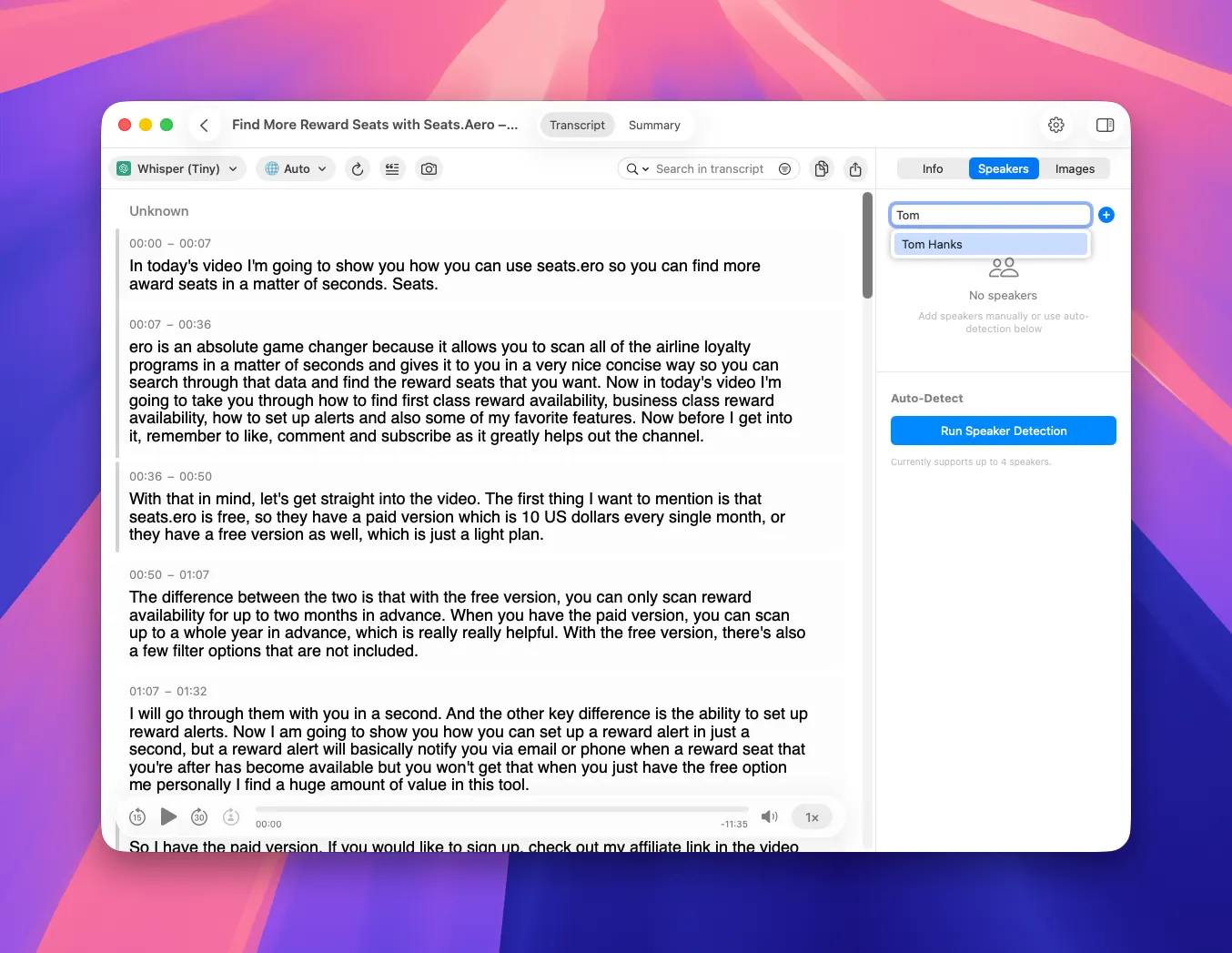
Manage speakers consistently across all transcripts with reusable global speaker profiles. You can create speakers in Settings → Speakers. To add a global speaker to the transcript, just start typing their name.

MeetMic 1.28 - Global Speakers List

MeetMic 1.28 - Global Speakers List

Enhanced Speaker Diarization

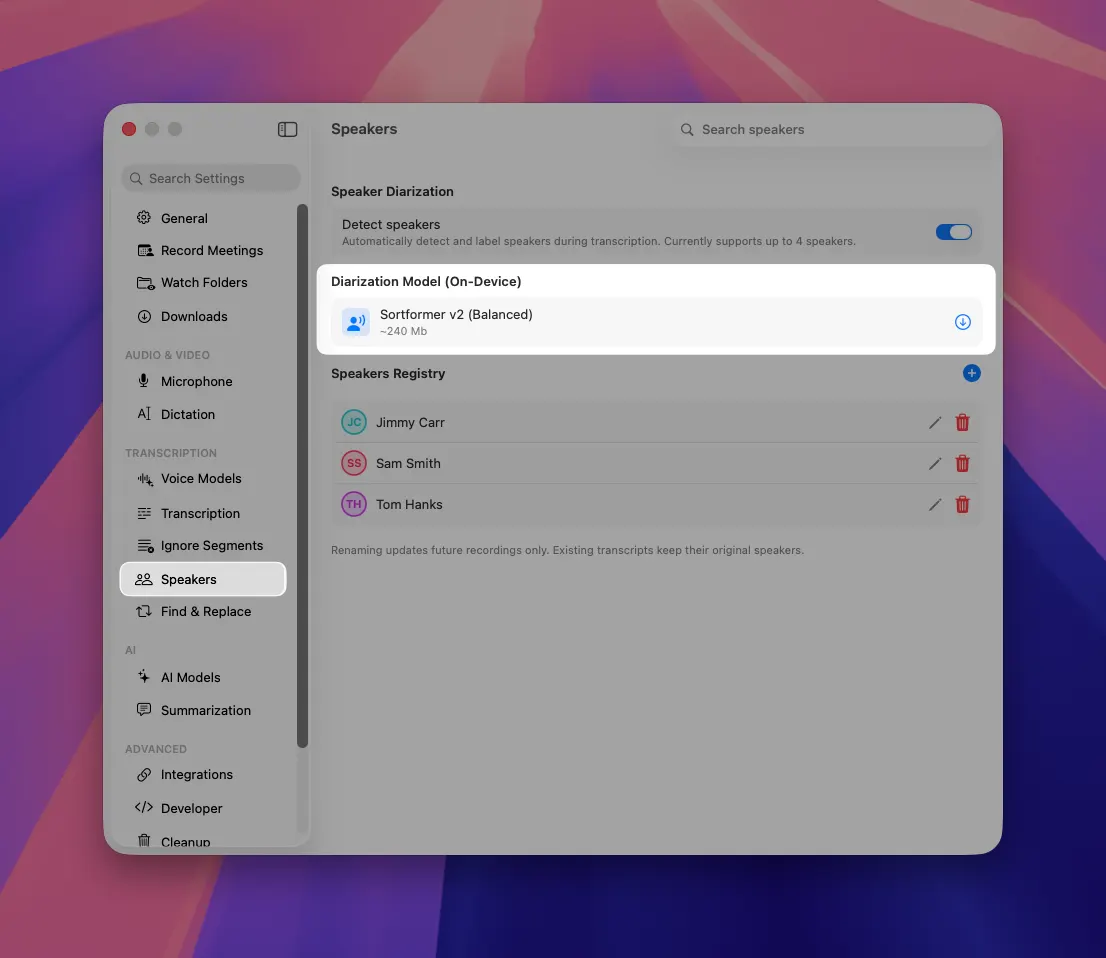
Experience improved speaker detection with our new Sortformer model. It supports up to 4 speakers and provides better recovery from interruptions.

MeetMic 1.28 - Enhanced Speaker Diarization

New on-device AI models

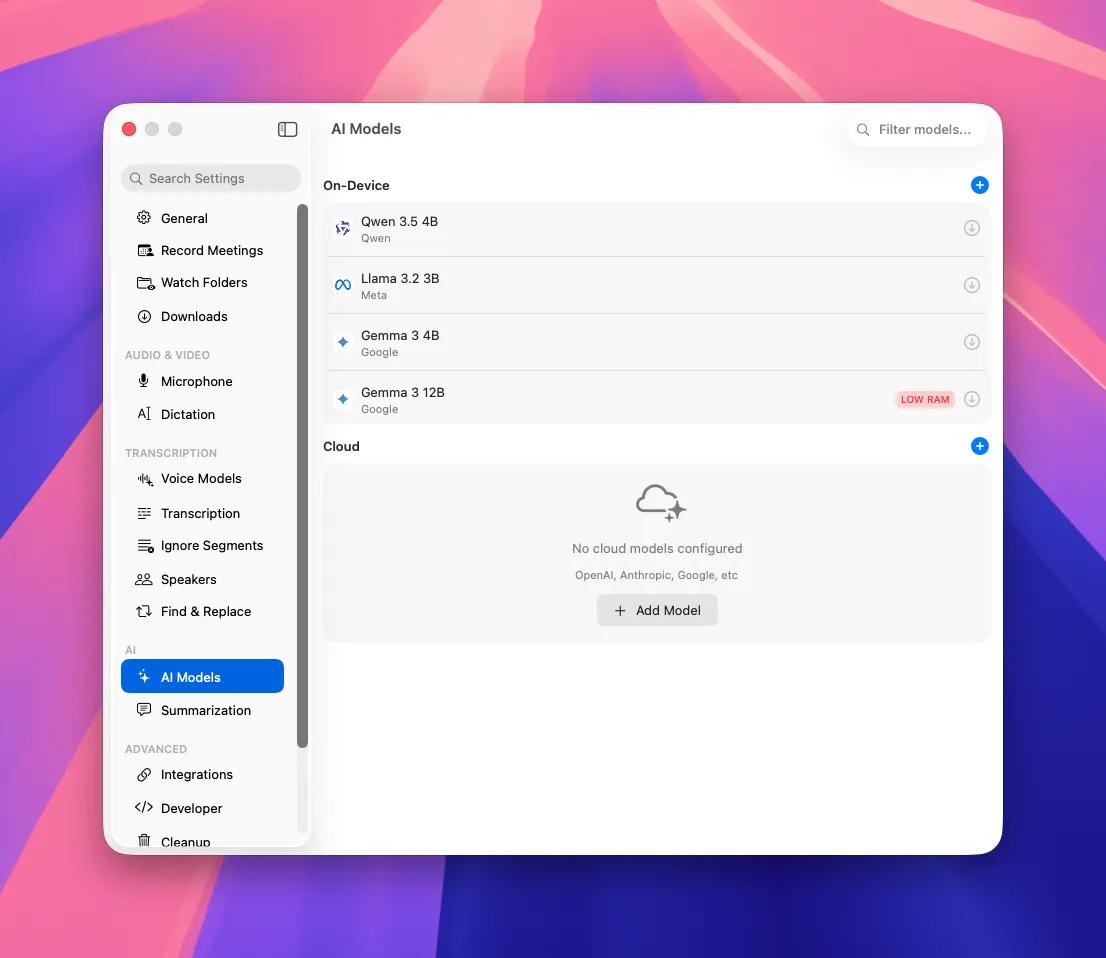
We've added 4 new AI models for summaries that you can download with one click of a button

  • Qwen 3.5 4B - Great for multilingual and structured summaries.
  • Llama 3.2 3B - Fastest and lightest for quick replies, simple rewrites.
  • Gemma 3 4B - Balanced speed and quality for quality summaries.
  • Gemma 3 12B - The most capable option for deeper reasoning, better writing quality, and more detailed answers. Requires more than 16Gb RAM.

MeetMic 1.28 - New on-device AI models

Video Subtitle Export

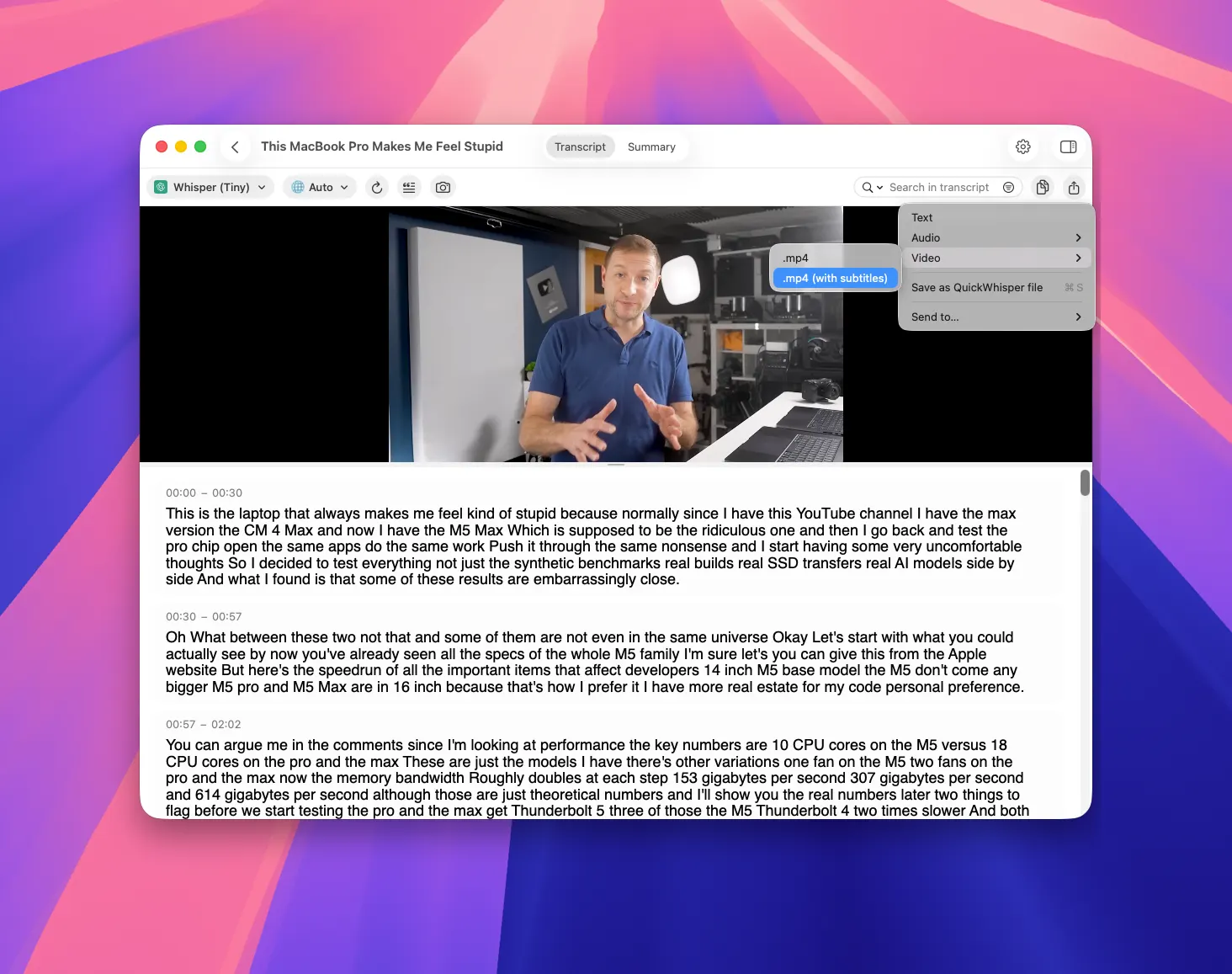
Create videos with embedded/burned subtitles using our new export option (experimental)

MeetMic 1.28 - Video Subtitle Export

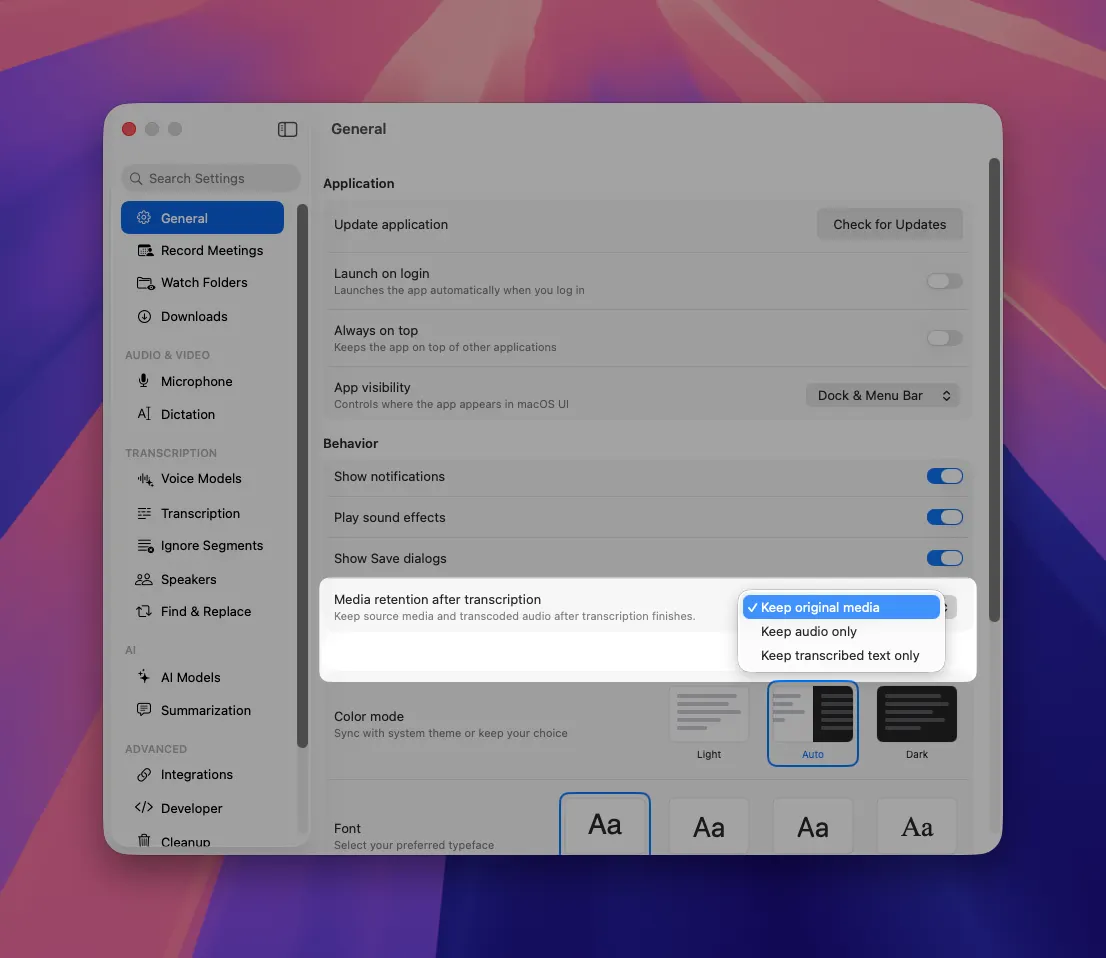
Media Retention Policy

We've improved our transcoding logic and implemented a content retention policy to minimize disk usage for new recordings while maintaining quality.

MeetMic 1.28 - Media Retention Policy


As always, we're committed to refining MeetMic based on your feedback. These updates reflect our focus on creating a more intuitive, powerful, and flexible transcription experience.

MeetMic Team

MeetMic 1.27

We're excited to announce MeetMic 1.27, featuring a redesigned main interface, powerful organizational tools, expanded voice model options, and workflow enhancements!

Download MeetMic


New Features

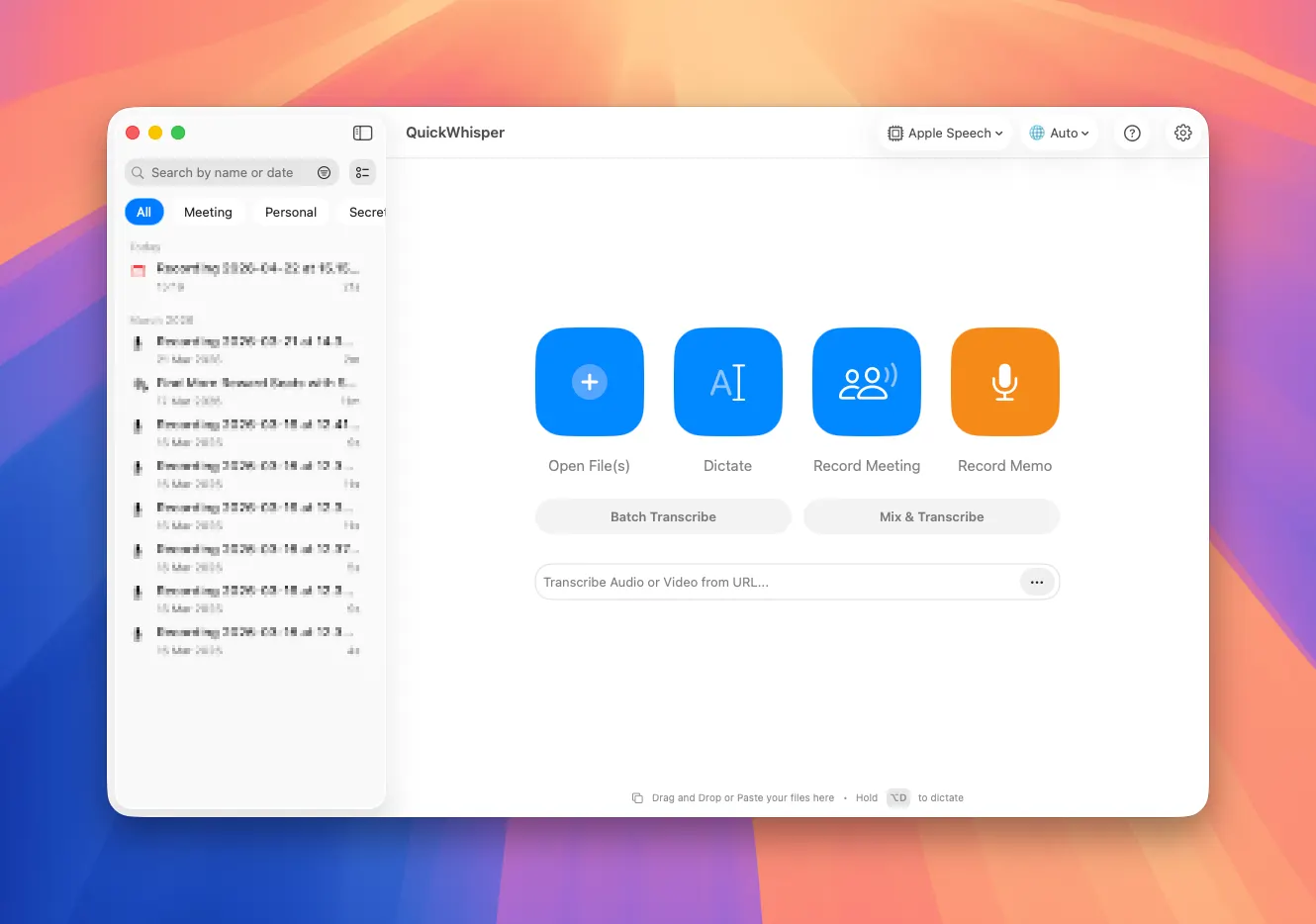
Redesigned Main Interface

We've completely reimagined the main view to surface your primary tasks:

  • Open File
  • Dictate
  • Record Meeting
  • Record Memo

MeetMic 1.27 - Redesigned Main Interface

Cleaner, more intuitive layout that highlights just what you need.

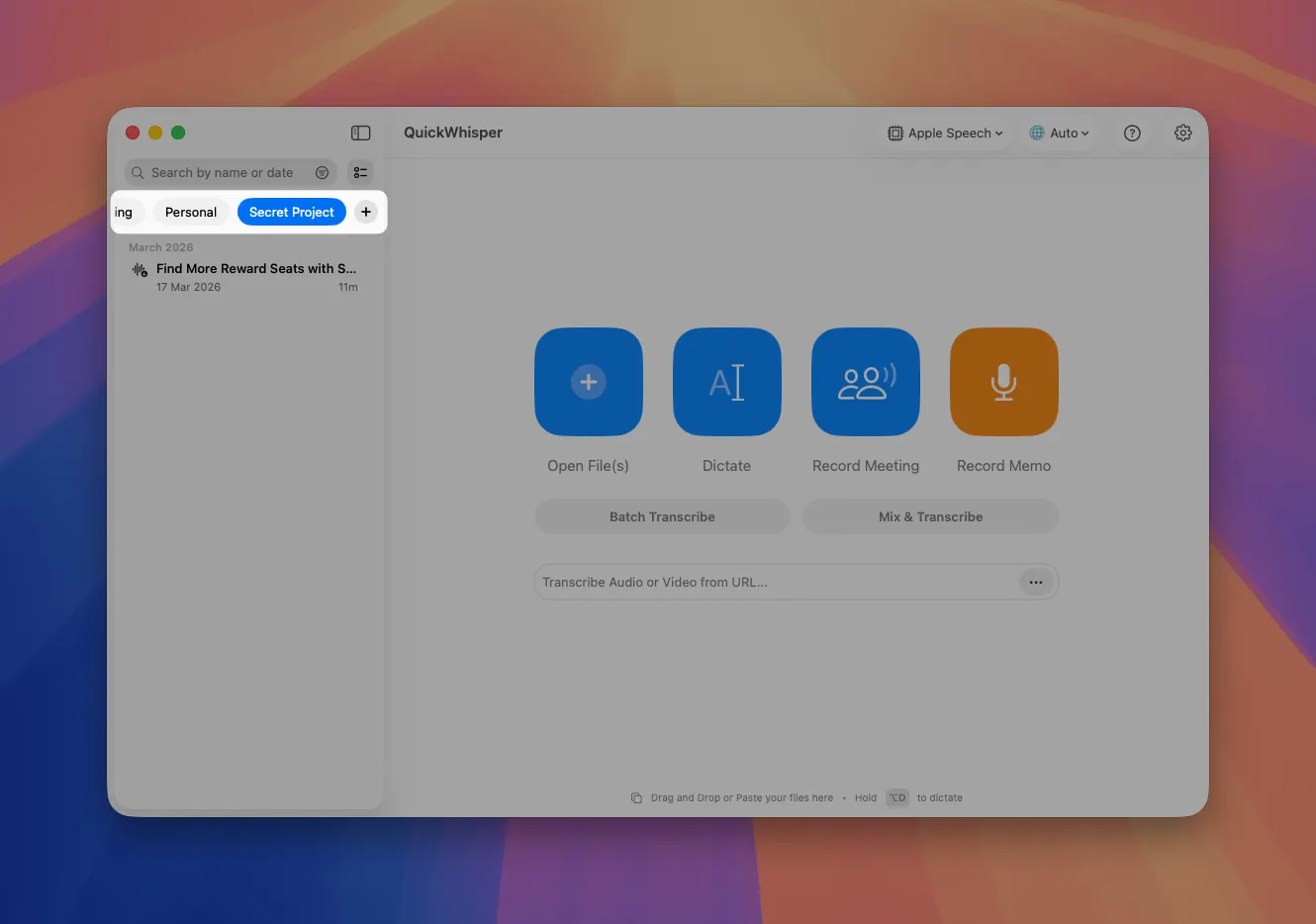
Content Tags

Bring semantic organization to your recordings and transcriptions. Now you can create custom tags like "Meetings," "Secret Project," or "Client Calls". Assign tags to you transcriptions to match you personal workflow

MeetMic 1.27 - Content Tags

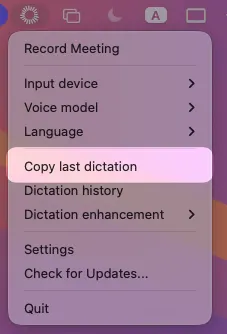
Copy Last Dictation from Menubar

Access your most recent dictation instantly. We’ve add "Copy Last Dictation" option in the menubar. No need to navigate through history when you need to quickly recover content

MeetMic 1.27 - Copy Last Dictation from Menubar

Auto-Minimize for Meeting Recording

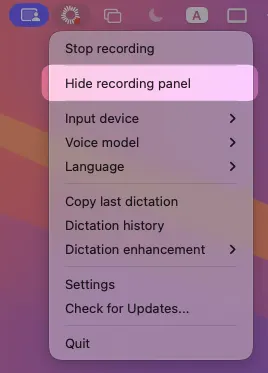
Main window automatically minimizes when starting a meeting recording. Only the floating recorder in the top-right corner remains visible (don’t worry, it is invisible during screen sharing). However, if you want to completely hide the recording panel, go to menubar and hit “Hide recording panel”\

MeetMic 1.27 - Auto-Minimize for Meeting Recording

Expanded Voice Model Library

We've added three new voice models to our growing collection:

  • Nvidia Parakeet 110M - A lightweight, fast model optimized for English
  • Nvidia Nemotron - High-accuracy English transcription with excellent technical terminology recognition
  • Mistral Voxtral Mini - Balanced performance across multiple languages with minimal resource usage

As always, we're committed to refining MeetMic based on your feedback. These updates reflect our focus on creating a more intuitive, powerful, and flexible transcription experience.

The MeetMic Team
MeetMic 1.26

We're excited to announce MeetMic 1.26, featuring significant improvements to recording stability, new batch operations, enhanced speaker detection, and expanded model support!

Download MeetMic


New Features

New Recording Engine

We've completely rewritten our recording engine from scratch for maximum reliability and performance. Audio is now incrementally saved to disk during recording, not just held in memory. This eliminates the risk of losing your recordings due to app crashes or macOS issues.

Bulk Deletion in History

The long-awaited batch operations have arrived in the transcription history view. You can select multiple transcriptions simultaneously to delete them in bulk. No more tedious one-by-one deletions.

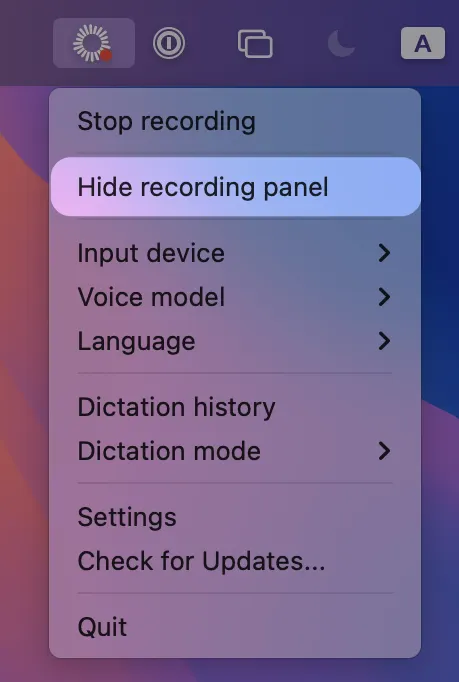
Hide Recording Panel

Don’t want to get unnecessary attention while you recording? You can now hide the floating recording panel for good. Simply go to MeetMic iconClick on "Hide recording panel"

MeetMic 1.26 - Hide Recording Panel

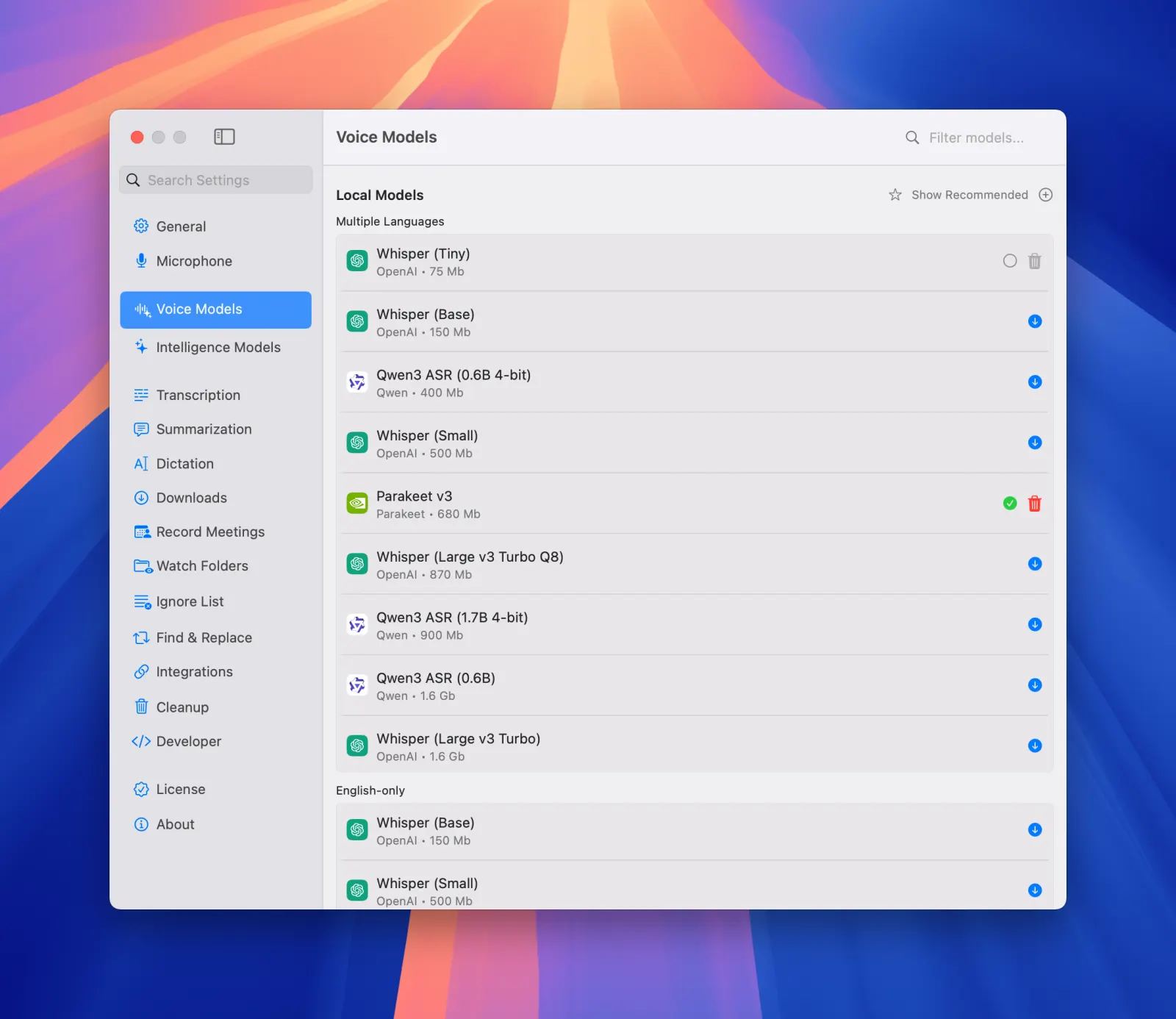
Qwen 3 ASR Support

We've added support for Qwen 3 ASR models. Qwen ASR has exceptional quality with Asian languages, surpassing Whisper in many cases.

Note: While speech recognition is excellent, segment separation is not yet ideal. Perfect for users who prioritize transcription accuracy over segment boundaries.

Go to Settings → Voice Models → Local Models → Click on “Show all“ → Qwen 3 ASR

MeetMic 1.26 - Qwen 3 ASR Support

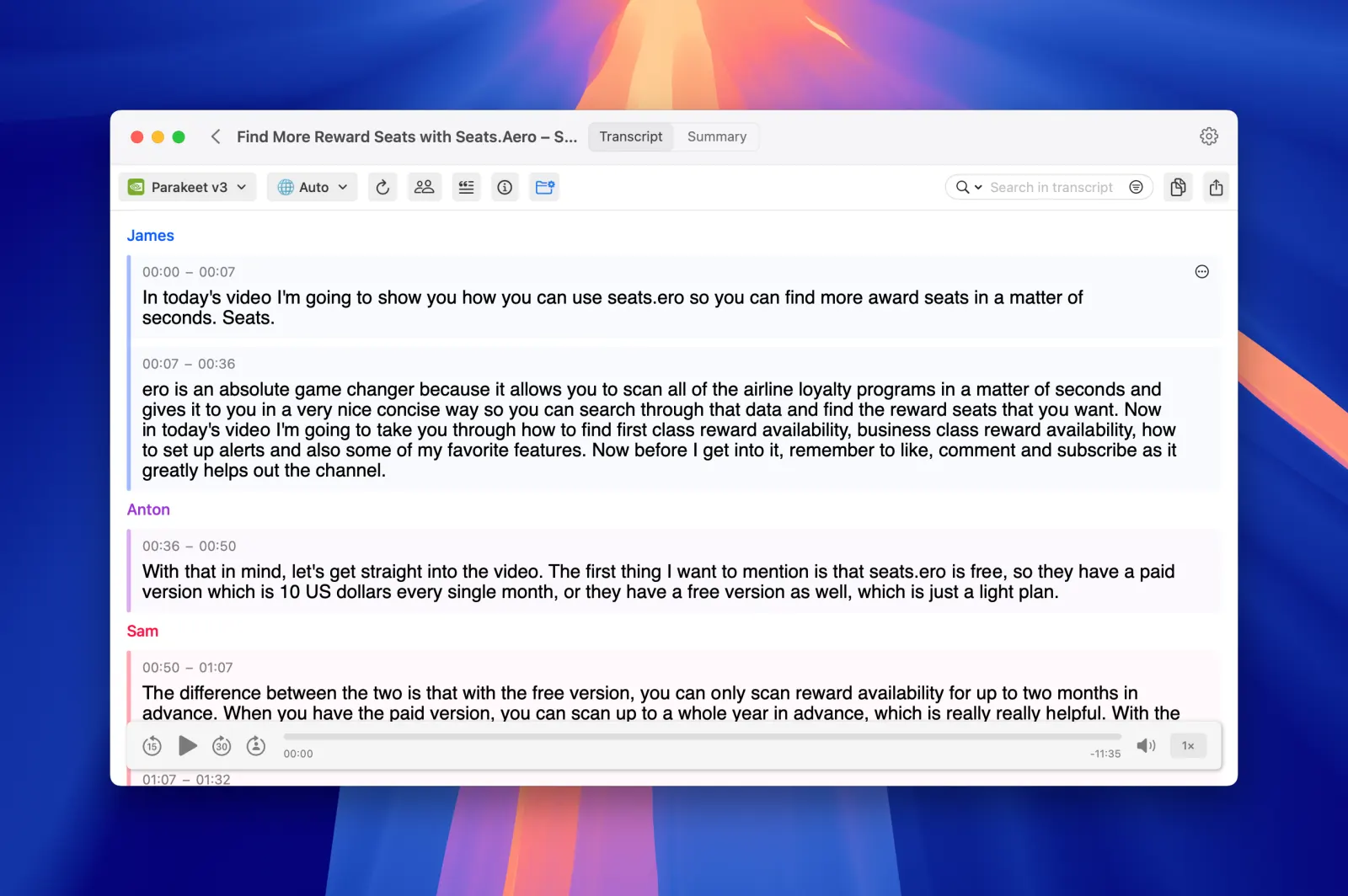
Accurate Automatic Diarization

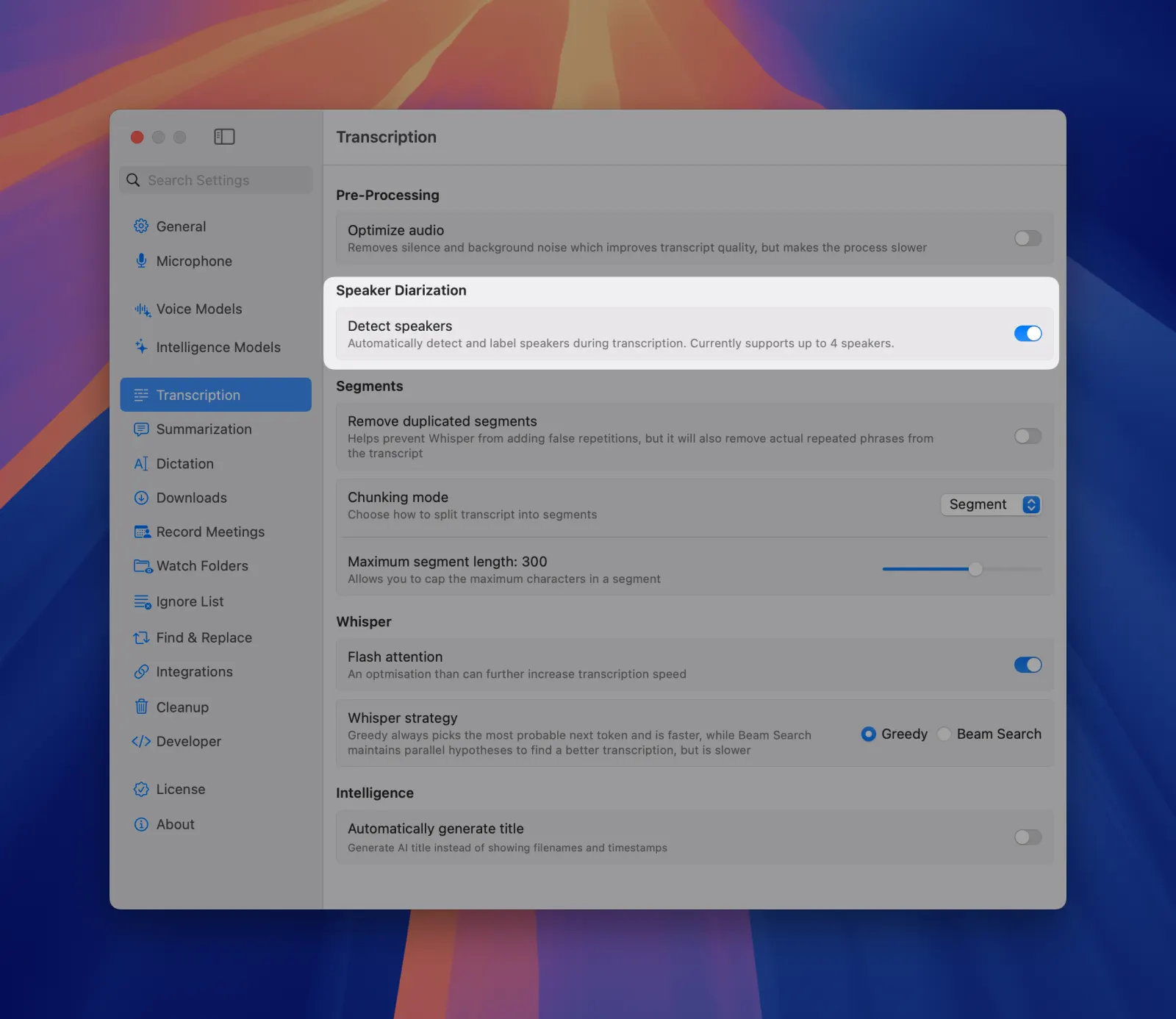
Our diarization capabilities have been significantly improved with new sortformer-based model. It has more accurate speaker separation in complex audio environments. Also you can enable automatic diarization for all new recordings.

Go to Settings → Transcription → Detect speakers

Note: Currently diariazation supports only up to 4 distinct speakers.

MeetMic 1.26 - Accurate Automatic Diarization

MeetMic 1.26 - Accurate Automatic Diarization

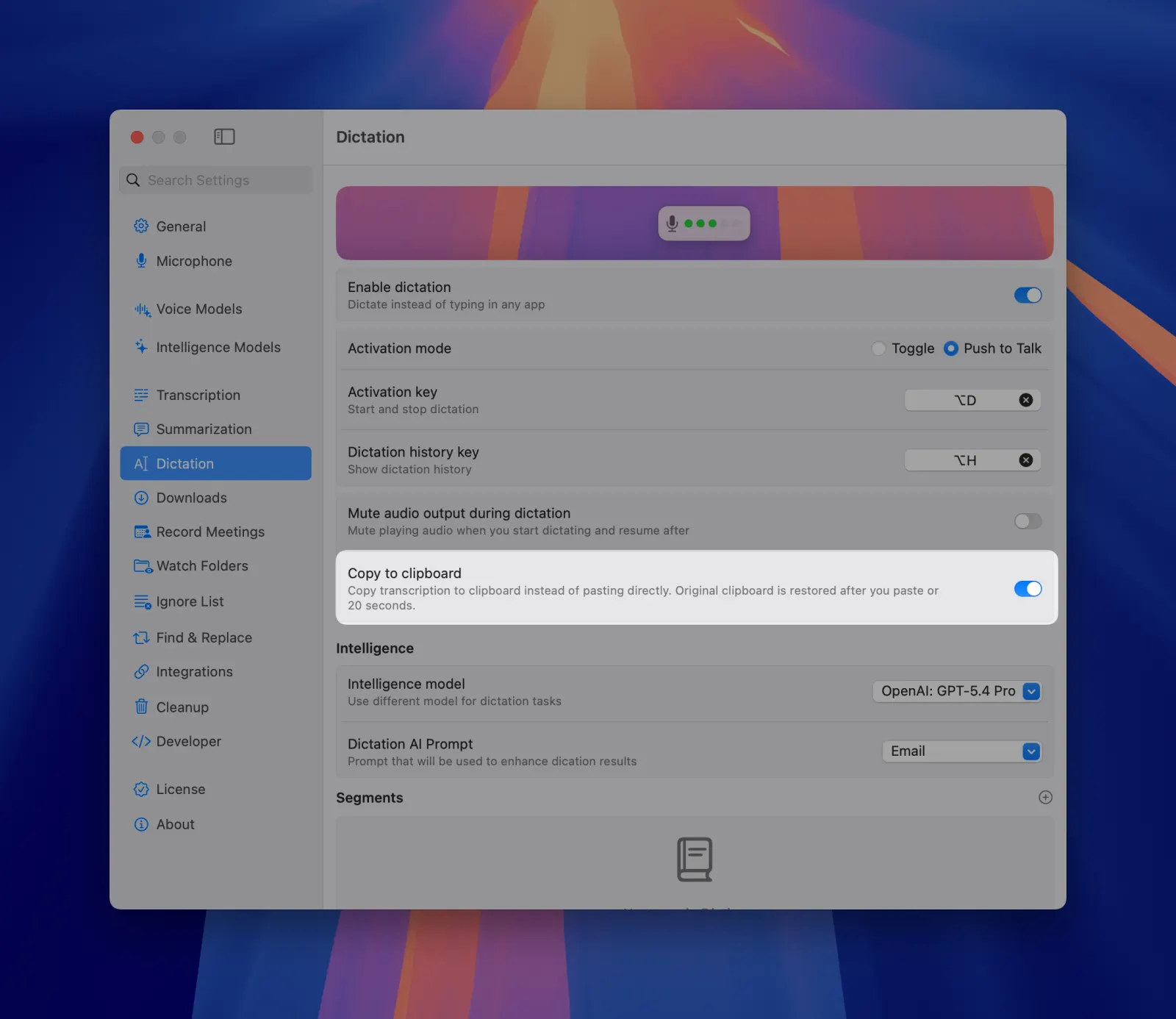
Automatic Dictation to Clipboard

Enable automatic copying of dictation results to your clipboard. Instantly paste transcribed text into any application with Cmd+V. Eliminates the extra step of manually copying from MeetMic Dictation History.

Go to Settings → Dictation → Copy to clipboard

MeetMic 1.26 - Automatic Dictation to Clipboard


As always, we're committed to making MeetMic the most reliable and powerful transcription tool for your workflow. Thank you for your continued feedback and support!

The MeetMic Team
MeetMic 1.25

We're thrilled to announce MeetMic 1.25 - a release built for power users, developers, and anyone who wants deeper control over their transcription workflow. This update brings custom model support, a local API server, and seamless integrations with AI agents.

Download MeetMic


New Features

Add Custom Whisper Models (GGML format)

MeetMic now supports importing custom Whisper models in GGML format. Download any fine-tuned model from popular hubs like HuggingFace and load it directly into MeetMic. This long-awaited feature is a game-changer for users working with specialized vocabularies, niche languages, or domain-specific content where standard Whisper models fall short.

Developer Mode & Local REST API

This is one we're extremely excited about. Spin up Local API Server inside MeetMic. This gives third-party tools and scripts programmatic access to your transcripts and summaries. Even better, you can copy a ready-to-use mpc.json configuration and paste it into your AI agent settings, turning MeetMic into a local tool for your AI workflows.

REST API docs

Deep Link Support

Open any specific transcript directly from an external link - no need to navigate through the UI. This is especially powerful when combined with the local API: query transcript IDs programmatically, then open them instantly via deep links for a seamless automated workflow.

Deeplinks docs

Example:

quickwhisper://open?id=AF760979-EB59-49E2-891B-ECAABACDCB43

Cloud Configuration Testing

We've added a dedicated test button for both Cloud Voice Models and Cloud Intelligence models. Instantly verify that your API credentials are correct and that a connection to your cloud provider can be established. This dramatically improves the configuration experience and helps you catch errors early.


These features mark a significant step toward making MeetMic not just a standalone app, but a core building block in your broader productivity and AI toolchain. As always, we welcome your feedback and suggestions for future improvements!

The MeetMic Team
MeetMic 1.24

We're pleased to announce MeetMic 1.24, focused on reliability and performance.

  • Multiple stability and performance enhancements across transcription and LLM enhancement

MeetMic 1.23

We're excited to announce MeetMic 1.23, featuring advanced microphone management, enhanced intelligence model flexibility, automatic summarization, and improved integrations!

Download MeetMic


New Features

Expanded Integrations

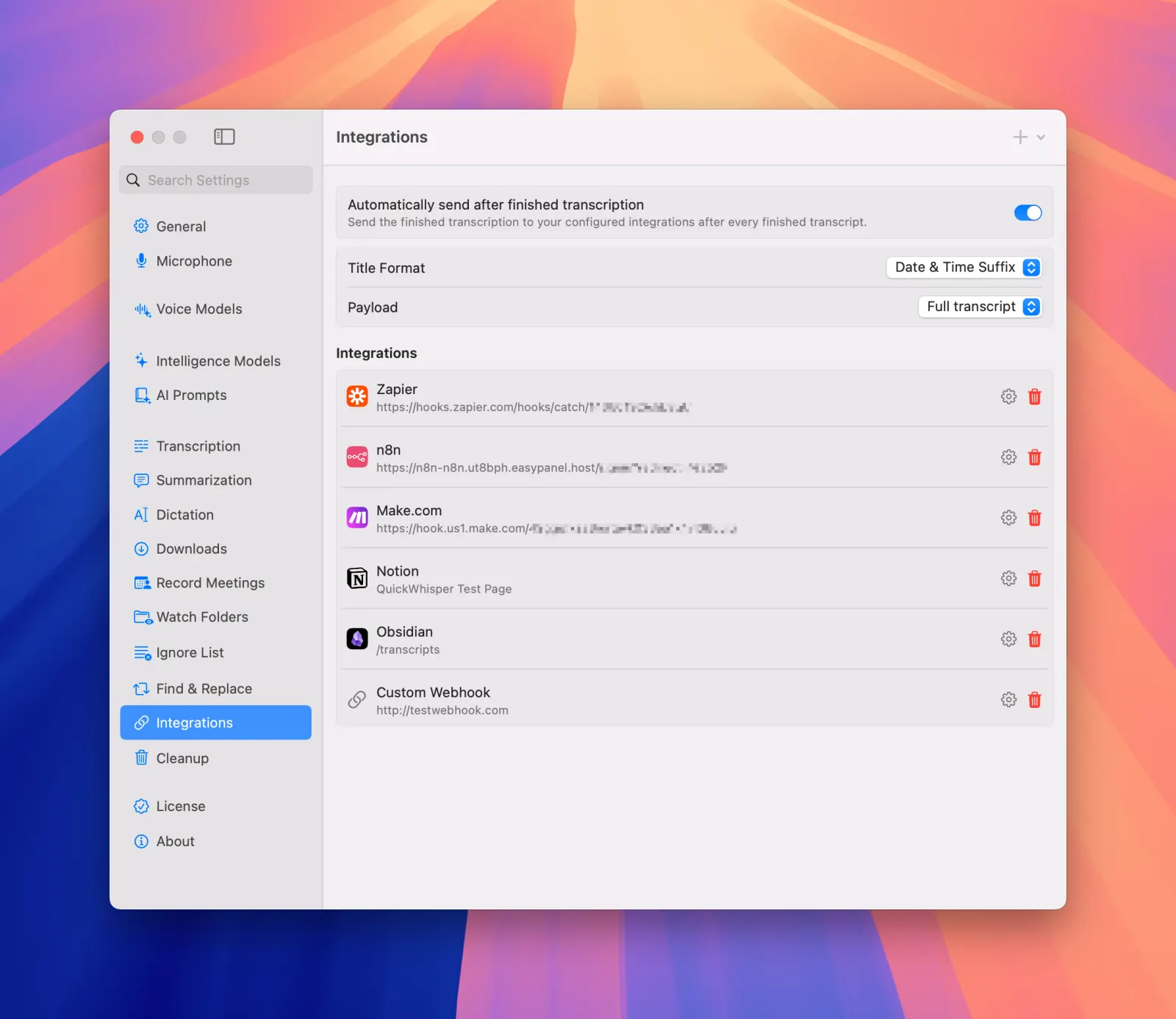
MeetMic now features built-in integrations with popular productivity platforms:

• Zapier
• N8N
• Notion
• Obsidian
Make.com

Our existing custom webhook support has been preserved and enhanced with a new, intuitive interface for easier configuration.

MeetMic 1.23 - Expanded Integrations

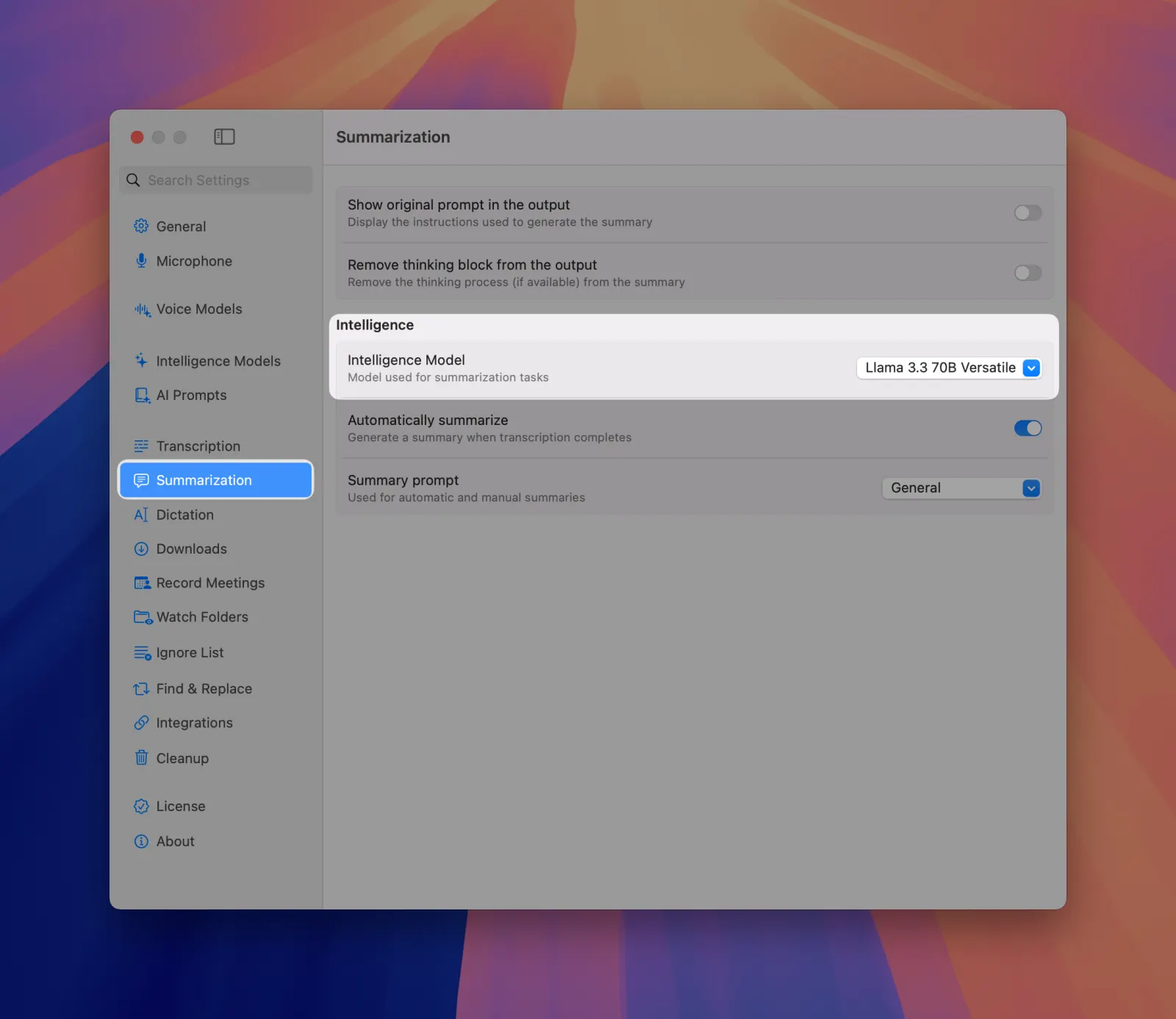
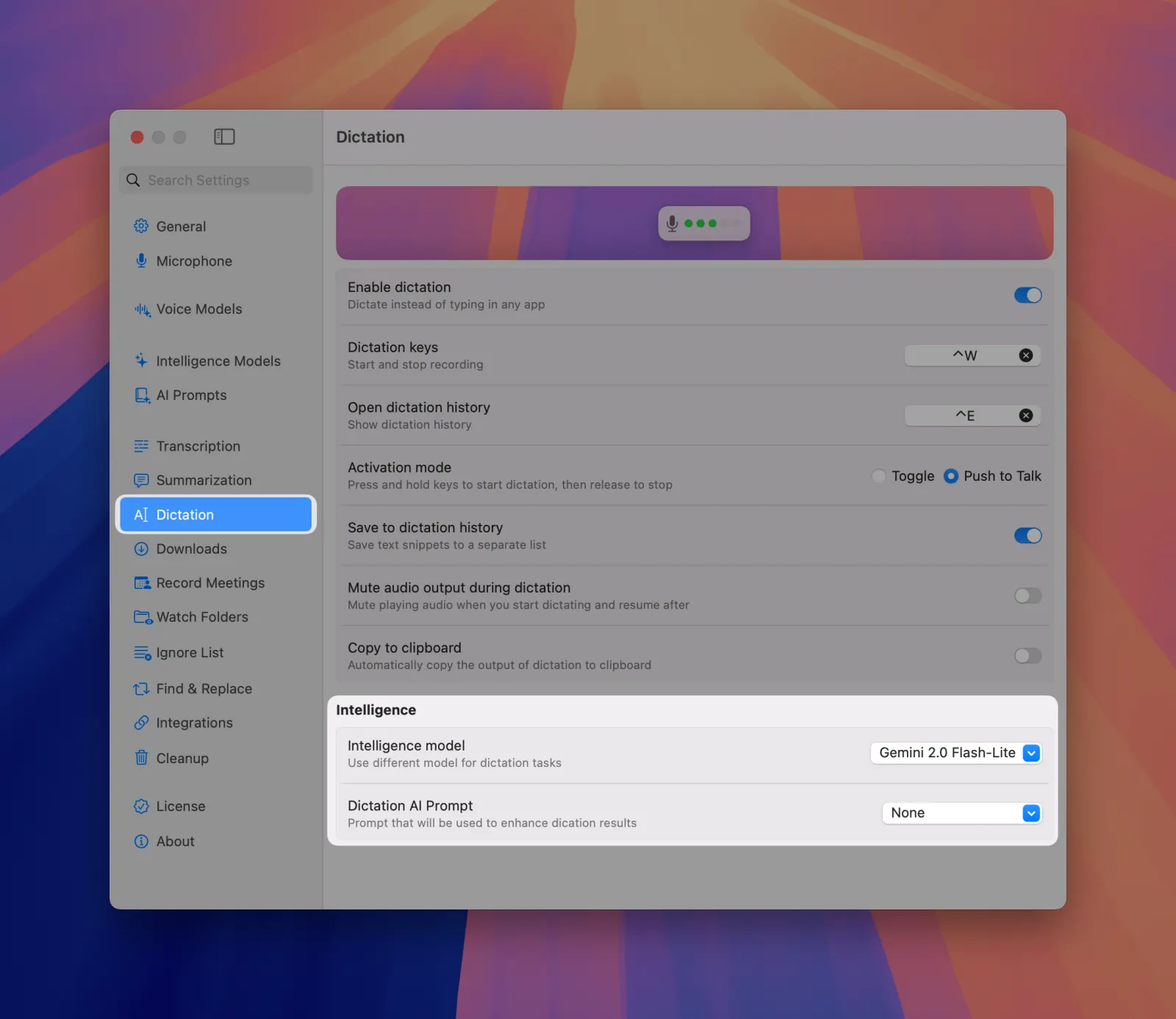
Separate LLMs for different tasks

Now you can select different AI models for Summarization (smarter model) and Dictation (faster model). This allows you to optimize performance and cost by matching the right model to each specific task.

MeetMic 1.23 - Summarization settings

MeetMic 1.23 - Dictation settings

AI Title Suggestions

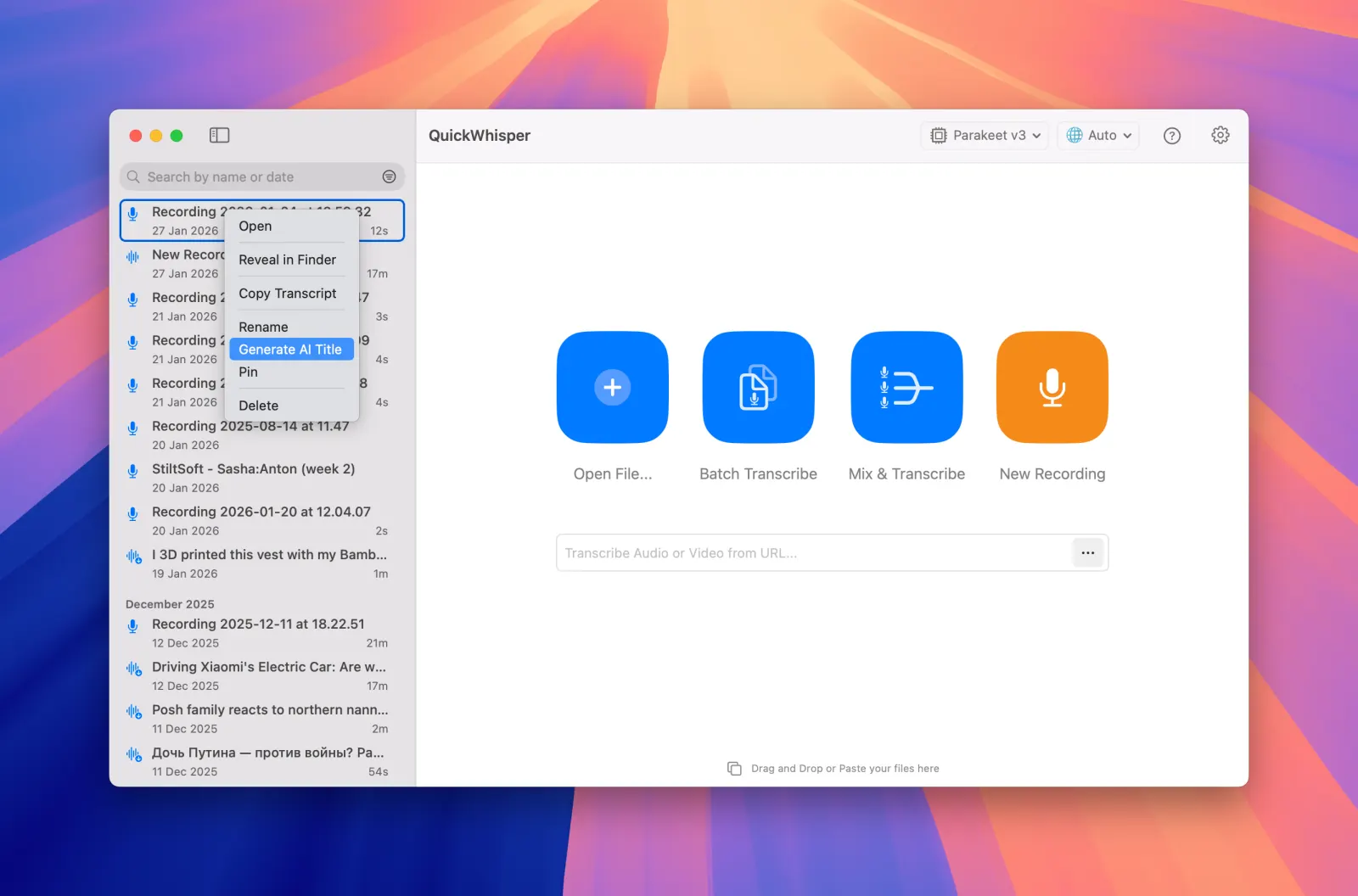
MeetMic now automatically analyzes your transcription content to suggest relevant, descriptive titles. This intelligent feature saves you time and mental energy when organizing your recordings, ensuring your transcripts are easily identifiable and searchable with minimal effort. To try the feature, Select transcription in the History list → Context menu → AI Title Suggestion

MeetMic 1.23 - AI Title Suggestions

Automatic Summarization

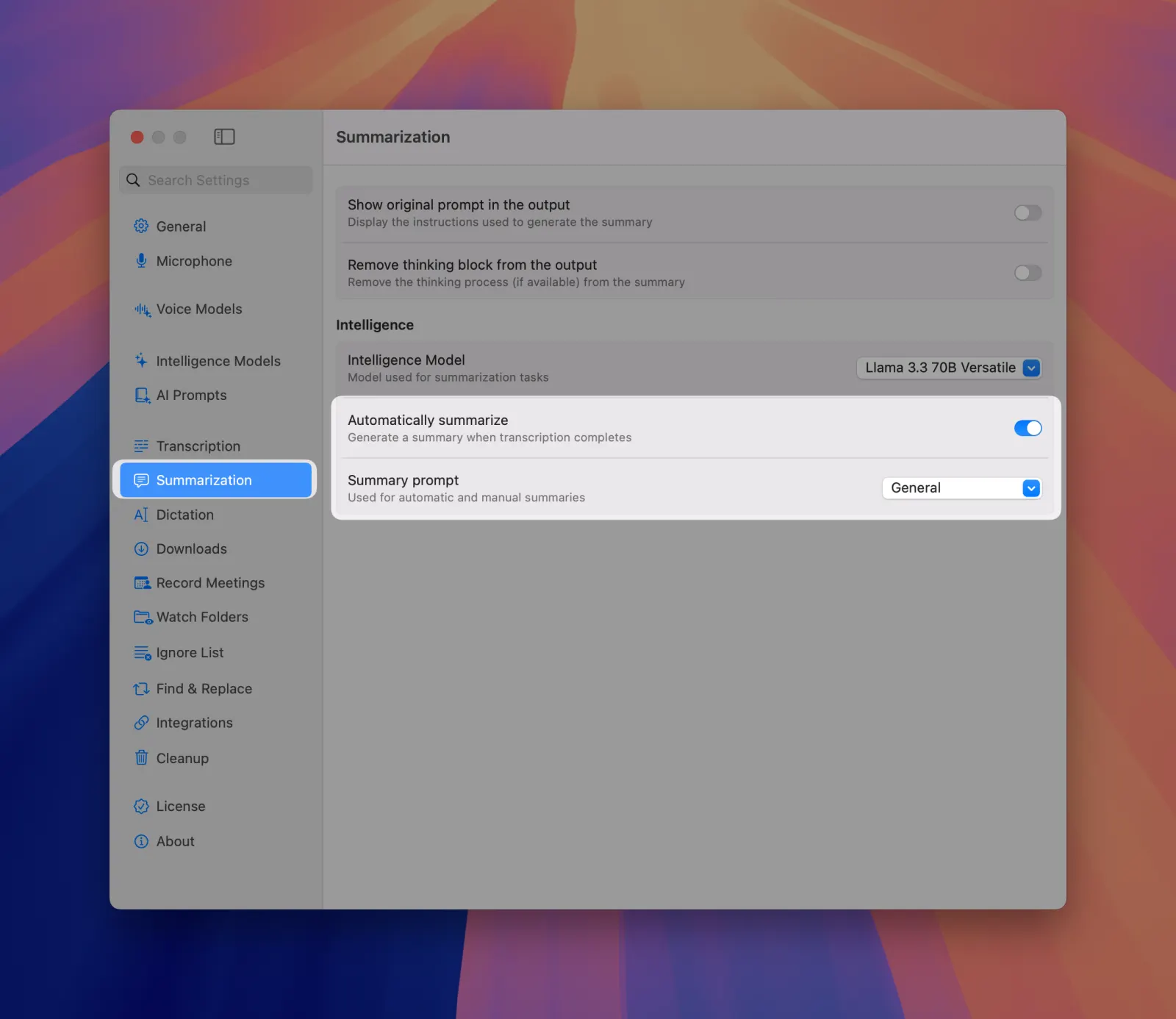
Enable automatic summarization to have your recordings immediately processed after transcription. Simply select your preferred AI prompt, and MeetMic will generate summaries without requiring manual intervention.

MeetMic 1.23 - Automatic Summarization

Advanced Microphone Management

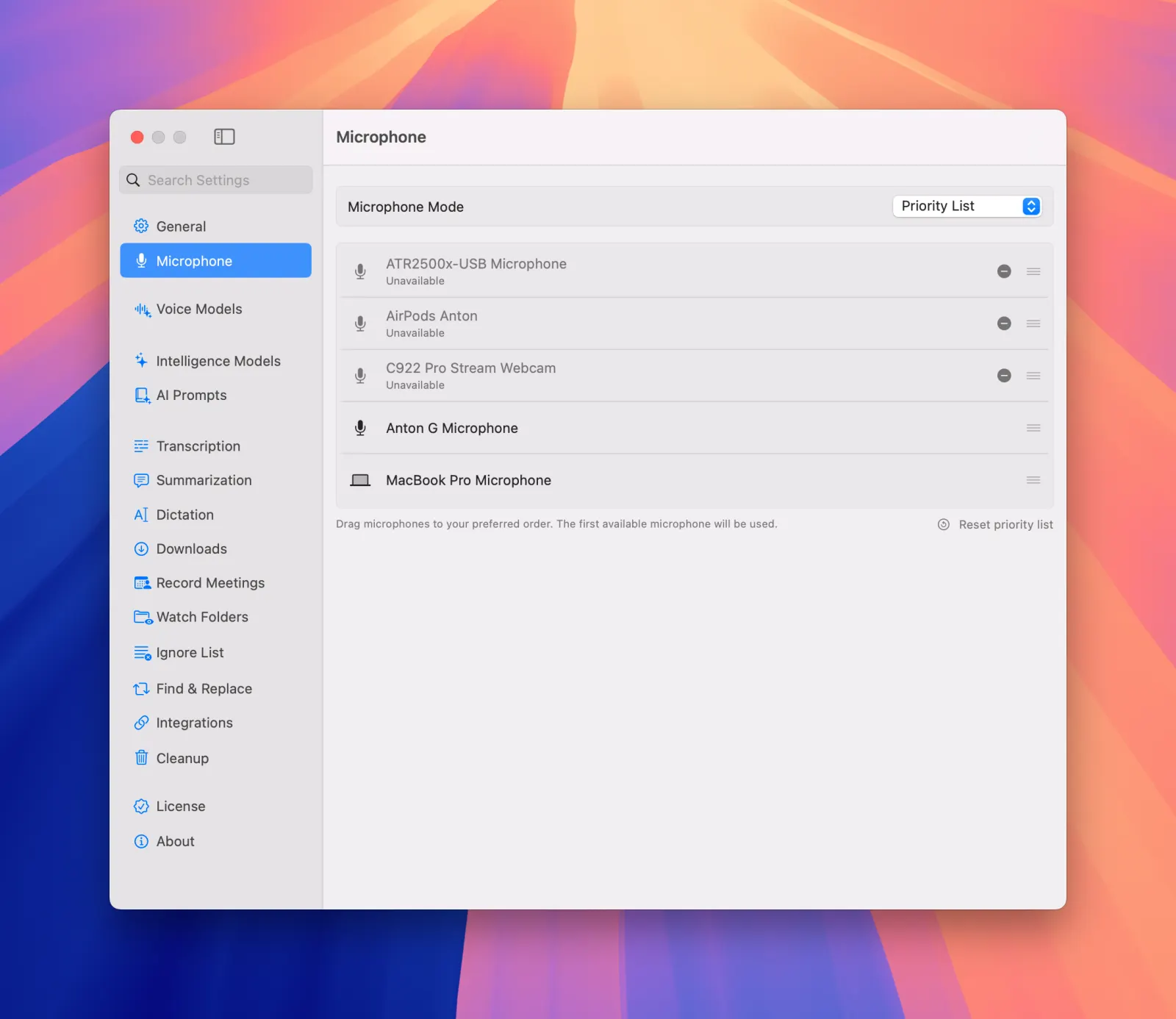
Gain unprecedented flexibility with our new microphone settings:

  • System Default Mode - Automatically use your system's currently default microphone
  • Fixed Microphone Mode - Lock to a specific device with automatic fallback to system default when unavailable
  • Priority List Mode - Create a custom hierarchy of preferred microphones, even for disconnected devices. Perfect for podcasters, content creators, and professionals who work across multiple setups and locations.

MeetMic 1.23 - Advanced Microphone Management

Robust YouTube downloads

We've significantly improved our video download capabilities, with particular enhancements for YouTube content downloading. Enjoy higher quality audio extraction and more reliable downloads across all video sources.

MeetMic 1.22

We're thrilled to present MeetMic 1.22, delivering unprecedented on-device capabilities and expanded AI options that put you in complete control of your transcription workflow!

Download MeetMic


New Features

Cloud Transcription Providers

MeetMic now seamlessly integrates with leading cloud transcription providers, giving you more options for fast, high-quality transcriptions. Simply add your existing API keys from any of our supported services:

• OpenAI
• Google
• DeepGram
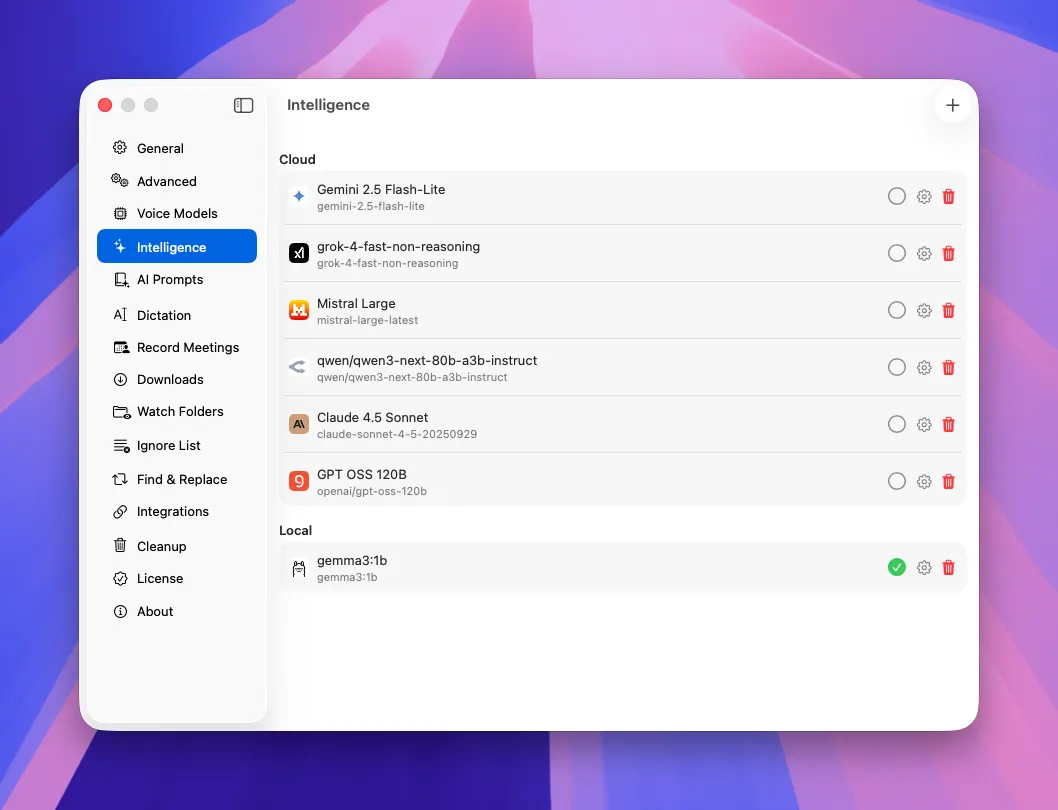
• ElevenLabs
• Groq

This integration offers an ideal solution for users who already have cloud transcription subscriptions or require specialized transcription capabilities for specific use cases.

MeetMic 1.22 - Cloud Transcription Providers

MeetMic 1.22 - Cloud Transcription Providers

Smart Dictation Modes

Transform how you capture thoughts with our intelligent dictation modes! Each dictation can now be automatically processed through customizable AI prompts that instantly format your spoken words for specific purposes.
We've included some pre-built prompts, but you can easily create and save your own to match your unique workflow needs. Instantly switch between modes to optimize for different writing styles and contexts.

You can create Dictation AI prompts via Settings → AI Prompts and select active Dictation Mode via System bar icon (as shown below)

MeetMic 1.22 - Smart Dictation Modes

Dictation Grammar Enhancement

Speak naturally and let our Intelligence model handle the details! MeetMic now automatically refines your dictated text with proper grammar and correct sentence structure.

This feature ensures your dictations look professional without requiring additional editing steps, saving you valuable time and maintaining your creative flow.

MeetMic 1.22 - Dictation Grammar Enhancement

Segment-Level Grammar Enhancement

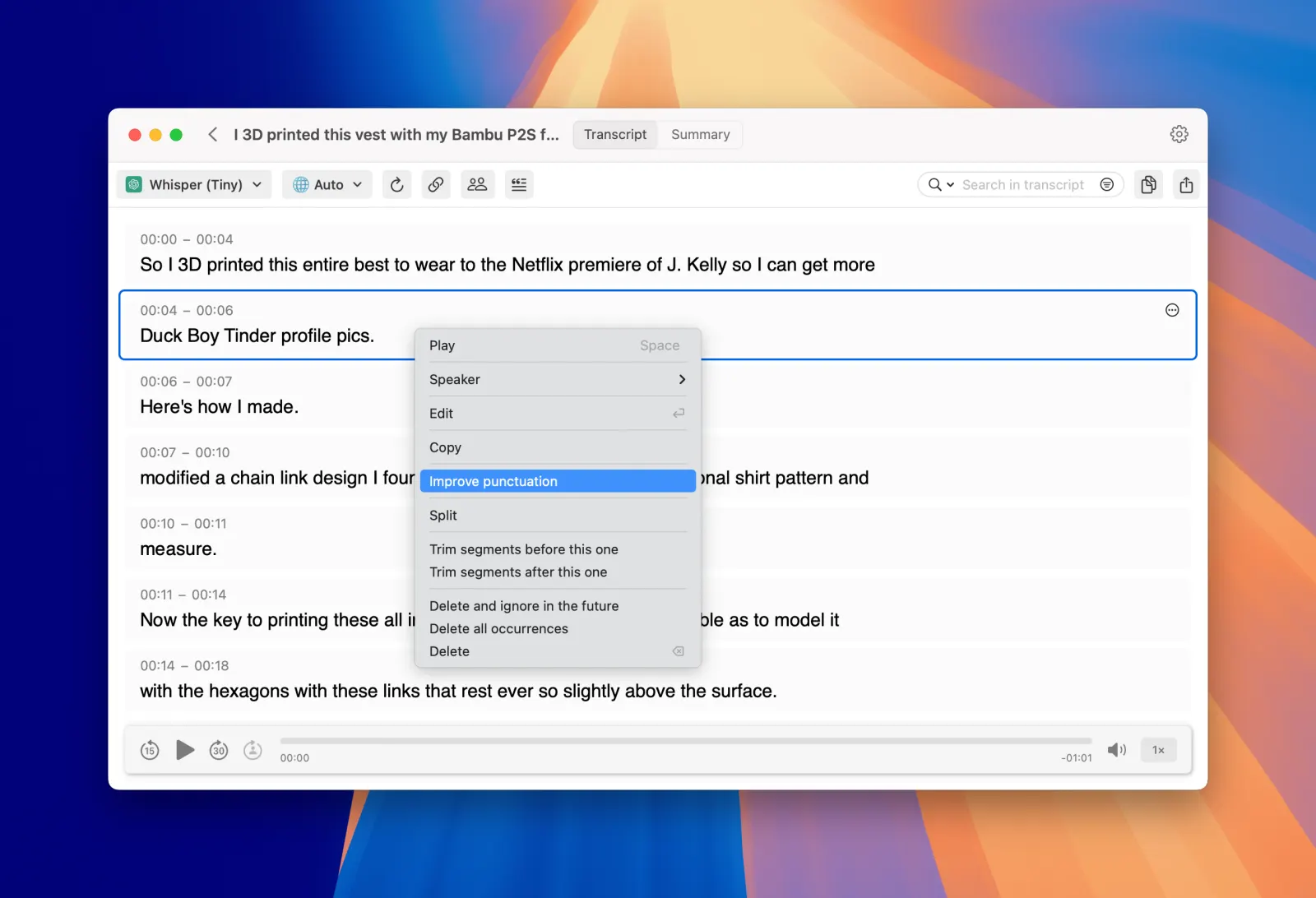
Enhance the quality of your transcriptions at the segment level. If voice model results aren't perfect, you can now apply Intelligence model processing to specific segments to correct grammar and improve readability.

MeetMic 1.22 - Segment-Level Grammar Enhancement

Improvements

Enhanced Stability & Bug Fixes

We've implemented numerous stability improvements and bug fixes throughout the application, resulting in:

  • More reliable performance during Batch transcription
  • More stable downloads from Youtube
  • Reduced memory usage for better system resource management

MeetMic 1.19

We're thrilled to present MeetMic 1.18, delivering unprecedented on-device capabilities and expanded AI options that put you in complete control of your transcription workflow!

Download MeetMic


🎉 BLACK FRIDAY SALE! (20 Nov - 5 Dec 2025)
Use code BFRIDAY25 for 65% discount for MeetMic Pro


New Features

Enhanced AI Model Support

Anthropic Claude Opus 4.5 - Access the latest Claude model for even more accurate and nuanced AI summaries and insights.

Docker Model Runner Integration - Connect to your local AI models running in Docker for complete privacy and customization options

Bug Fixes & Performance Enhancements

We've made significant improvements to MeetMic's performance:

  • Fixed duplication of history items
  • Resolved memory management issues for better stability during large transcriptions
  • Fixed activation problems of higher Pro license tiers

MeetMic 1.18

We're thrilled to present MeetMic 1.18, delivering unprecedented on-device capabilities and expanded AI options that put you in complete control of your transcription workflow!

Download MeetMic


🎉 BLACK FRIDAY SALE! (20 Nov - 5 Dec 2025)
Use code BFRIDAY25 for 65% discount for MeetMic Pro


New Features

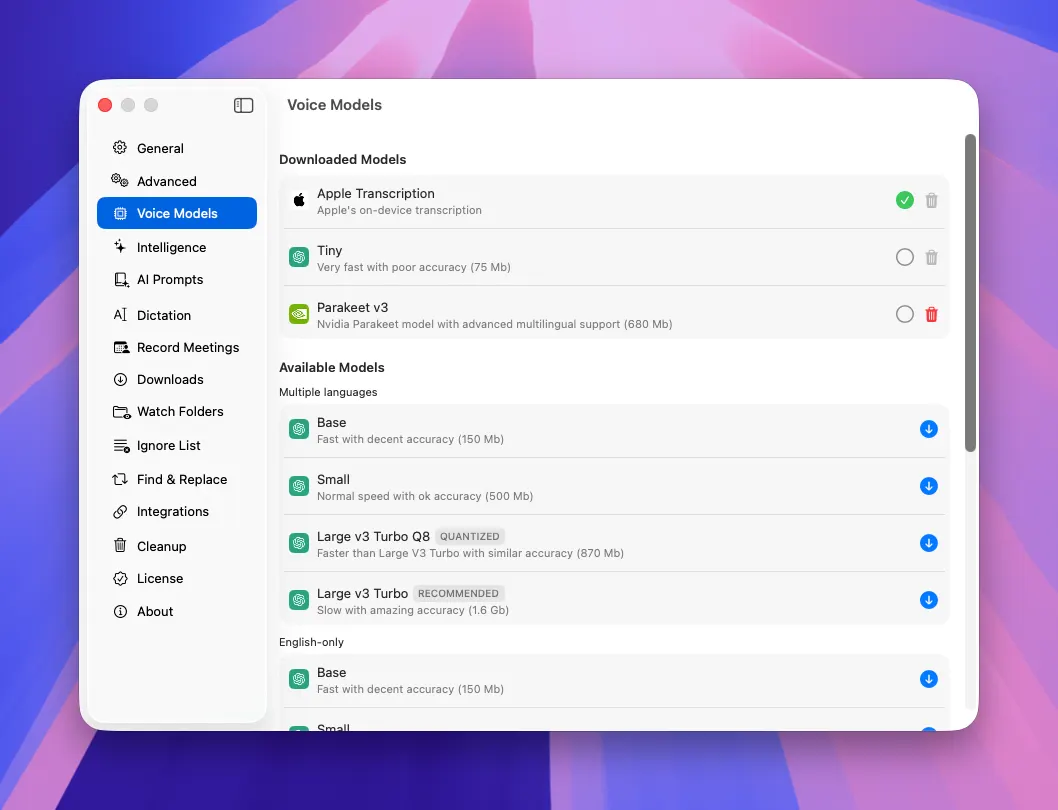
Apple On-Device Transcription

Experience the power of Apple's built-in transcription capabilities in macOS 26.
We've integrated Apple's native transcription model that comes pre-installed on your Mac - no downloads required. This highly efficient voice model delivers Parakeet-like speed while benefiting from Apple's continuous quality improvements.

MeetMic 1.18 - Apple On-Device Transcription

On-Device AI Summaries

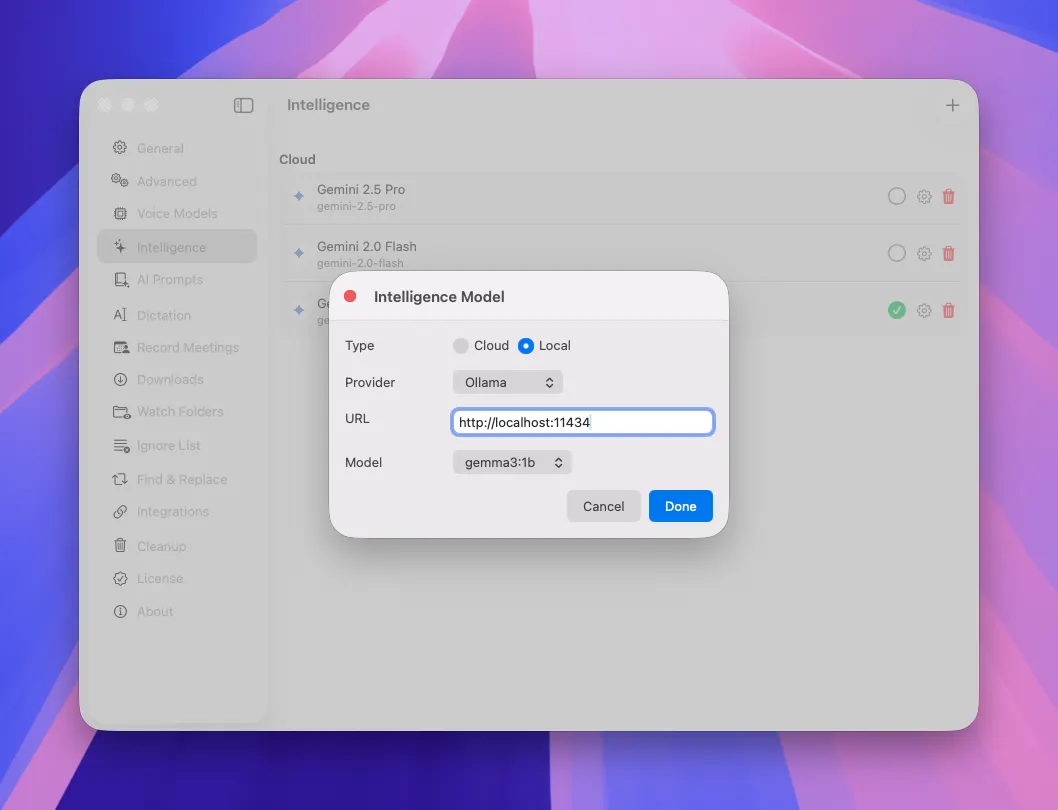
Take full control of your data with our on-device AI summaries!
MeetMic now supports Ollama and LM Studio as local LLM providers, enabling you to generate high-quality summaries entirely on your Mac. This feature eliminates dependencies on AI cloud services, providing complete privacy and self-sufficiency for users who prefer to keep sensitive information local.

MeetMic 1.18 - On-Device AI Summaries

MeetMic 1.18 - On-Device AI Summaries

New Cloud AI Providers

Choose the right AI service with our extended AI providers list!
In addition to our existing integrations with OpenAI, Anthropic, Google, and OpenRouter, MeetMic now supports LLMs from xAI, Mistral AI, and Groq. This selection gives you flexibility to select the provider that best matches your performance and cost requirements.

MeetMic 1.18 - New Cloud AI Providers

Enhanced Batch Transcription

We've added an option to save individual transcripts for each transcript for the batch.

MeetMic 1.18 - Enhanced Batch Transcription

Expanded Audio Format Support

Work with virtually any audio format!
MeetMic now elegantly manages audio formats not natively supported by macOS, like WMA files. After the necessary transcoding, MeetMic will allow you to playback these recordings directly alongside the transcriptions.

MeetMic 1.17

We're thrilled to announce MeetMic 1.16, featuring the long-awaited AI for summaries, calendar integration, and a completely redesigned video player.

Download MeetMic


🎉 BLACK FRIDAY SALE! (20 Nov - 5 Dec 2025)
Use code BFRIDAY25 for 65% discount for MeetMic Pro


New Features\


Parakeet v3 (Full Support)

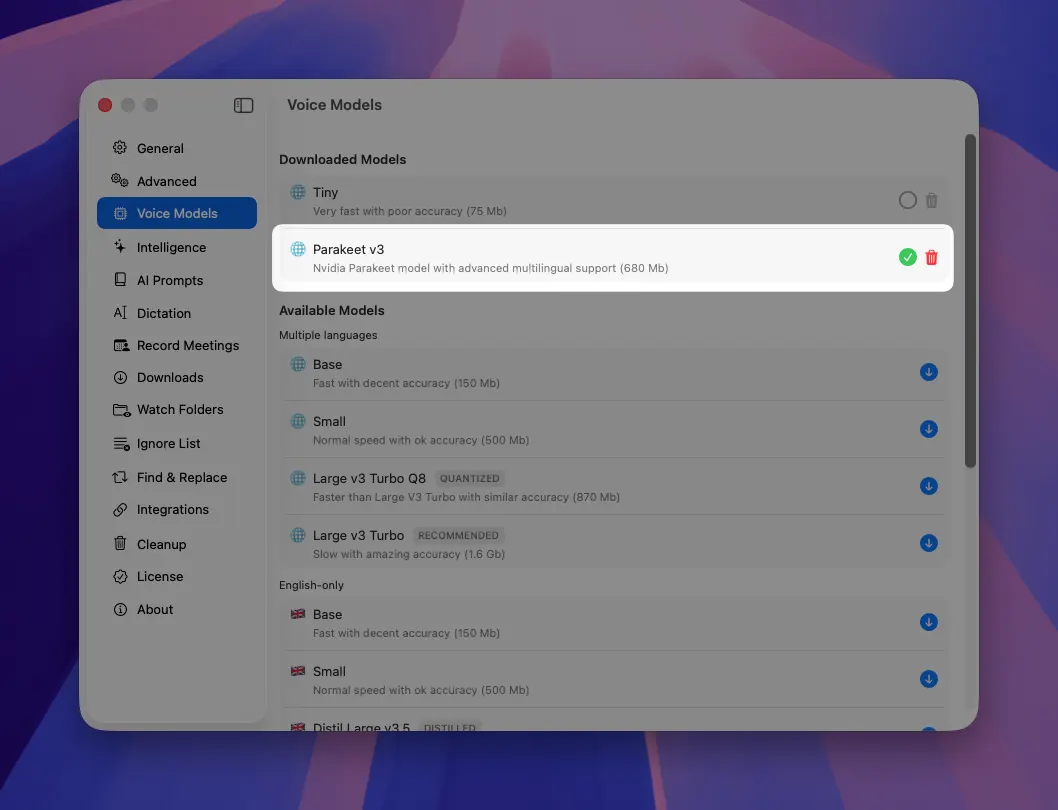
Experience the full power of ultra-fast Parakeet v3 model, now completely integrated in MeetMic! What was previously available as an experimental feature has matured into a solution that works seamlessly across both transcription and dictation modes. We've added support of language selection to Parakeet to enhance accuracy.

For those prioritising transcription quality over speed, we still recommend Whisper Large V3 model, but when time is of the essence, Parakeet v3 delivers remarkably fast results (60 minute video to text in just 30 seconds)

To enable Parakeet v3, go to Settings → Voice Models → Parakeet

MeetMic 1.17 - New Features\
\
Parakeet v3 (Full Support)

Redesigned AI Summaries

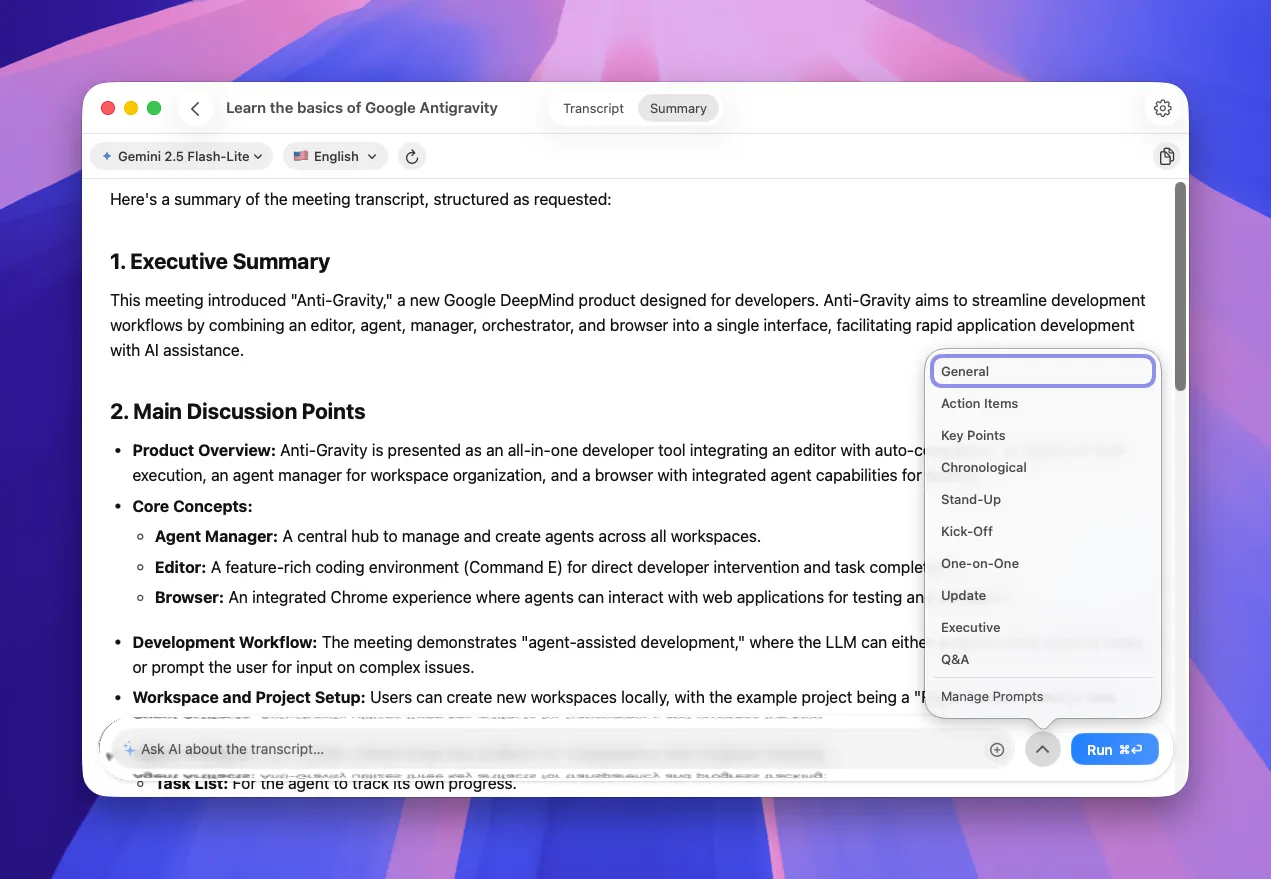
Interact with AI more naturally through our redesigned summaries interface! The new layout makes generating insights from your transcriptions more intuitive. Select from your saved AI prompts or type custom questions directly into the input field.

MeetMic 1.17 - Redesigned AI Summaries

AI Prompt Library

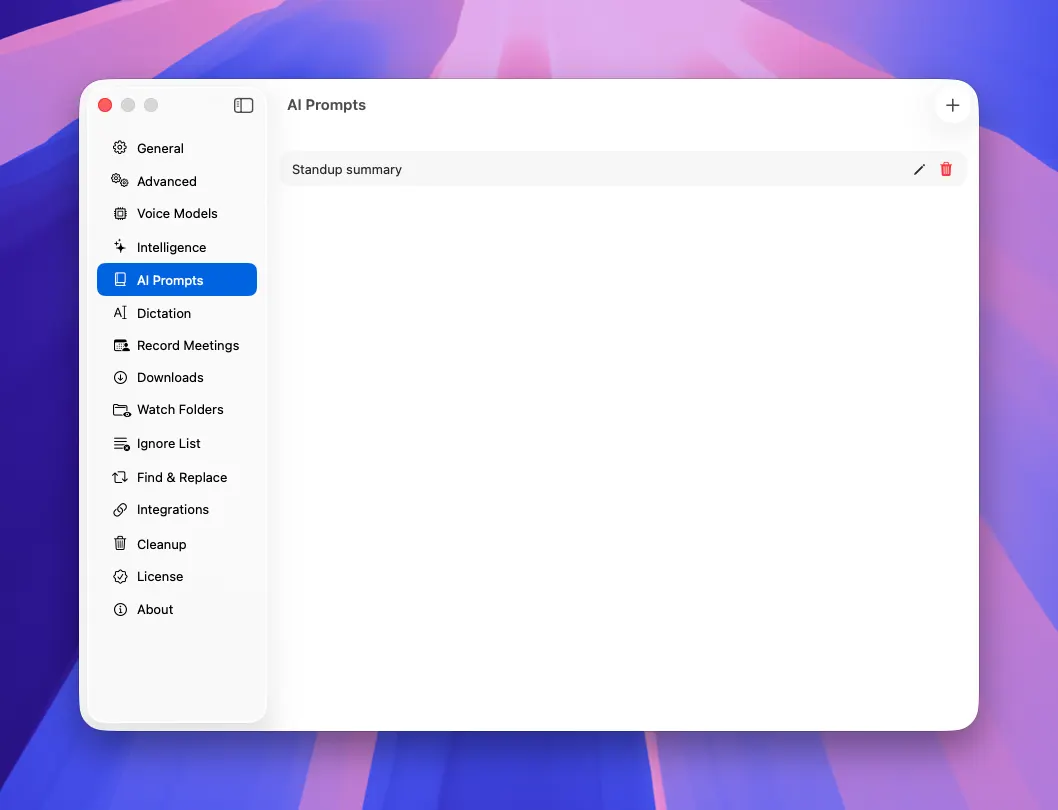
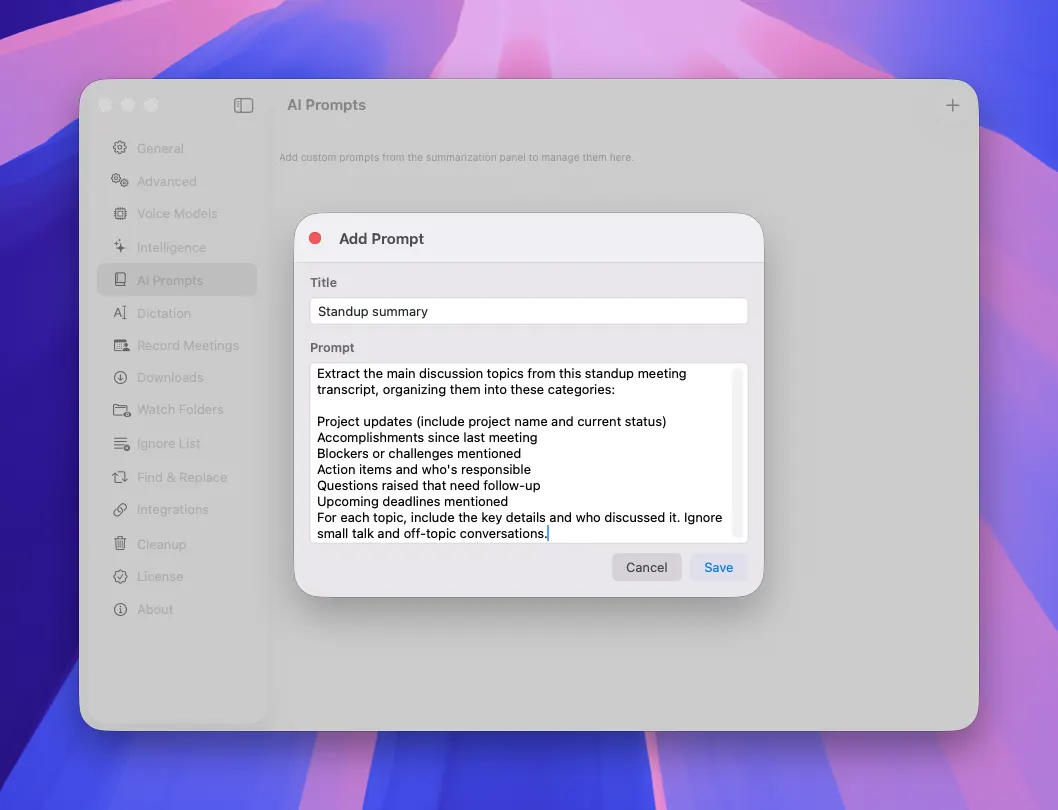
Create your collection of AI prompts with our new prompt library feature! Move beyond standard instructions that extract precisely the insights you need from your content. Any custom prompt can be saved to your library with a single click of a (+ button in the AI Summaries, or added from Setting → AI Prompts

MeetMic 1.17 - AI Prompt Library

MeetMic 1.17 - AI Prompt Library

Performance Enhancements & Bug Fixes

We've dedicated significant engineering resources to optimise performance and stability of recording feature.

These investment reflect our ongoing commitment to delivering not just powerful new features, but also a stable, dependable application that you can count on every day.

MeetMic 1.16

We're thrilled to announce MeetMic 1.16, featuring the long-awaited AI for summaries, calendar integration, and a completely redesigned video player.

Download MeetMic

New Features

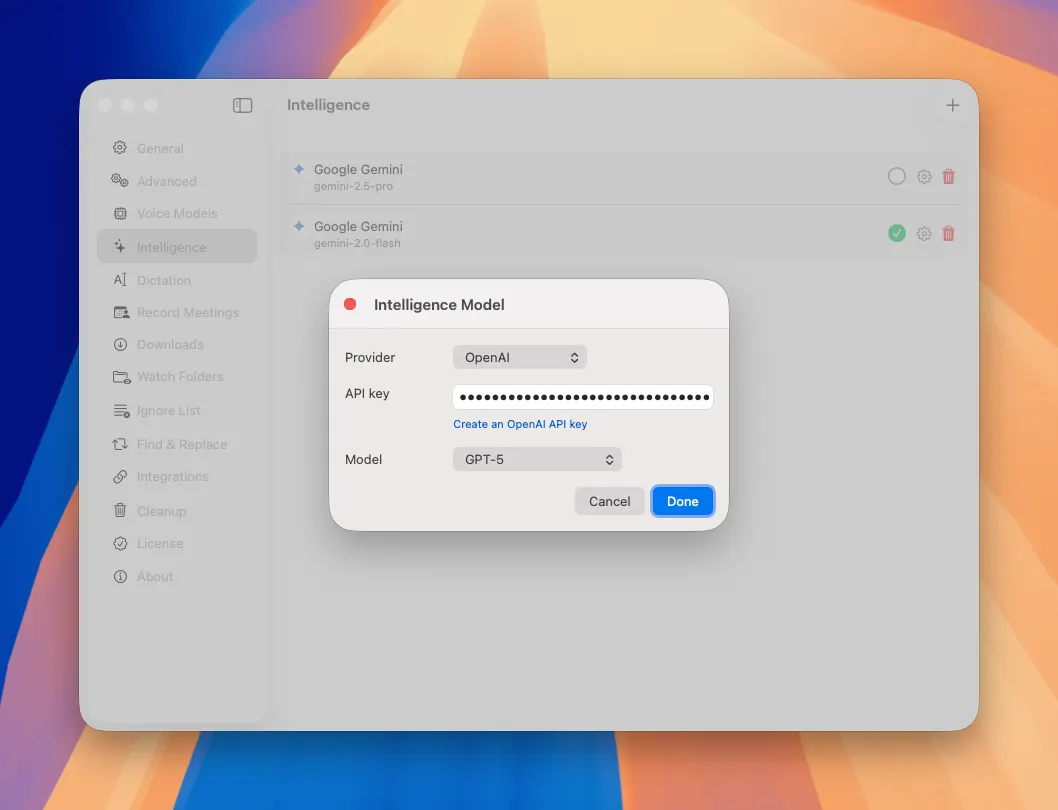
AI Summaries (BYOK)

Instant insights from any recording

Transform hours of content into concise summaries in seconds with our new AI integration! MeetMic now connects seamlessly with leading AI providers (OpenAI, Anthropic, Google Gemini, or OpenRouter). Simply provide your API key (BYOK) and get summaries directly within the app.

MeetMic 1.16 - AI Summaries (BYOK)

To enable AI-powered summaries, go to Settings -> Intelligence -> Add model and add your API key.

MeetMic 1.16 - AI Summaries (BYOK)

This is the initial release of this feature. We have ambitious plans to expand these capabilities based on your feedback.

Record Calendar Meetings

Never miss an important conversation

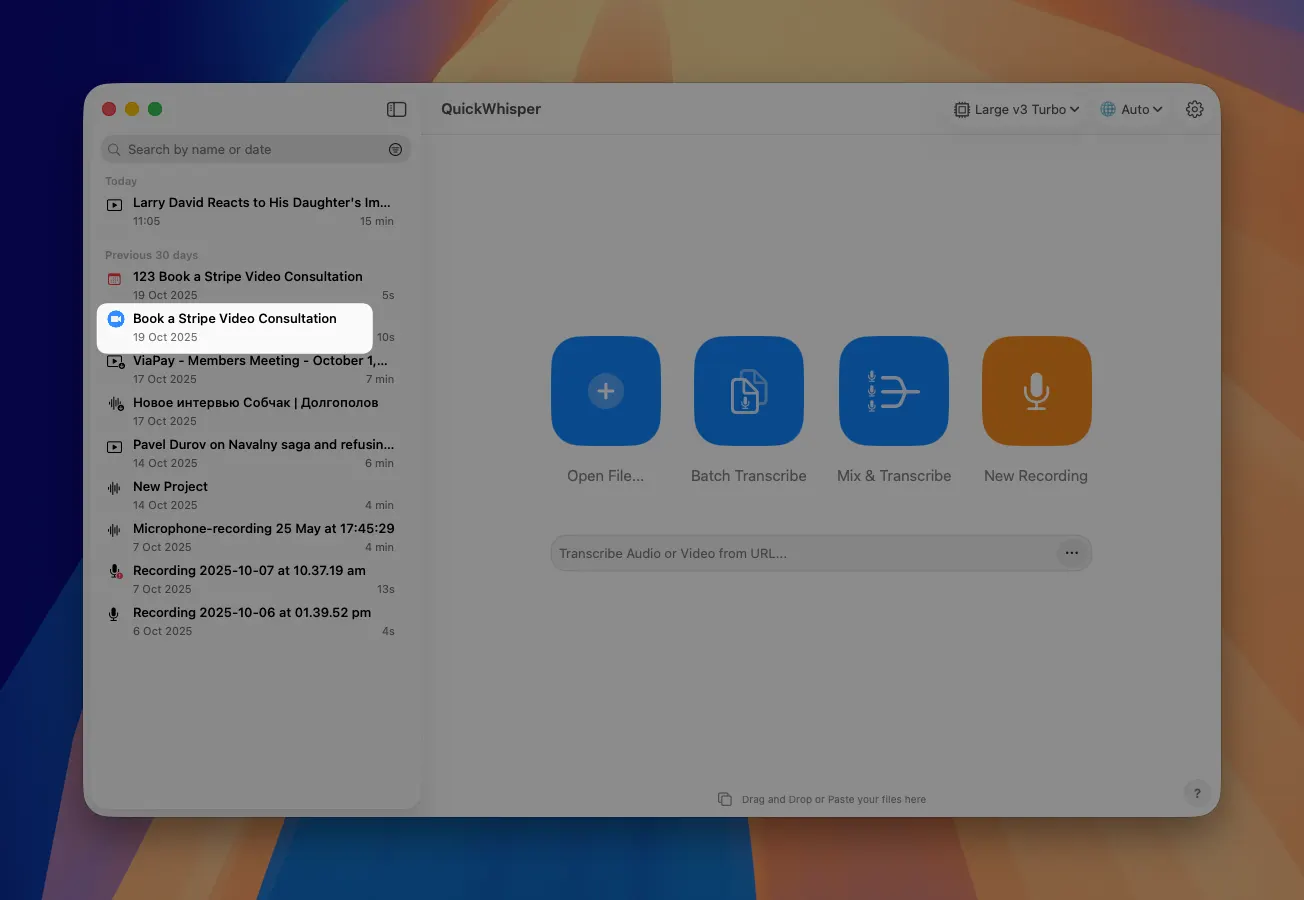
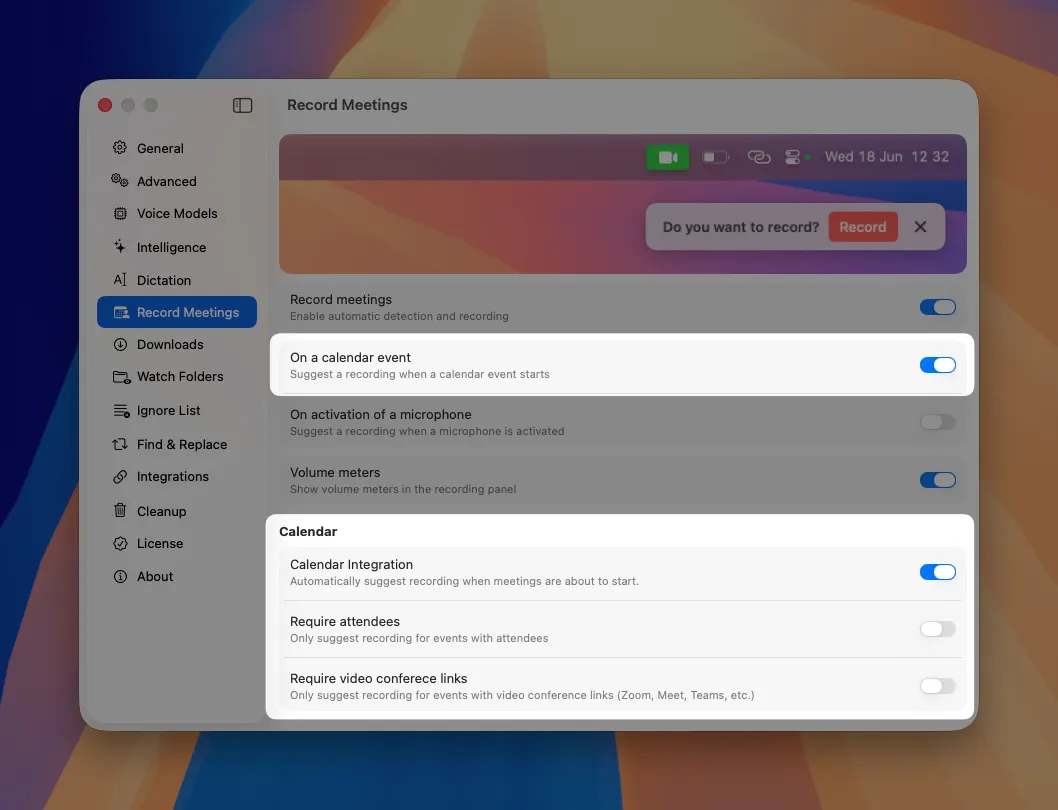
Seamlessly connect MeetMic with your native macOS Calendar.app to enhance you meetings recording experience! Once activated this integration automatically detects upcoming meetings from all the calendars you have added to your Calendar.app and offers timely suggestions just before the meeting. We capture extended context for each meeting, including the video conferencing platform and list of participant, creating a comprehensive, searchable record in your history list.

MeetMic 1.16 - Record Calendar Meetings

Enable this calendar integration by going to Settings -> Record Meetings -> Calendar

MeetMic 1.16 - Record Calendar Meetings

New Video Player

Better playback experience

Enjoy our completely redesigned video player. New intuitive interface puts playback options at your fingertips while maintaining a clean, distraction-free experience.

MeetMic 1.16 - New Video Player

MeetMic 1.15

In MeetMic 1.15 we focused on improving stability and performance of the app across various scenarios.

Download MeetMic

Bug Fixes

We've addressed several important issues:

  • Sudden crashes during Dictation when microphone bitrate or discretisation are different from standard
  • Pause recording cannot be resolved after using dictation
  • Various UX enhancements across the board

MeetMic 1.14

We're excited to release MeetMic 1.14, delivering powerful automation capabilities, enhanced recording controls, and seamless system integration that transform your transcription workflow!

Download MeetMic 1.14

New Features

Watch Folders

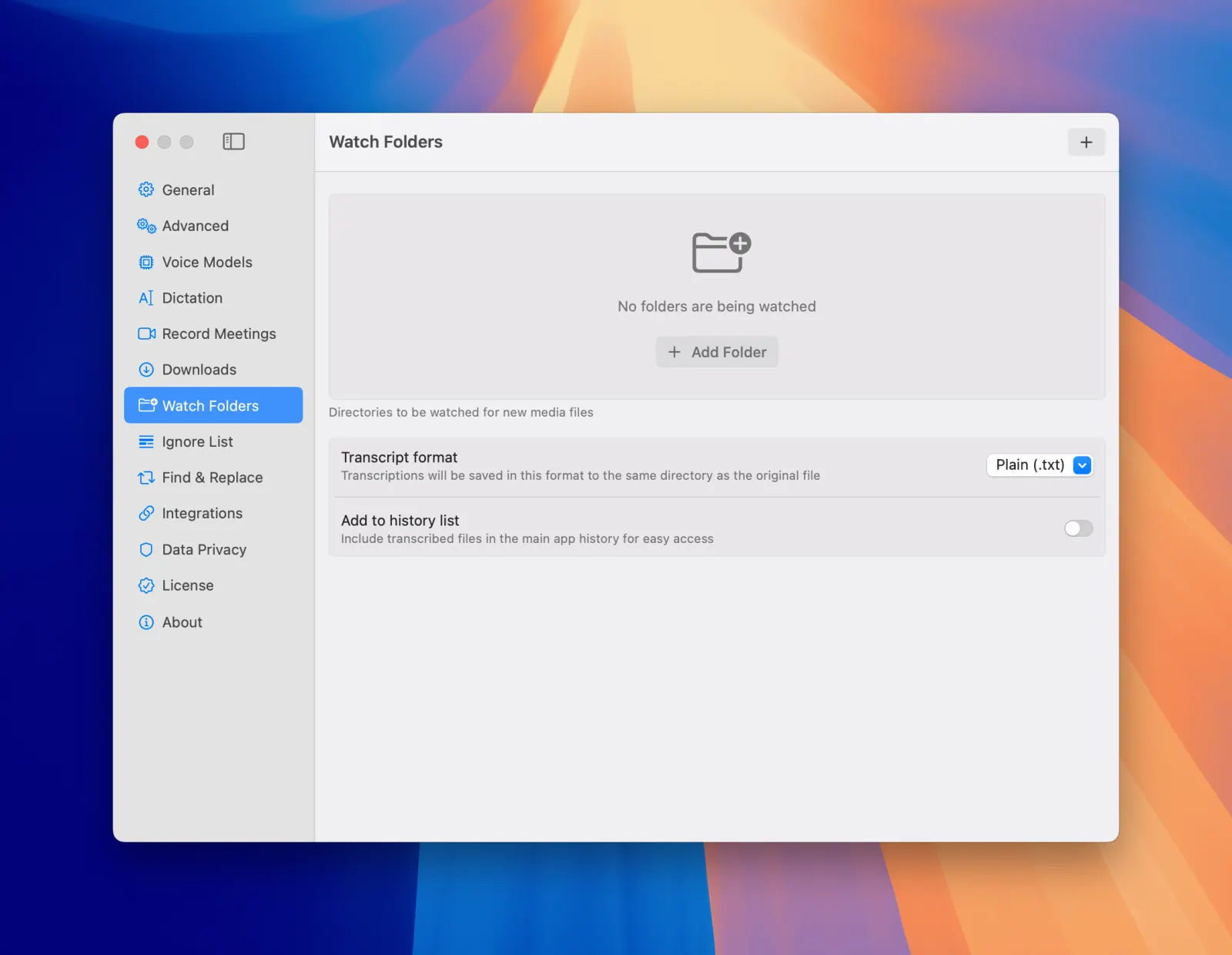
Experience true automation with our new Watch Folders feature! Simply designate specific folders for MeetMic to monitor, and whenever new audio or video files appear, they'll be automatically transcribed in the background. Completed transcriptions are saved alongside the original files in the same folder, creating an organized, self-maintaining transcription system that works while you focus on other tasks.

To try Watch Folders feature: Settings → Watch Folder

MeetMic 1.14 - Watch Folders

App Shortcuts Integration

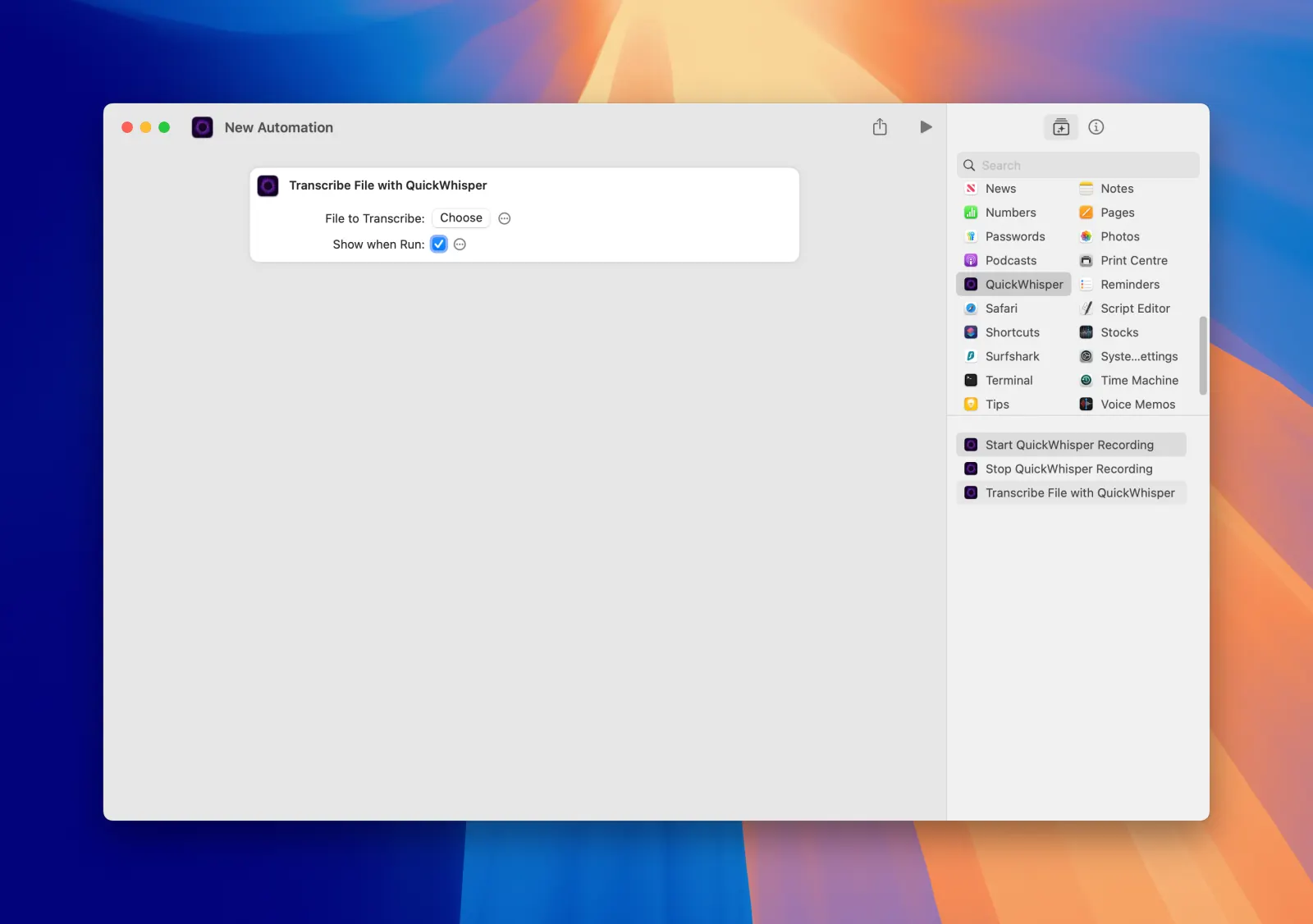
Take control of MeetMic through Apple's powerful Shortcuts.app with our new integration. Create custom automations that start or stop recordings, transcribe selected files. Build sophisticated workflows that incorporate MeetMic's capabilities alongside your other productivity tools, saving valuable time and reducing repetitive tasks.

MeetMic 1.14 - App Shortcuts Integration

Recording Countdown

Start your recordings with confidence using our new optional 3-second countdown timer. This feature gives you a moment to collect your thoughts before speaking, ensuring you capture polished, organized content from the very first word.

To enable countdown: New Recording → Recording Settings […] → 3 Seconds Countdown

App-Specific Audio Recording

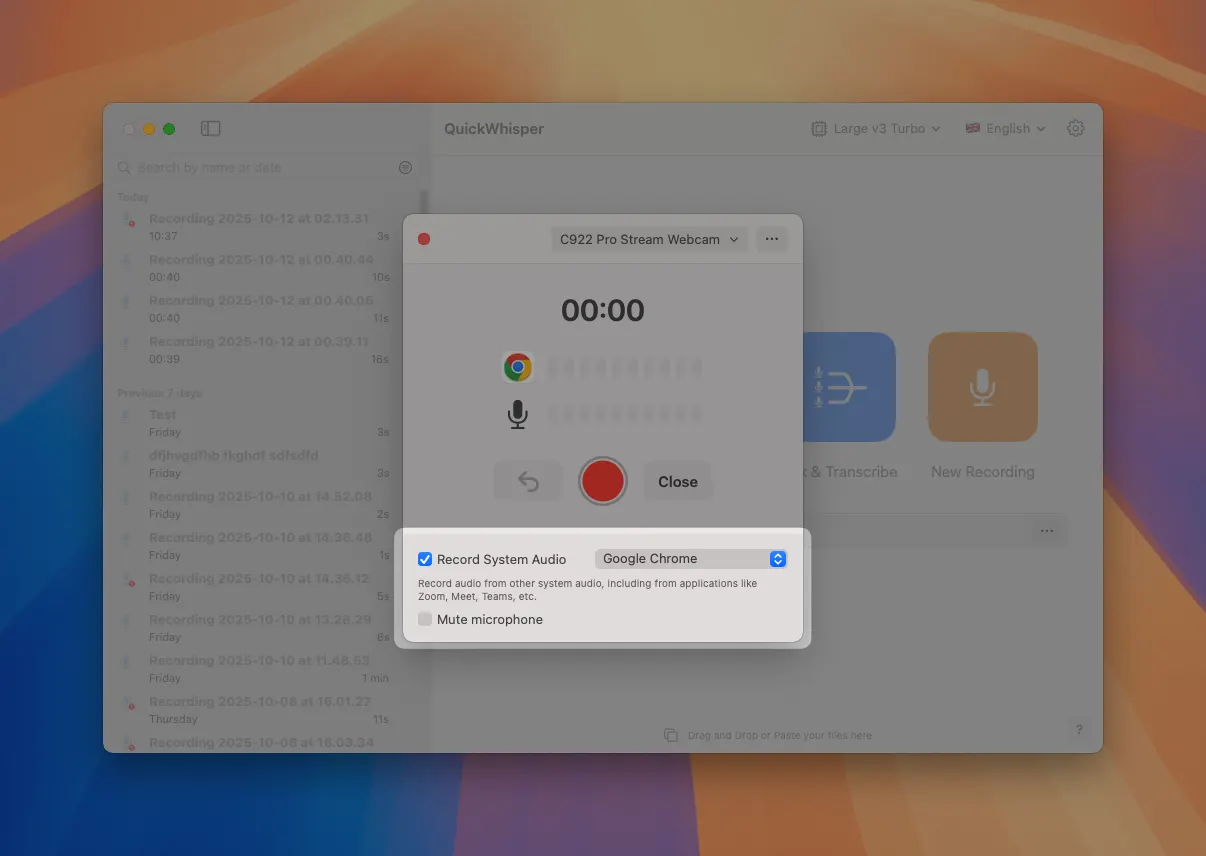
Take complete control over your system audio recordings with our enhanced selective recording feature. While previous versions captured all system audio, MeetMic 1.14 allows you to specify exactly which application's audio you want to record. This targeted approach is invaluable when multiple applications are producing sound simultaneously, ensuring you capture only the content that matters to your transcription.

MeetMic 1.14 - App-Specific Audio Recording

Edit Recording Title

Take control of your content organization before you even begin recording. MeetMic now lets you customize your recording title at the outset, eliminating the need to rename files after the fact.

Simply navigate to New Recording → Recording Settings […] → Show Title

MeetMic 1.14 - Edit Recording Title

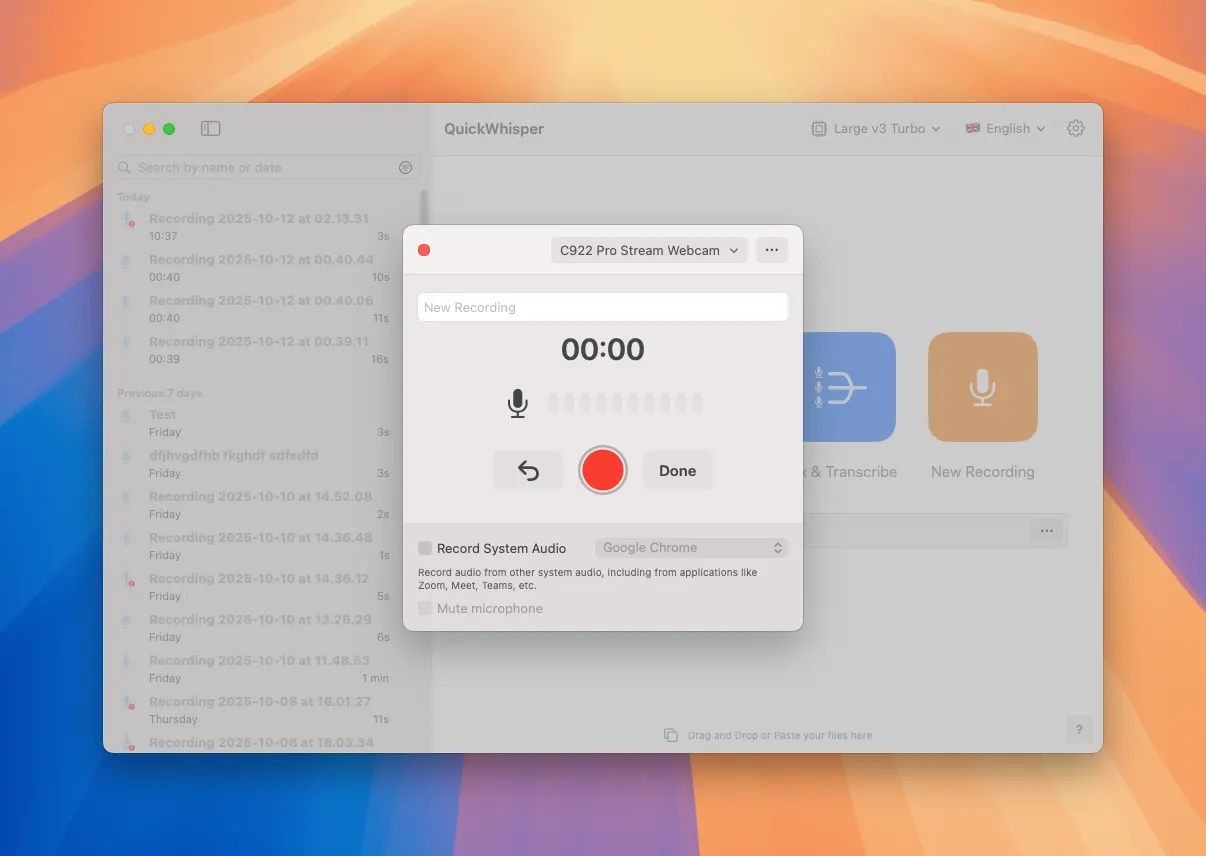
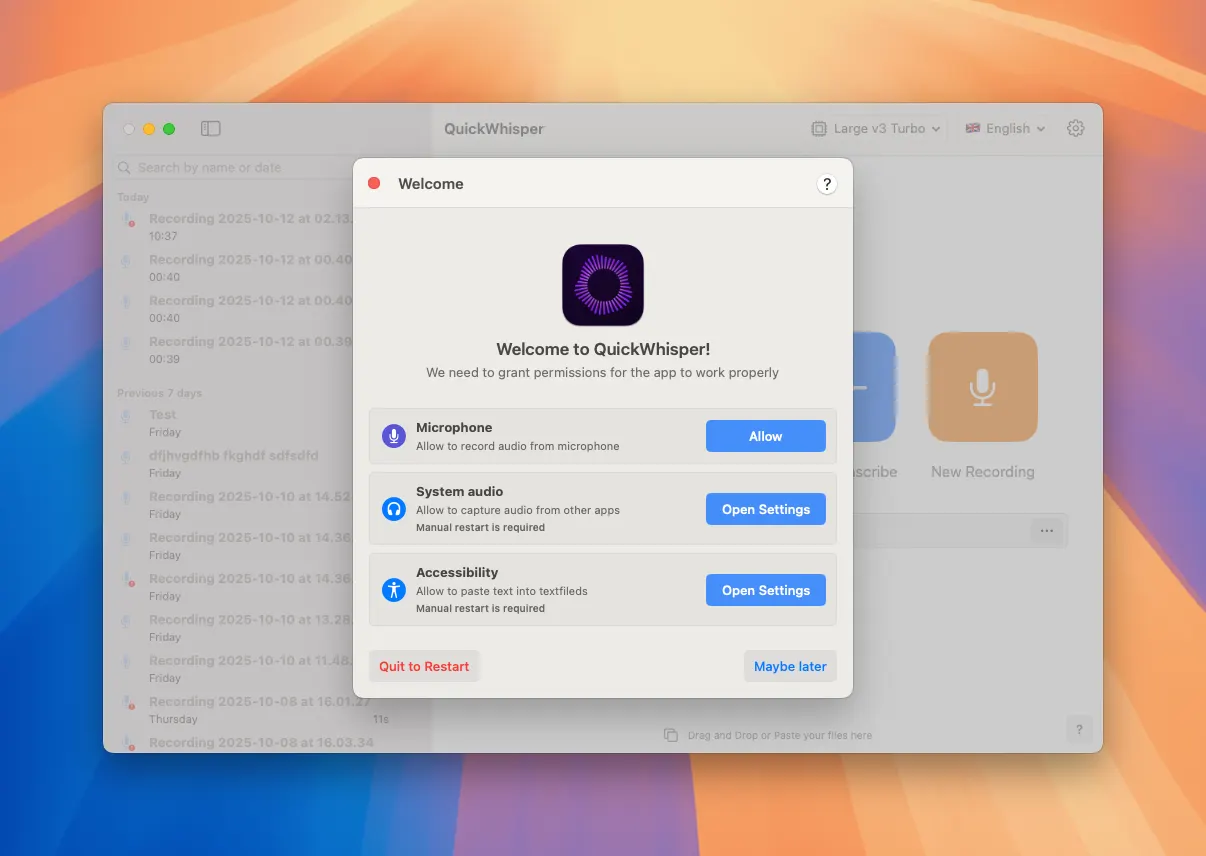
Onboarding Permissions Screen

MeetMic now has smoother, more reliable onboarding experience with our new permissions screen. We automatically checks for all permissions needed at launch and ask you you to add those that are missing. This approach ensures consistent behavior of the app.

MeetMic 1.14 - Onboarding Permissions Screen

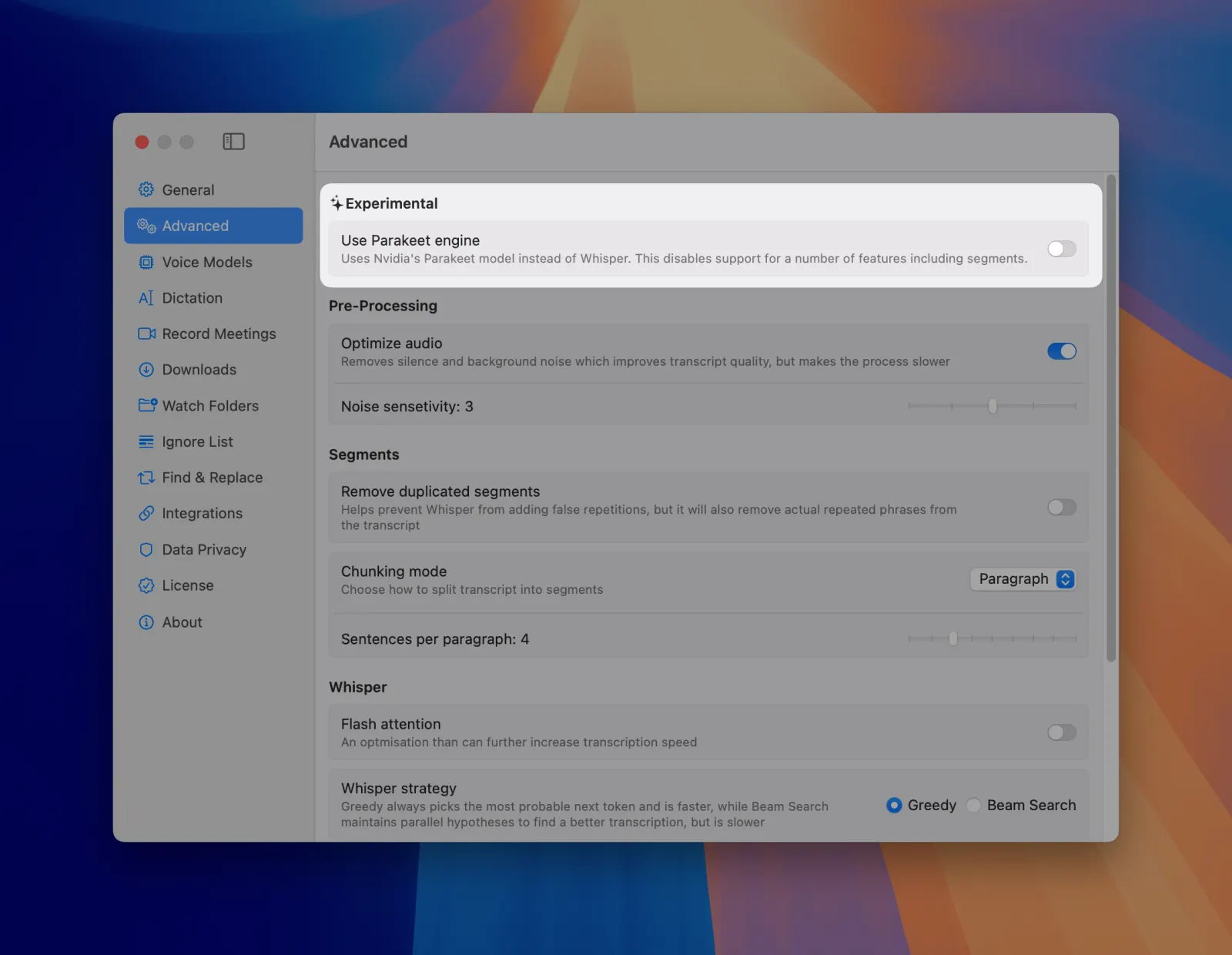
Parakeet v3 (Experimental)

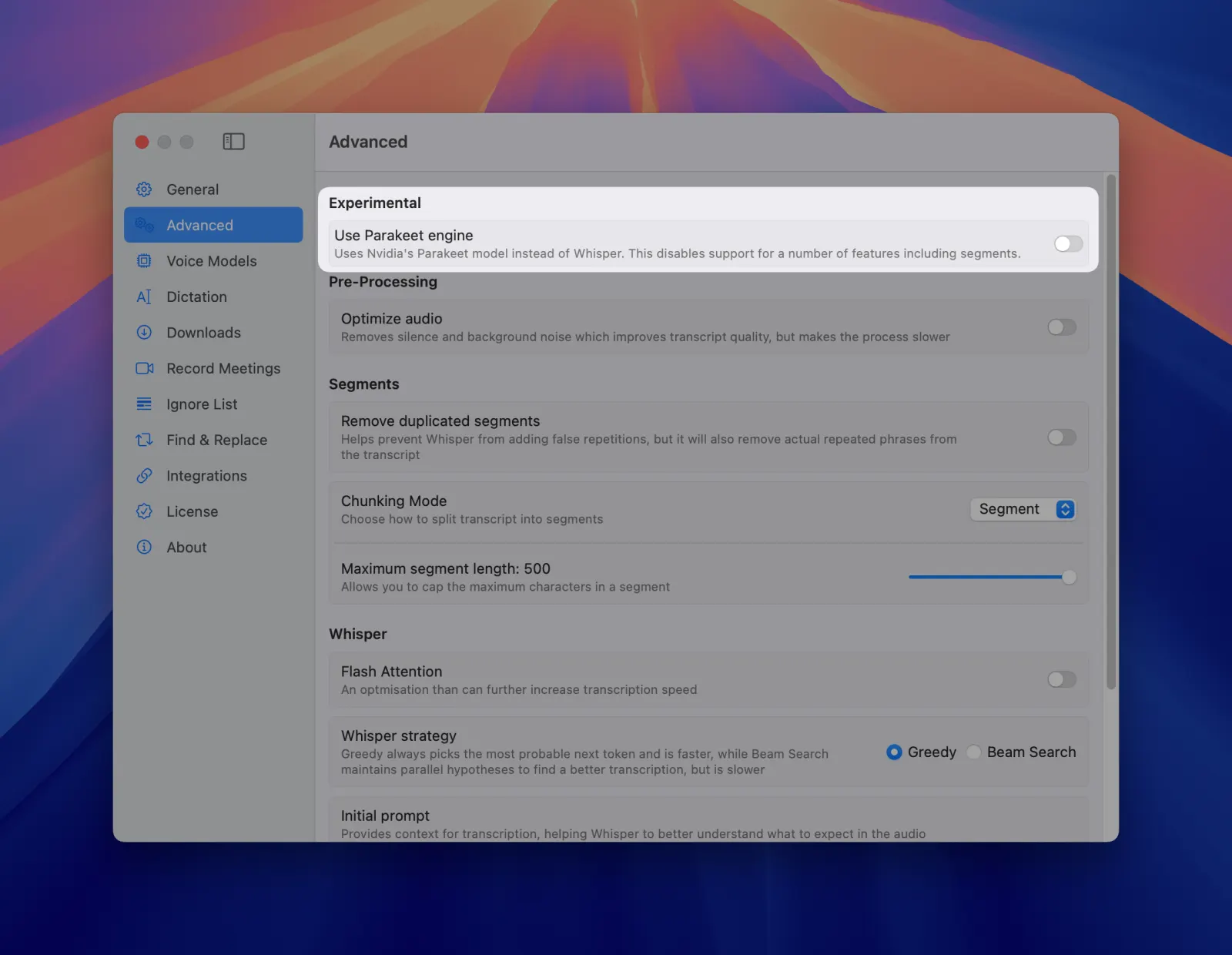
Push the boundaries of transcription performance with our experimental support for NVIDIA's Parakeet 3 model. Building on the incredible speed of the original Parakeet integration, this more capable version. Note that selecting this feature will temporarily remove language and model selection options from the interface as MeetMic will run in a new mode.

To try Parakeet v3: Settings → Advanced → Use Parakeet engine

MeetMic 1.14 - Parakeet v3 (Experimental)

Improvements

Bug Fixes

We've addressed several important issues to ensure MeetMic runs flawlessly on all supported systems:

  • Fixed multiple UI inconsistencies in macOS 26 Tahoe, ensuring a polished visual experience on Apple's latest operating system
  • Resolved an issue where some users experienced microphone selection loops during dictation setup, providing more stable recording initialization

MeetMic 1.13

We're thrilled to introduce MeetMic 1.13, bringing powerful new editing tools, automatic cleanup, and enhanced recording controls to make your transcription workflow even more efficient!

New Features

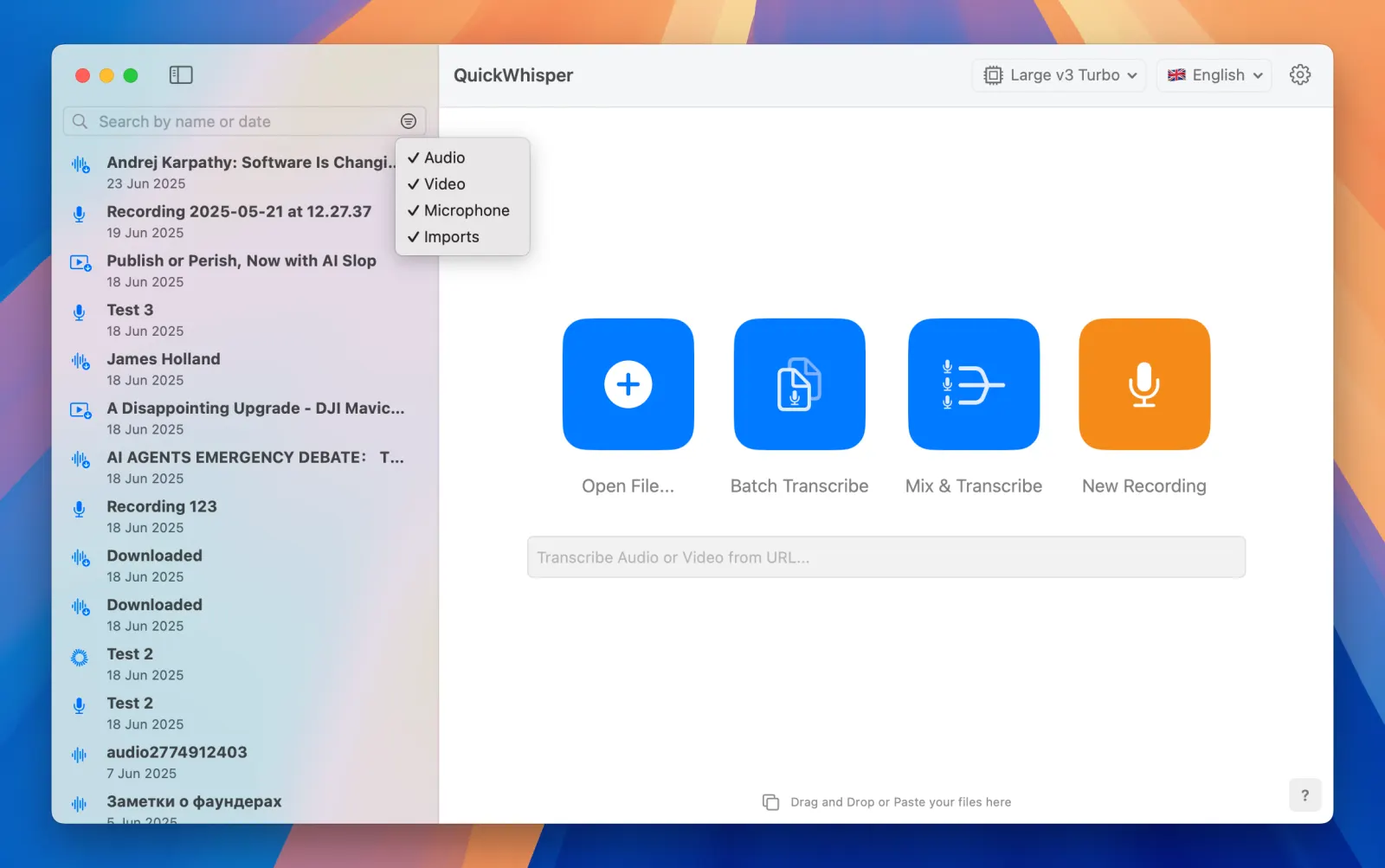
Filter History by Item Type

Navigate your transcription history with ease! The new filtering system allows you to instantly sort your history by item type, helping you quickly locate specific recordings. Whether you're searching for videos, audio files, or voice recordings, these filters let you focus on exactly what you need without scrolling through unrelated content.

MeetMic 1.13 - Filter History by Item Type

Split Segments

Take complete control of your transcripts with our new segment splitting feature. When faced with lengthy segments that are not correctly split by speakers, simply place your cursor at the desired segment and hit Split in the context menu. This intuitive editing feature gives you the flexibility to restructure your transcripts exactly how you need them.

Automatic Cleanup

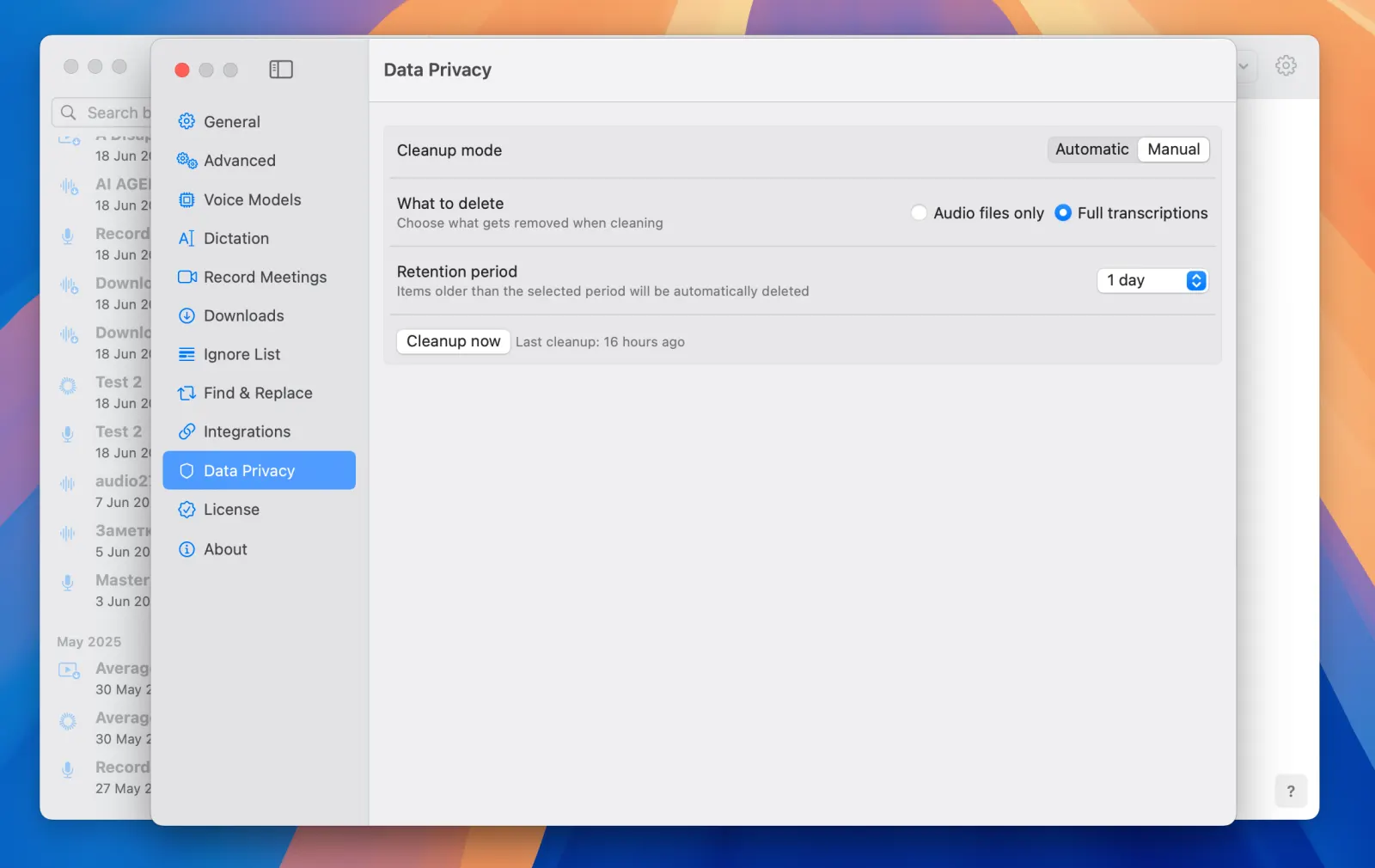
Take control of your data retention with our comprehensive cleanup tool. MeetMic now provides controls to manage your transcriptions based on your specific privacy needs. Remove transcriptions older than your chosen retention period, either manually when you choose or automatically on a schedule. Keep your workspace clean and your data protected without any hassle.

To try the cleanup feature got to Settings → Data Privacy

MeetMic 1.13 - Automatic Cleanup

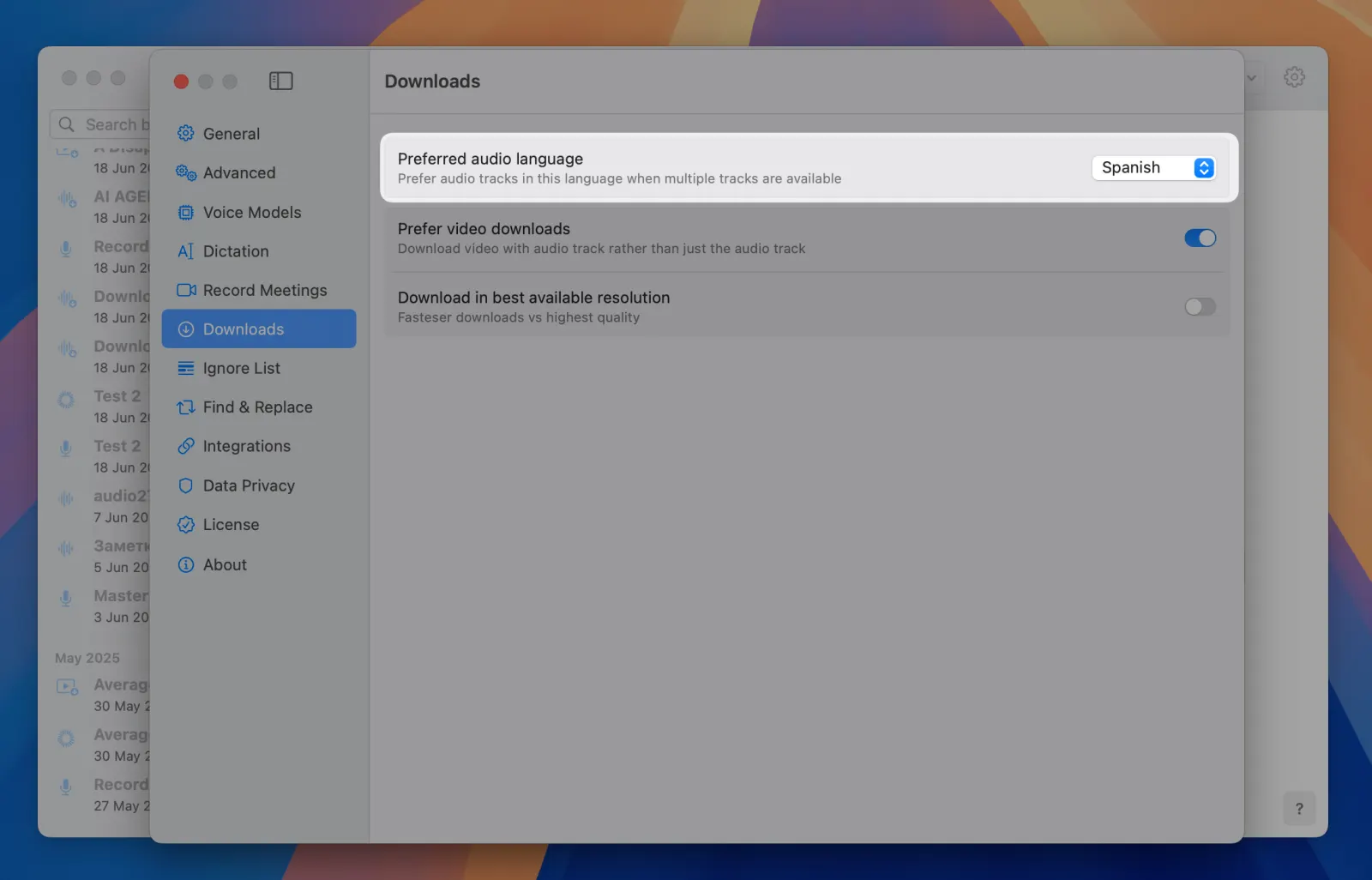
Preferred Audio Track Selection for YouTube

MeetMic now enables you to choose your preferred audio language of Youtube videos. This ensures you're always transcribing the audio-track in the language you intended.

To select preferred language go to Settings → Downloads → Preferred audio language

MeetMic 1.13 - Preferred Audio Track Selection for YouTube

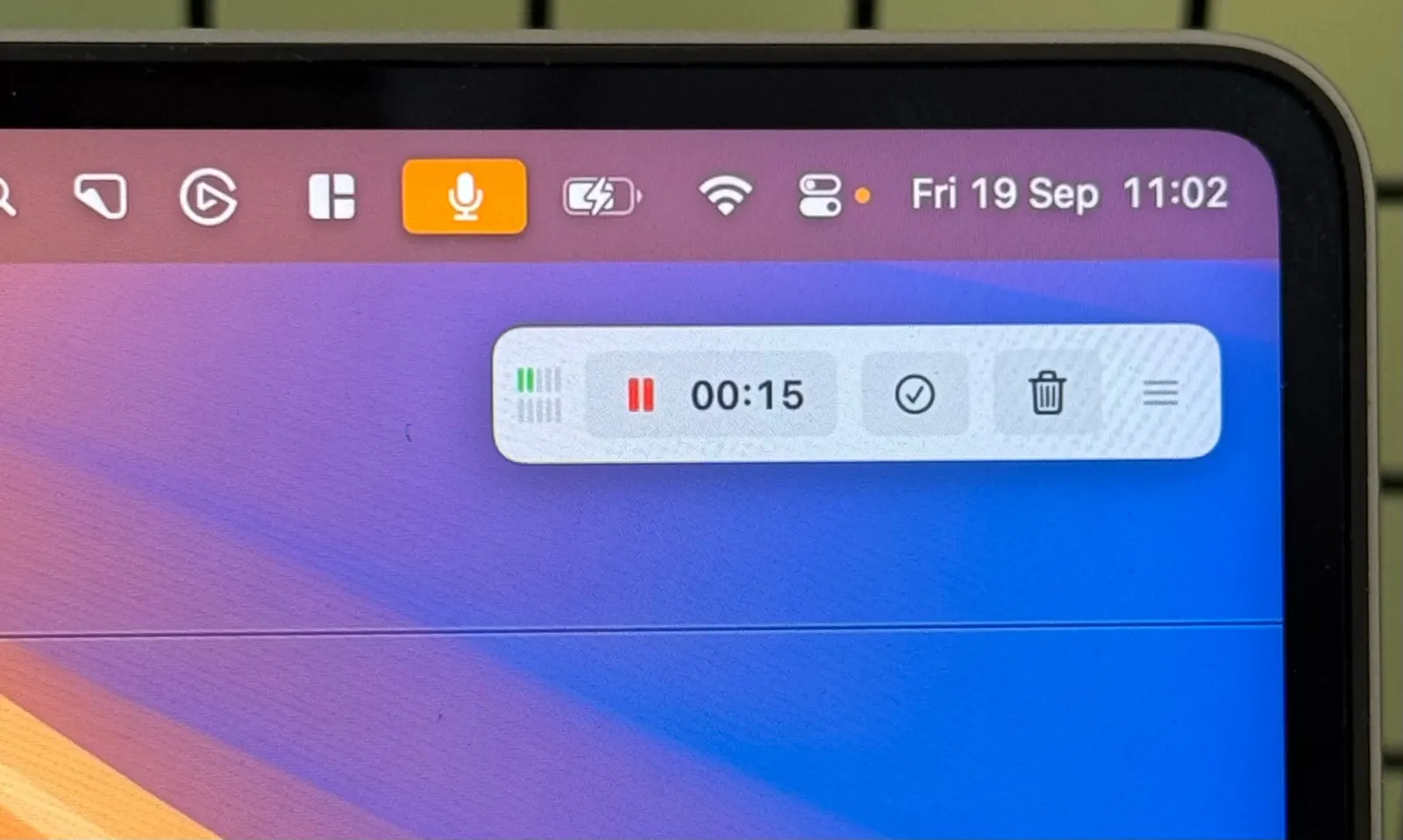
Audio Meters in Recording Panel

Never wonder if your audio is being captured properly during the meeting! The recording panel now has optional real-time audio levels for both your microphone and system audio. These indicators help you quickly identify issues like not working microphone, system audio silence due to permissions issues, etc.

To enable recording level, go to Settings → Record Meetings → Show recording levels

MeetMic 1.13 - Audio Meters in Recording Panel

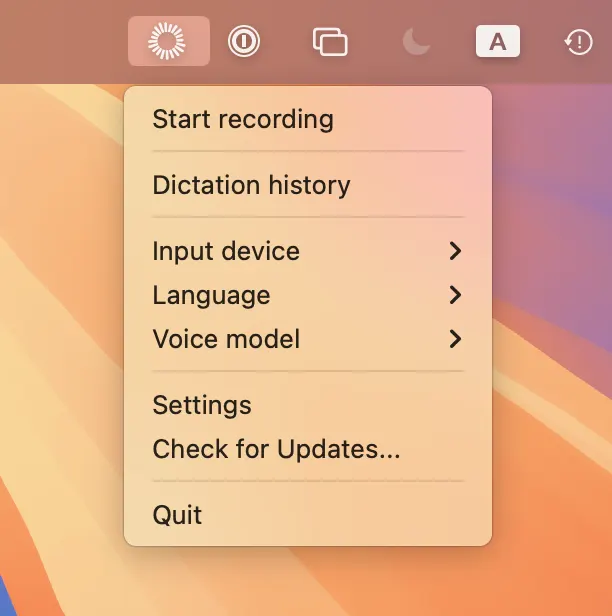
Enhanced Menubar

Work faster with our redesigned menubar menu! Now you can change Voice Model, Language, and Microphone settings directly from the menubar without opening the main application. This streamlined access to critical settings keeps your workflow uninterrupted.

MeetMic 1.13 - Enhanced Menubar

Support for macOS 26

MeetMic 1.13 is fully optimized for macOS 26, ensuring you can enjoy all our powerful transcription features on Apple's newest operating system. We've carefully adapted our application to take advantage of the latest platform improvements while maintaining the performance and reliability you expect.

Improvements

Fixed Compatibility with USB and Bluetooth Microphones

We've resolved compatibility issues with microphones that use non-standard sample and bit rates. Users experiencing difficulties with certain USB and Bluetooth microphones will now enjoy seamless recording capabilities without limitations.


We'd love to hear your ideas! Drop us a line at support@meetmic.app or add your suggestions in the Feedback.\

MeetMic 1.12

Our innovation journey continues! MeetMic 1.12 introduces dictation and unprecedented transcription speed with the latest Nvidia’s Parakeet model.

New Features

Dictation

Transform how you interact with applications and MacOS. MeetMic now brings voice dictation to every application on your Mac. Your productivity soar as you speak your thoughts directly into any text field. Dictation works 4x times faster than typing according to our internal tests.

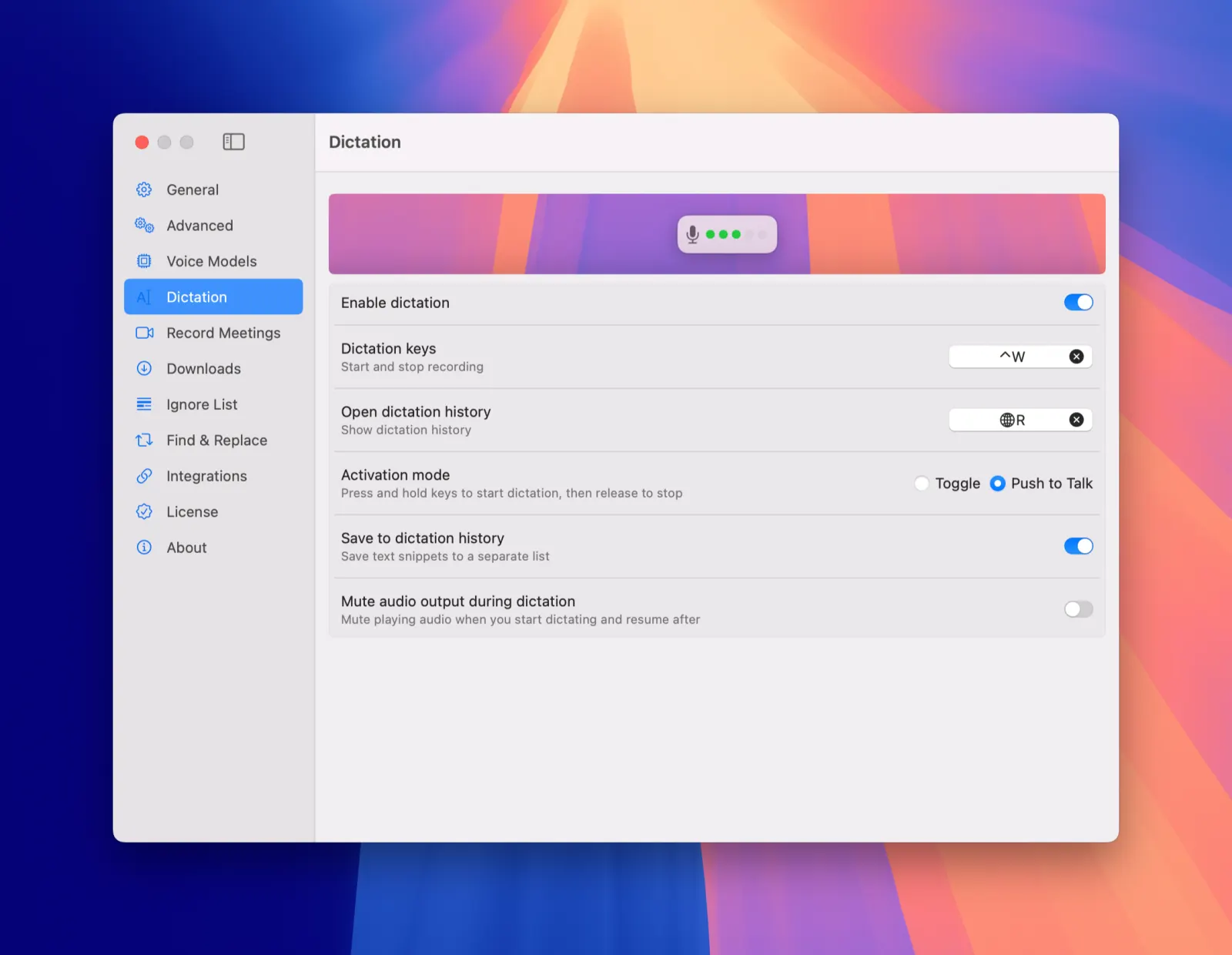
To enable Dictation, simply go to Settings -> Dictation to enable it and assign your preferred hotkey.

MeetMic 1.12 - Dictation

One more thing! We added Dictation history, so that nothing gets lost. To access Dictation history simply go to Menubar icon -> Dictation history.

Support of Nvidia Parakeet (Experimental)

MeetMic now supports Nvidia's blazing fast Parakeet model.

MeetMic 1.12 - Support of Nvidia Parakeet (Experimental)

When OpenAI came out with its Whisper family of AI transcription models, they felt like magic. Soon, newer transcription models did to Whisper what it had once done to its predecessors. Nvidia's Parakeet is one of them.

While Parakeet has been available through open-source tools, not everyone is comfortable navigating command-line interfaces or managing custom model deployments. Thankfully, that changes now. Parakeet is now avaliable in MeetMic, showing truly astonishing speed. Transcribe a 30-minute recording in under 10 seconds.

Note: Parakeet support is still experimental. It currently only supports only English and full text transcription without independent segments.

To experience Parakeet, go to Settings -> Advanced -> Experimental -> Use Parakeet engine


We'd love to hear your ideas! Drop us a line at support@meetmic.app or add your suggestions in the Feedback.

MeetMic 1.11

Get ready for our biggest update yet! MeetMic 1.11 introduces powerful collaboration features, enhanced editing capabilities, and advanced integration options that transform how you work with transcriptions.

New Features

Automatic Meeting Recording
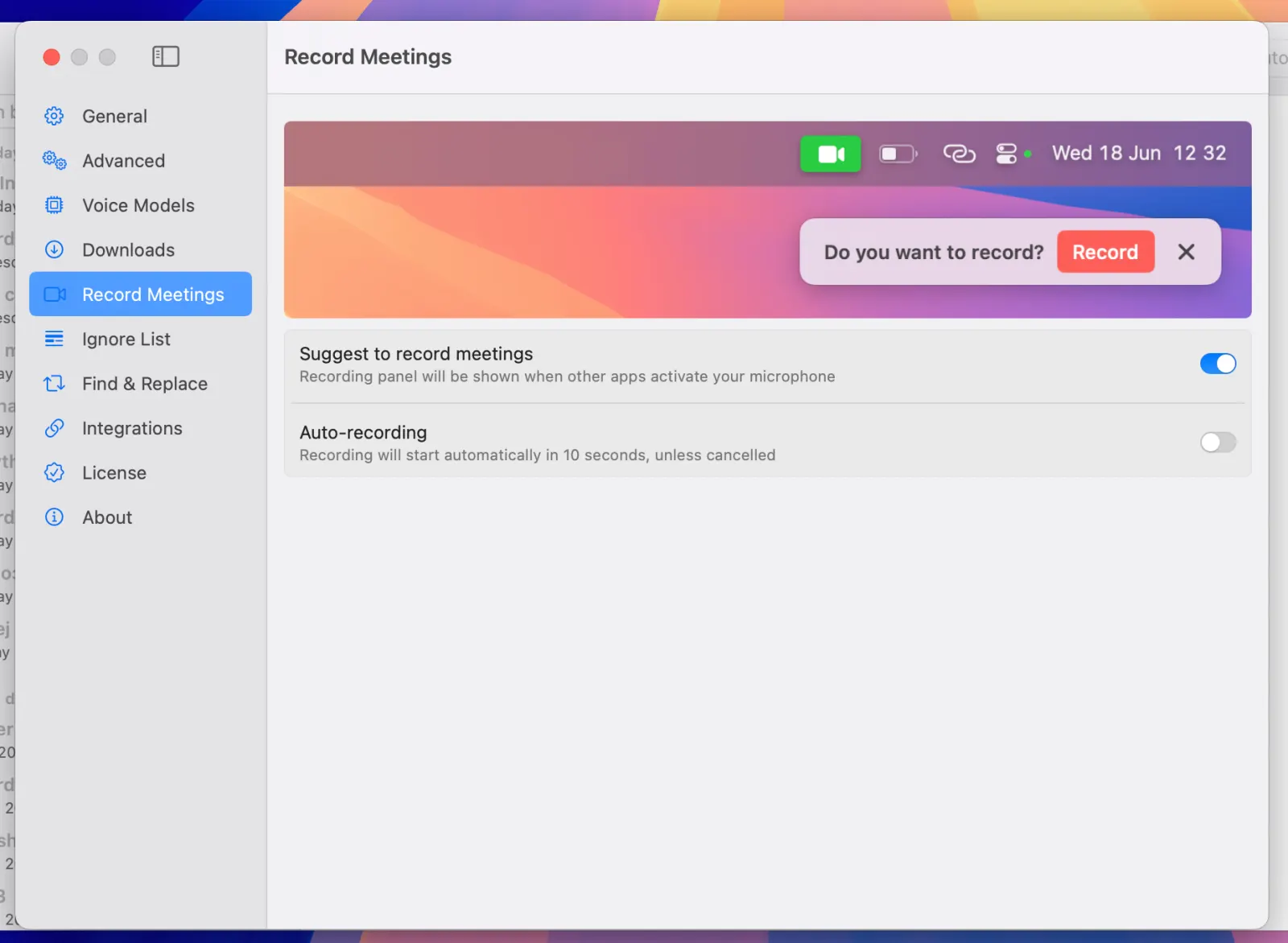
Never miss important conversations again! MeetMic now intelligently detects when your microphone is activated by third-party applications and suggests recording with a convenient popup in the top-right corner of your screen. No need to open the main app - just click to start recording or let it disappear after 30 seconds. For ultimate convenience, configure automatic recording to capture all your conversations without any manual intervention.

MeetMic 1.11 - New Features

Menu Bar Access
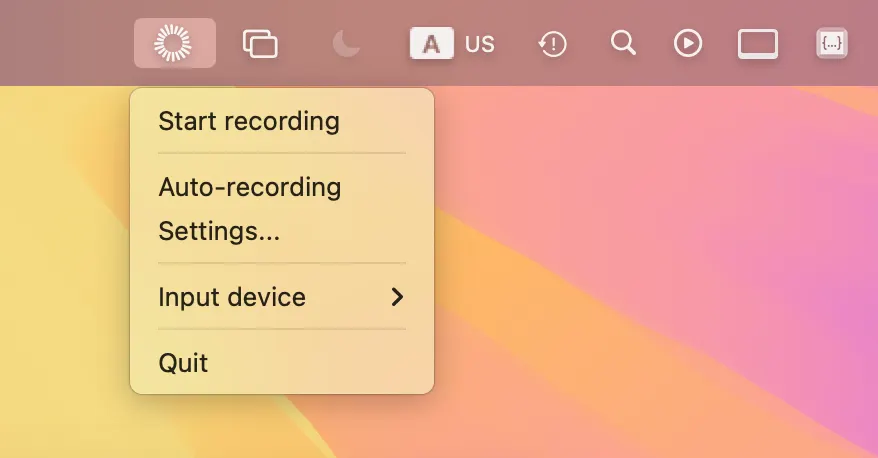
Start recording instantly without opening the main application! The new menu bar icon lets you initiate recordings with a single click. The discreet recording panel that appears is designed to stay hidden during screen sharing, so you can record meetings and presentations without visual distractions for other participants.

MeetMic 1.11 - New Features

Video Download Settings
Choose your download preference when working with YouTube and other video platforms - grab just the audio or download the full video in your preferred quality.

MeetMic 1.11 - New Features

Video Export

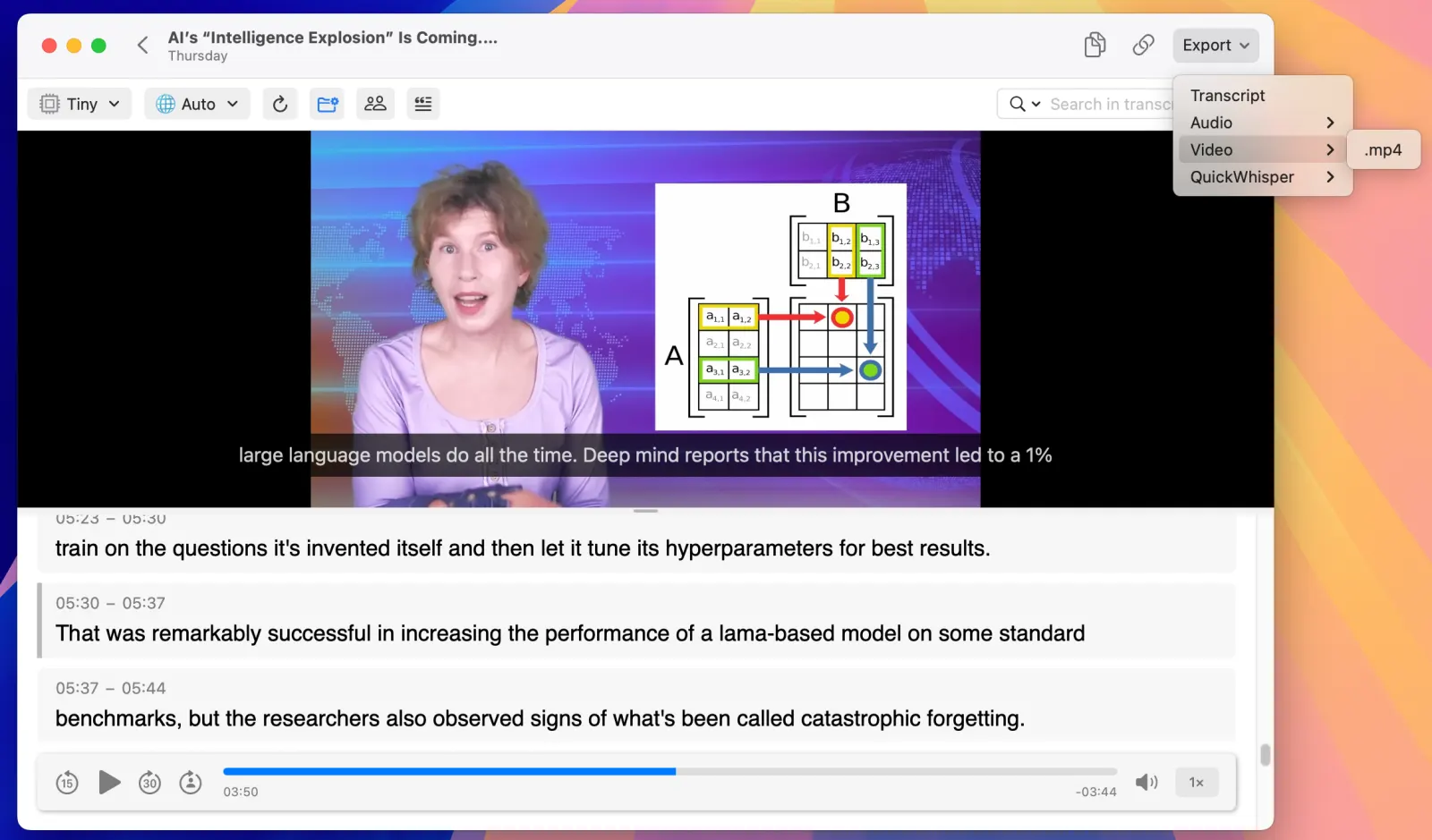
Yes, you can now export video files directly to MP4 format from the export menu.

MeetMic 1.11 - New Features

Subtitles in Video Player
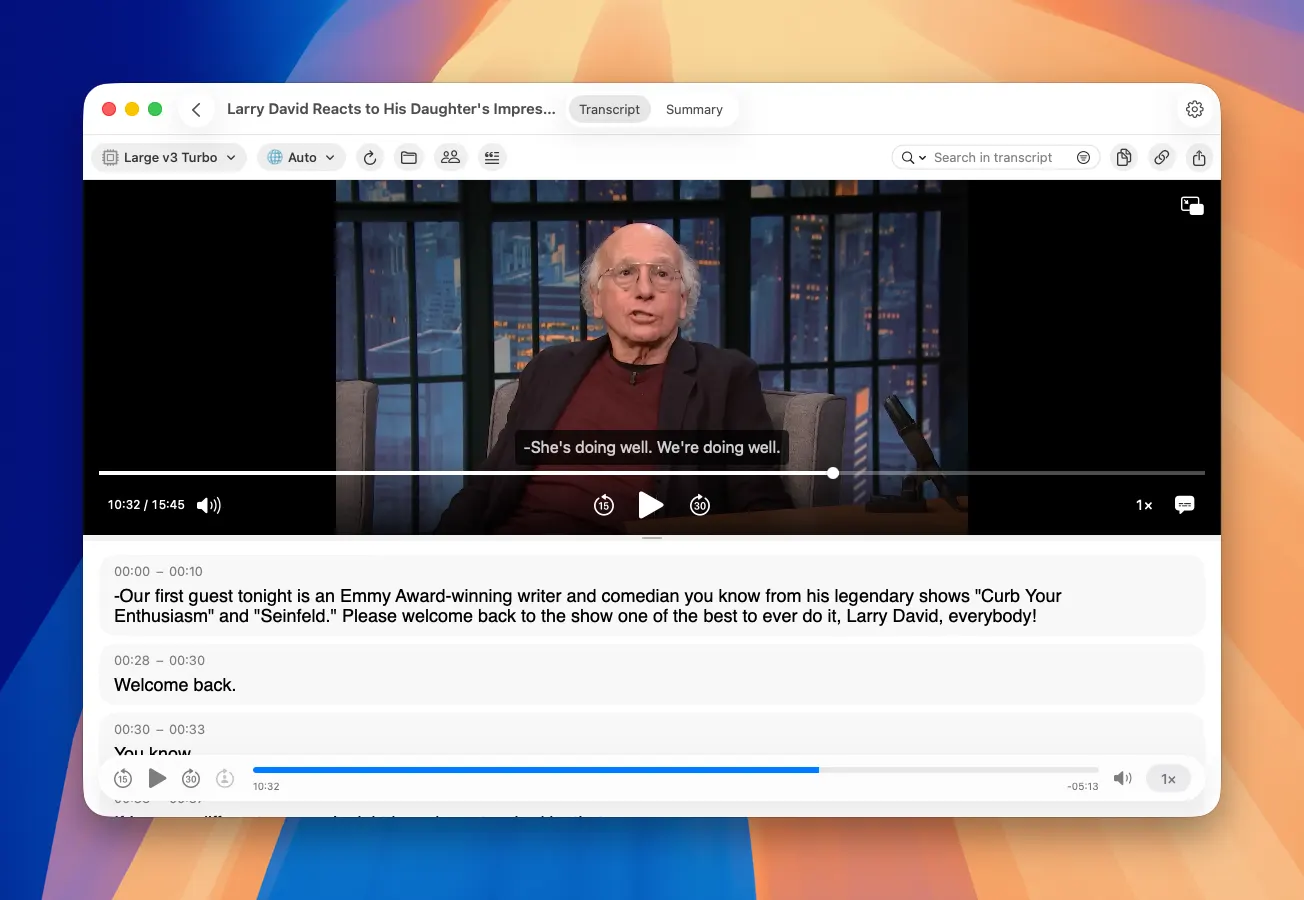
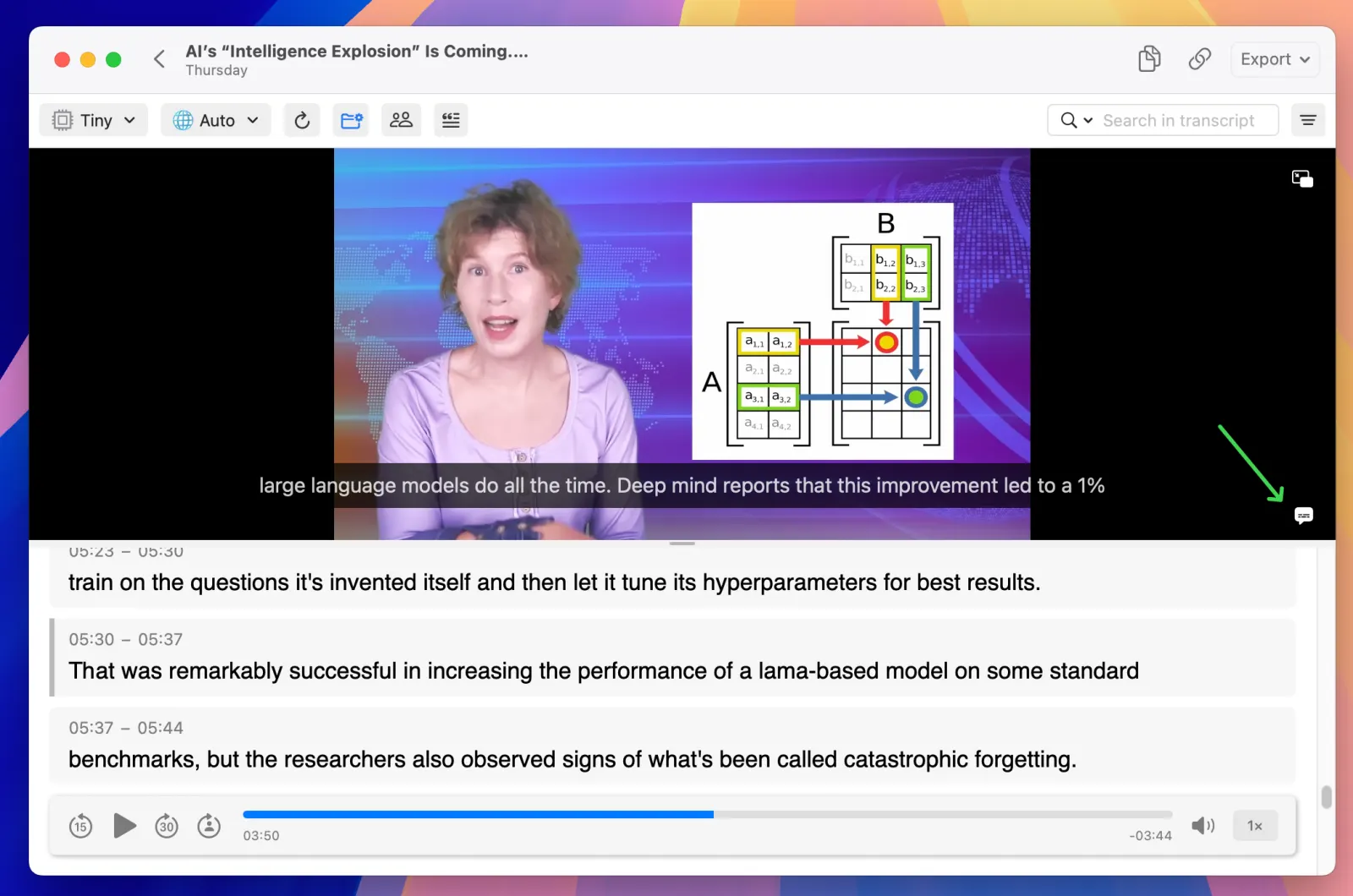
Perfect synchronization is here! The video player now displays current transcript segments as subtitles, creating seamless alignment between what you see and what you read. Toggle subtitle display on or off to match your workflow preferences and ensure accurate timing review.

MeetMic 1.11 - New Features

Inline Editing in Segments
Editing transcripts has never been easier. Click directly on any speaker name, timestamp, or text segment to edit it instantly. This streamlined approach makes corrections and adjustments incredibly intuitive and saves you valuable time during the review process.

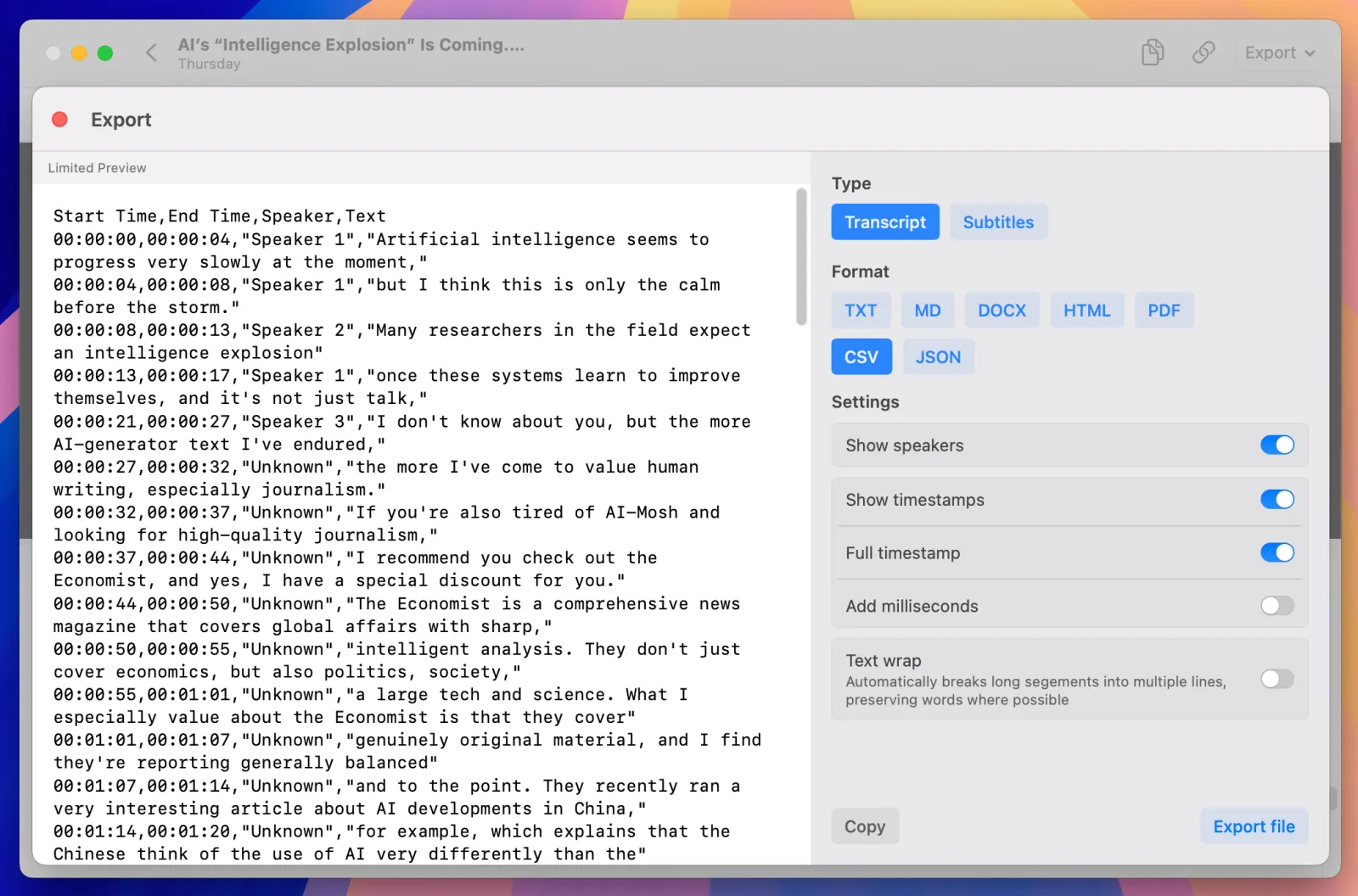
Export Wizard
Preview before you export! The new Export Wizard shows you exactly how your file will look before saving, ensuring your transcripts meet your formatting expectations every time.

MeetMic 1.11 - New Features

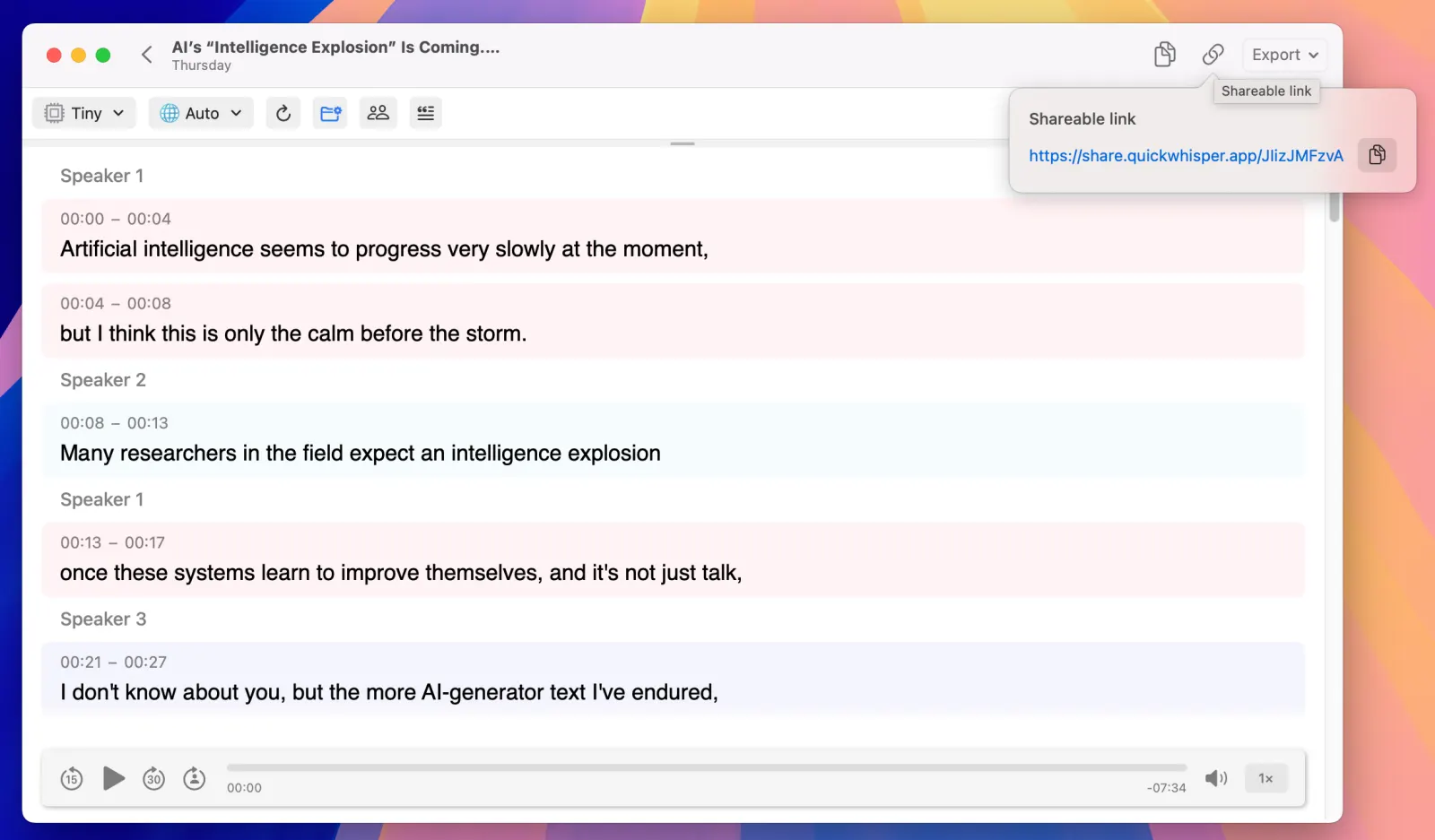
Shareable Links
Transform how you share transcriptions! Now you can share any transcript with anyone through unique temporary links - no need for them to have MeetMic installed. Simply generate a link and send it to colleagues, clients, or collaborators. Say goodbye to sending transcript files back and forth.

MeetMic 1.11 - New Features

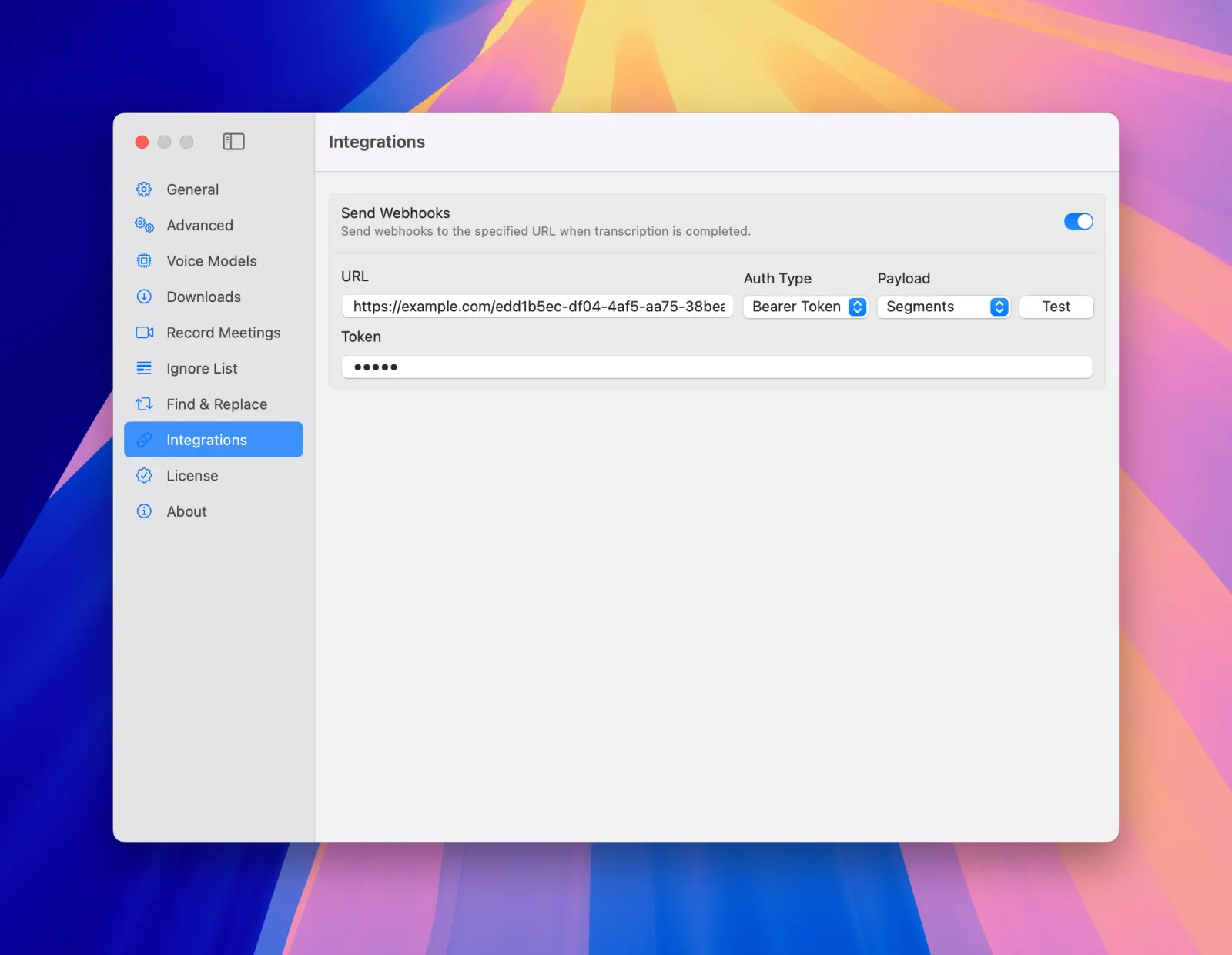
Webhooks
Connect MeetMic to your existing workflow! Configure webhooks to automatically send transcriptions to Slack, Telegram, Zapier, or any third-party application. Set up custom URLs, authentication, and payload types to receive transcripts exactly where you need them, triggered on every transcription and retranscription.

MeetMic 1.11 - New Features

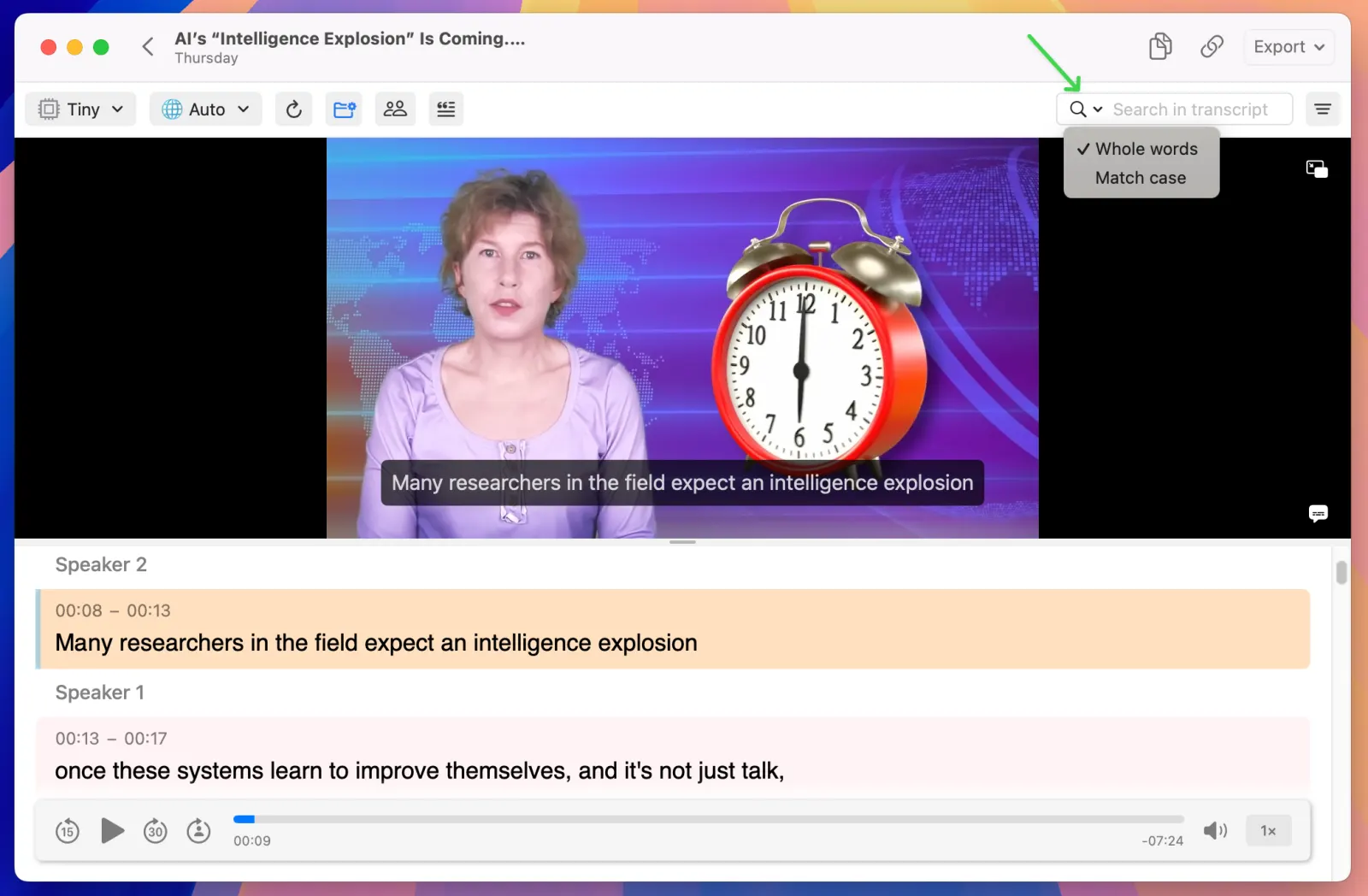
Advanced Text Search
Find exactly what you're looking for with new search modifiers. Use whole word matching and case-sensitive search to locate specific content within your transcripts more precisely.

MeetMic 1.11 - New Features

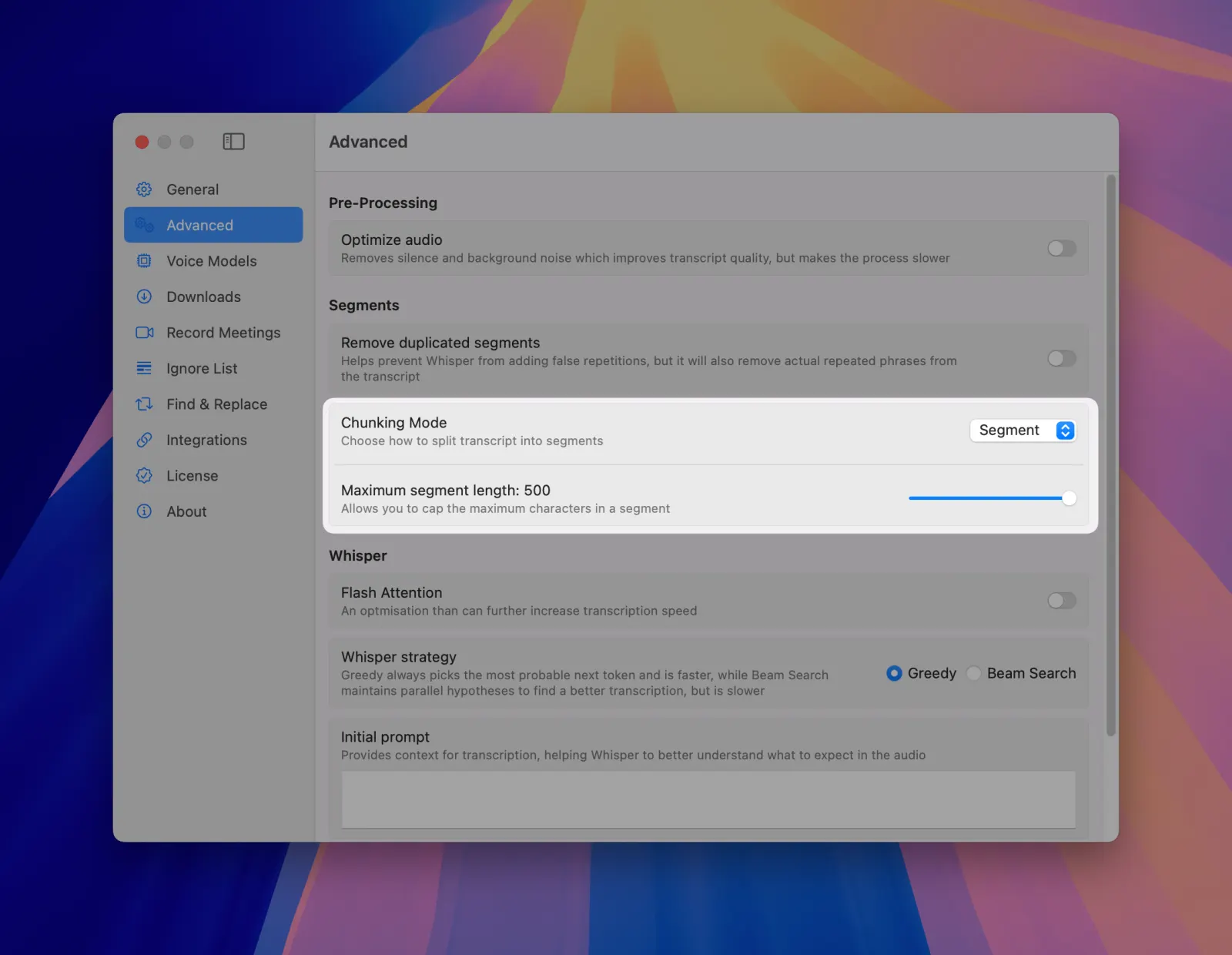
Simplified Segments Chunking
We've streamlined segment division settings. Simply choose how you want your transcript organized: standard segment, by word, sentence, paragraph, or custom character length. No more complex configurations - just pick what works best for your needs.

MeetMic 1.11 - New Features

New Language-Specific Models
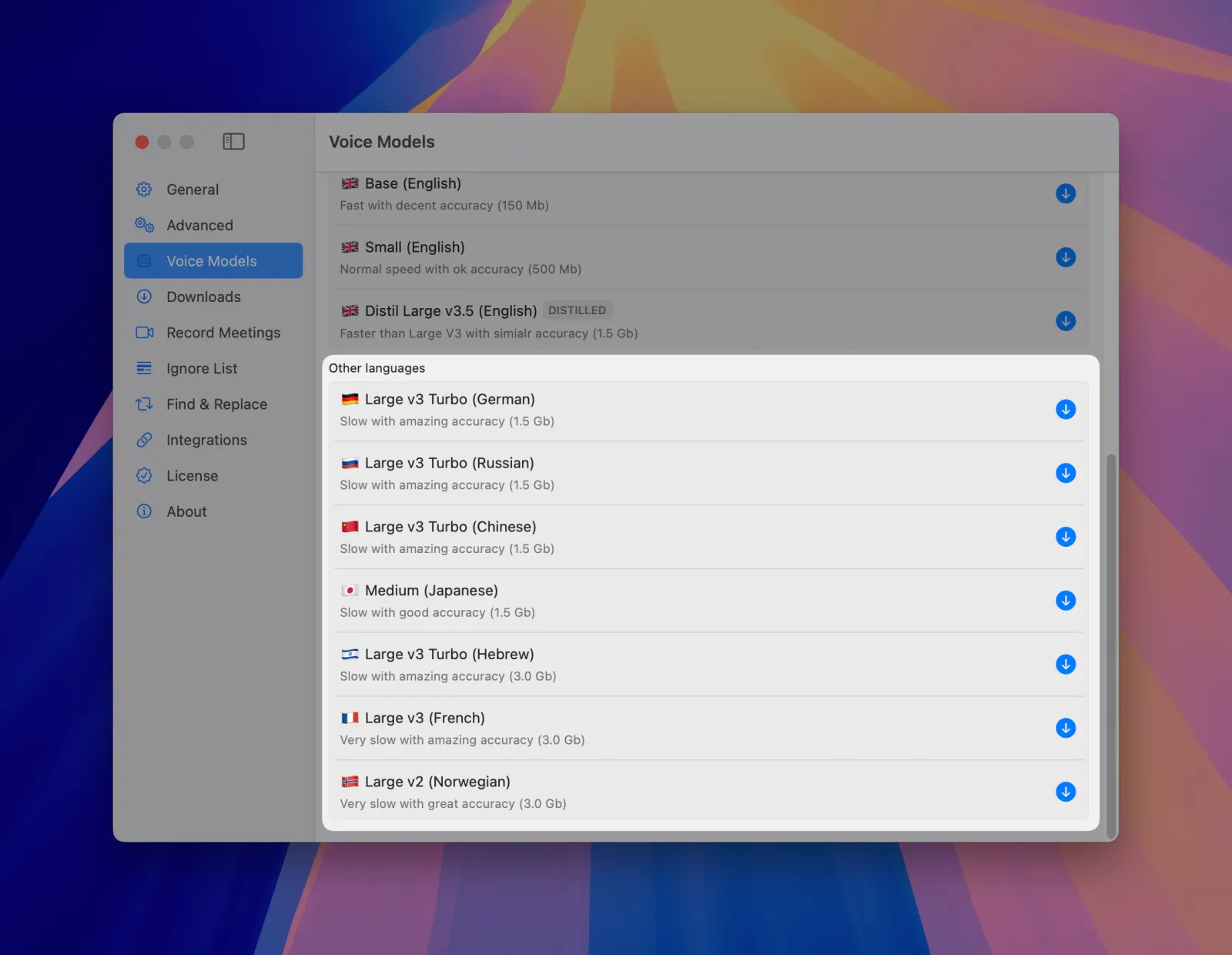
Experience improved accuracy with our latest fine-tuned voice models, including Large V3 Turbo models specifically optimized for Russian, German, and Mandarin. These specialized models deliver better recognition and more accurate transcriptions for non-English content.

MeetMic 1.11 - New Features

Improvements

Redesigned Video Downloader
We've completely reworked our video downloader architecture to automatically receive updates, ensuring reliable downloads even when YouTube and other video hosting providers make changes. No more waiting for MeetMic updates to fix download issues.


Note: Video downloads require longer processing times. Choose your quality settings carefully based on your time requirements.

MeetMic 1.10

Another exciting MeetMic update! We've added powerful video support, expanding what's possible while maintaining the simplicity you love.

New Features

Video Player

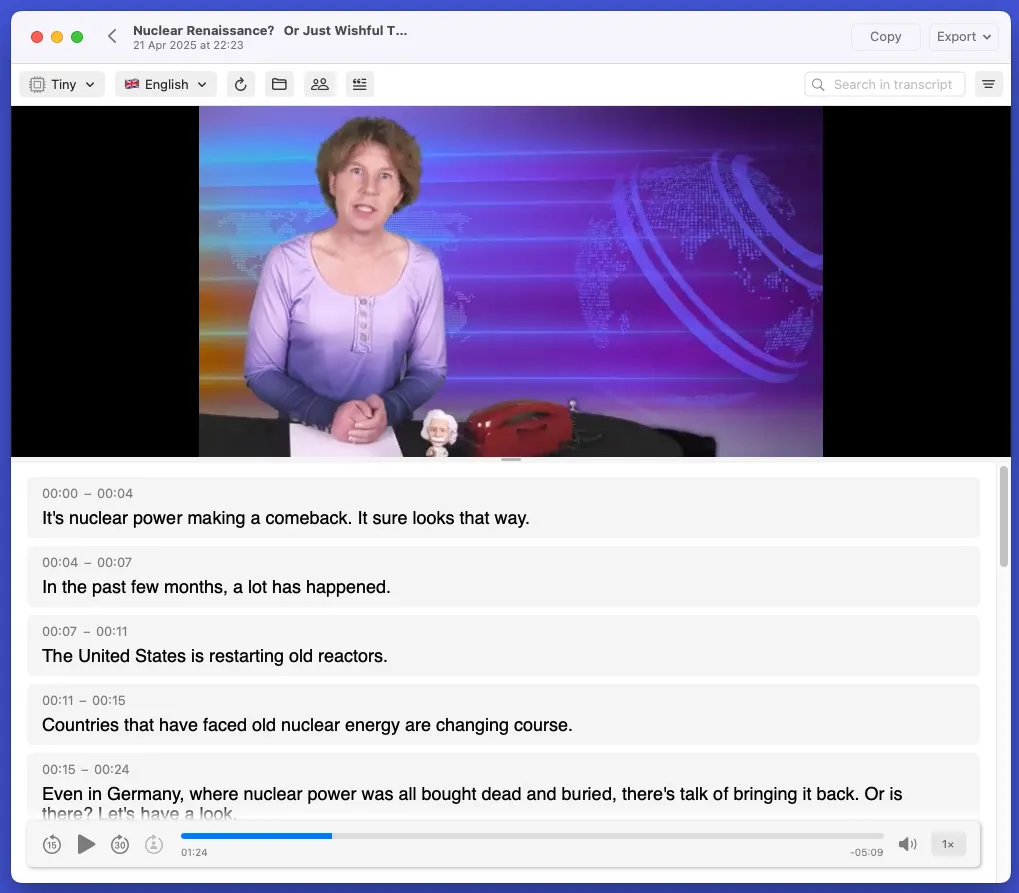
MeetMic now lets you not only listen to audio from video files but also watch the video content alongside your transcriptions. Also we added frame capture feature that lets you save important video moments with a single click, perfect for presentations or notes. For those who love multitasking, you can now detach the video player from the main window, creating a flexible multi-display workflow that adapts to your needs.

MeetMic 1.10 - Video Player

Video Downloads

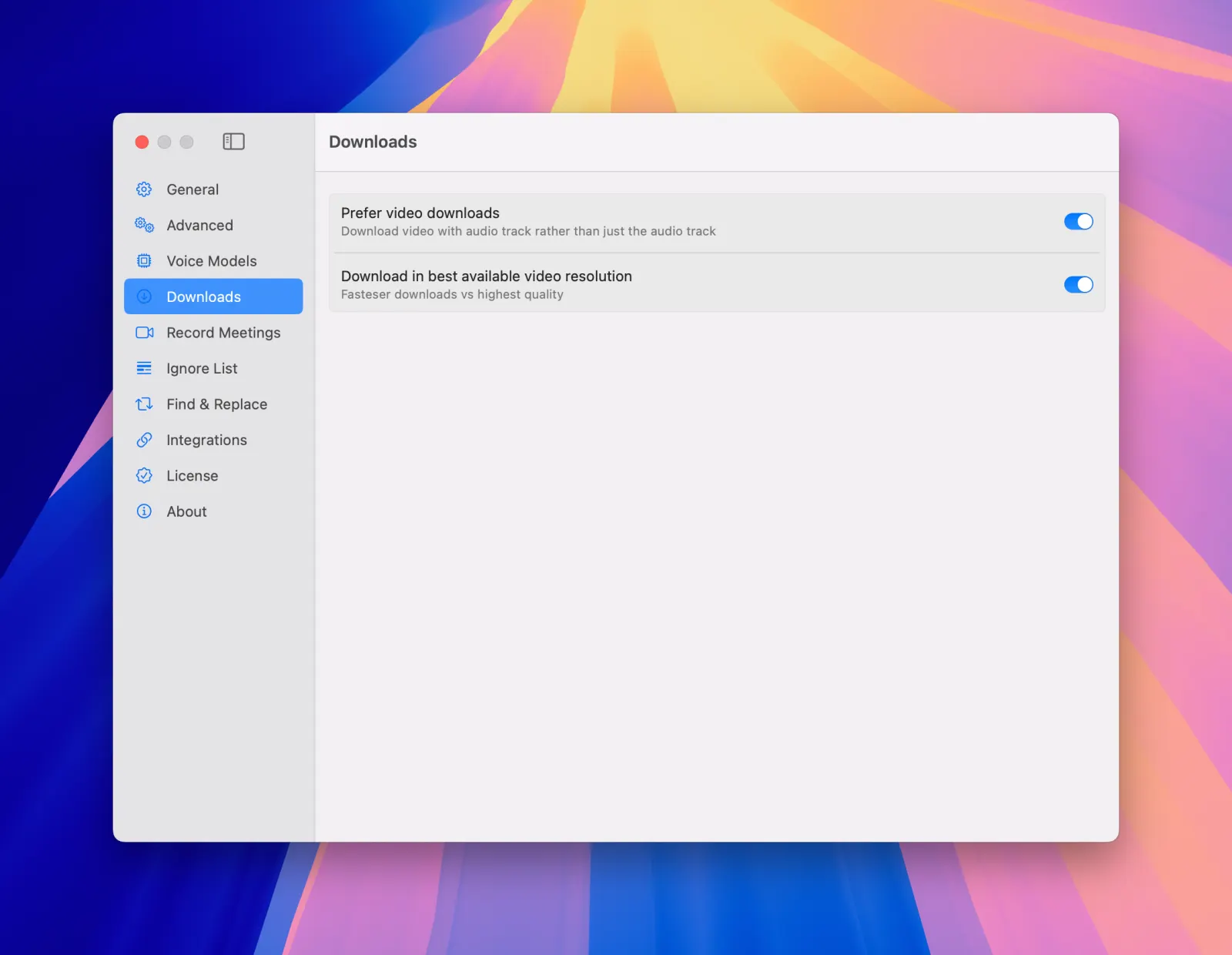
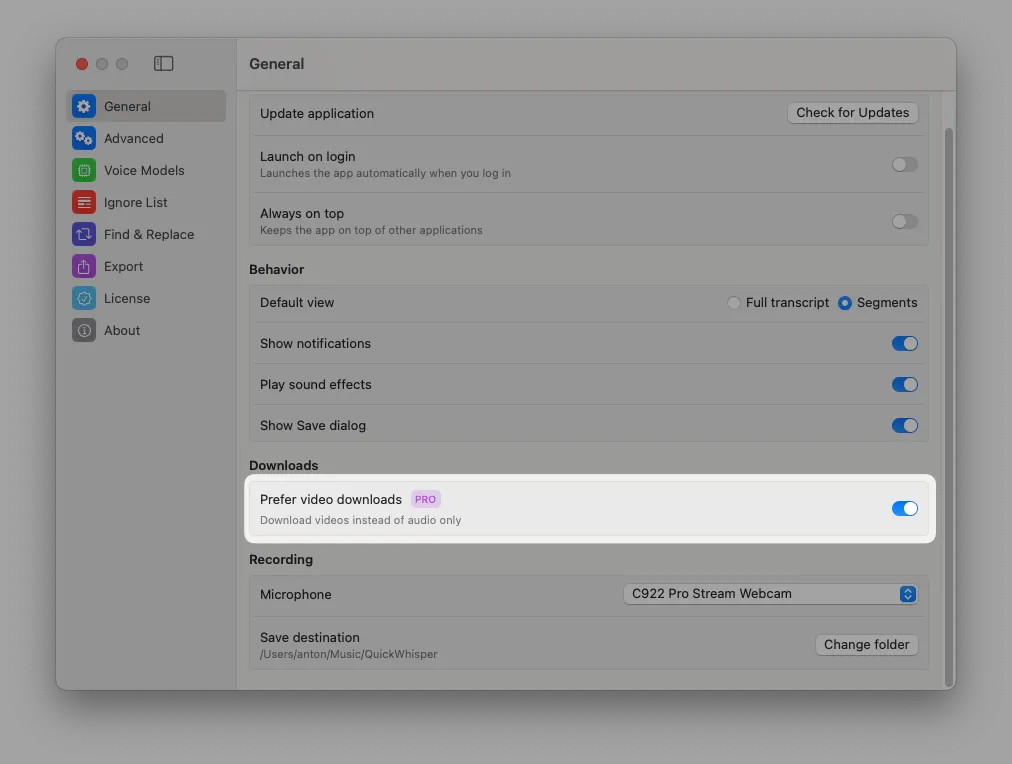
MeetMic can now download videos from your favourite platforms, not just audio tracks. Choose your preference in Settings → Prefer video downloads.

MeetMic 1.10 - Video Downloads


Got thoughts about our video features? We'd love to hear them! Drop us a line at support@meetmic.app or add your suggestions in the Feedback section. Your support helps us make MeetMic better!

MeetMic 1.9

Another exciting MeetMic update! We've packed new version with features that make your transcription workflow smoother, and we also fixed some bugs improving the overall stability of the app.

New Features

Pin Transcriptions

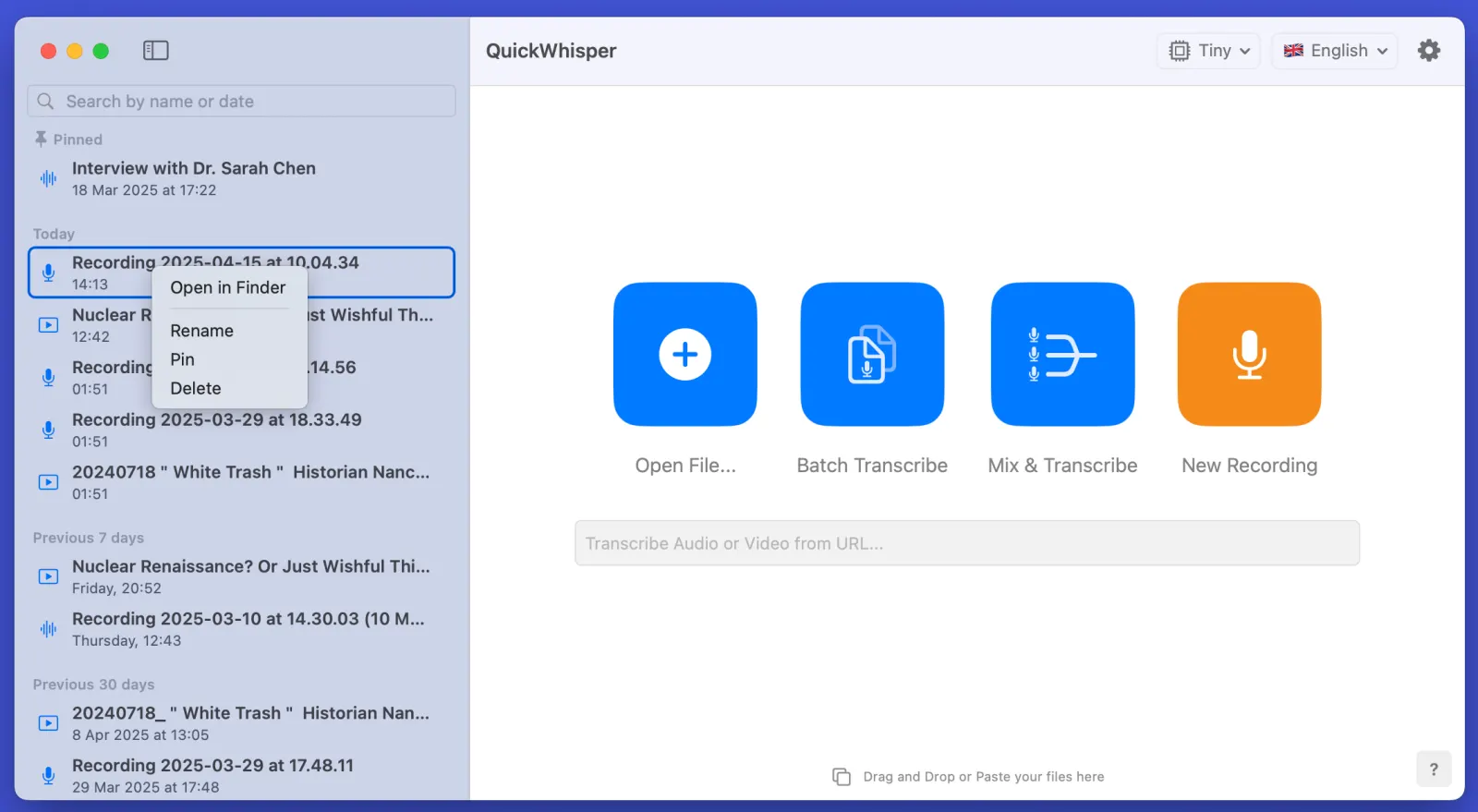
Keep important transcripts within easy reach! The new pinning feature lets you anchor important transcriptions to the top of your history list. You can pin transcriptions via context menu or with a swipe gesture. Perfect for frequently accessed transcripts and Work in progress.

MeetMic 1.9 - Pin Transcriptions

Always on Top

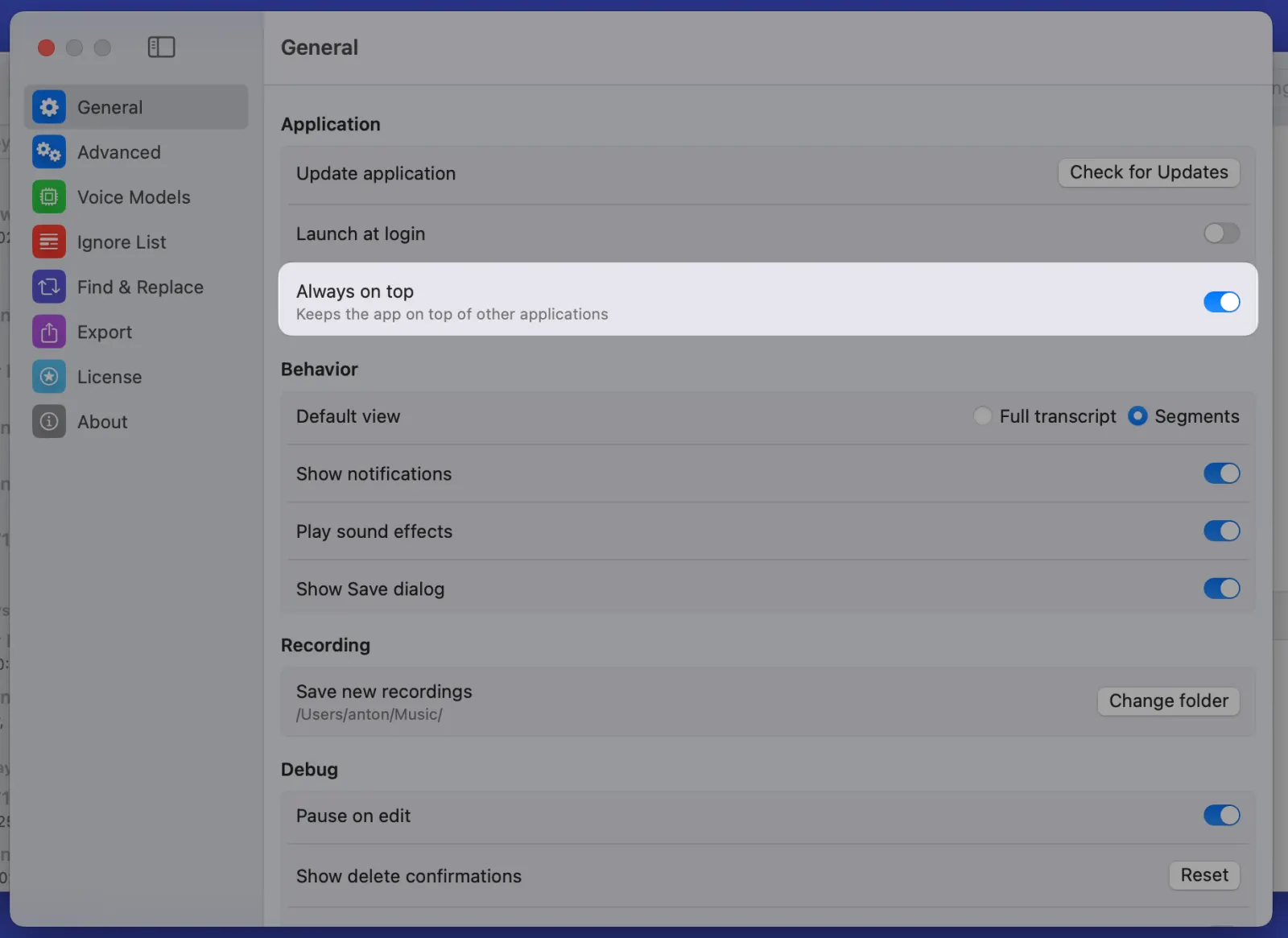
Need to keep MeetMic visible while working with other applications? The new "Always on Top" setting lets you pin the window above other windows, making it perfect for quick access while multitasking and real-time monitoring of the progress.

MeetMic 1.9 - Always on Top

Streamlined Deletion Process

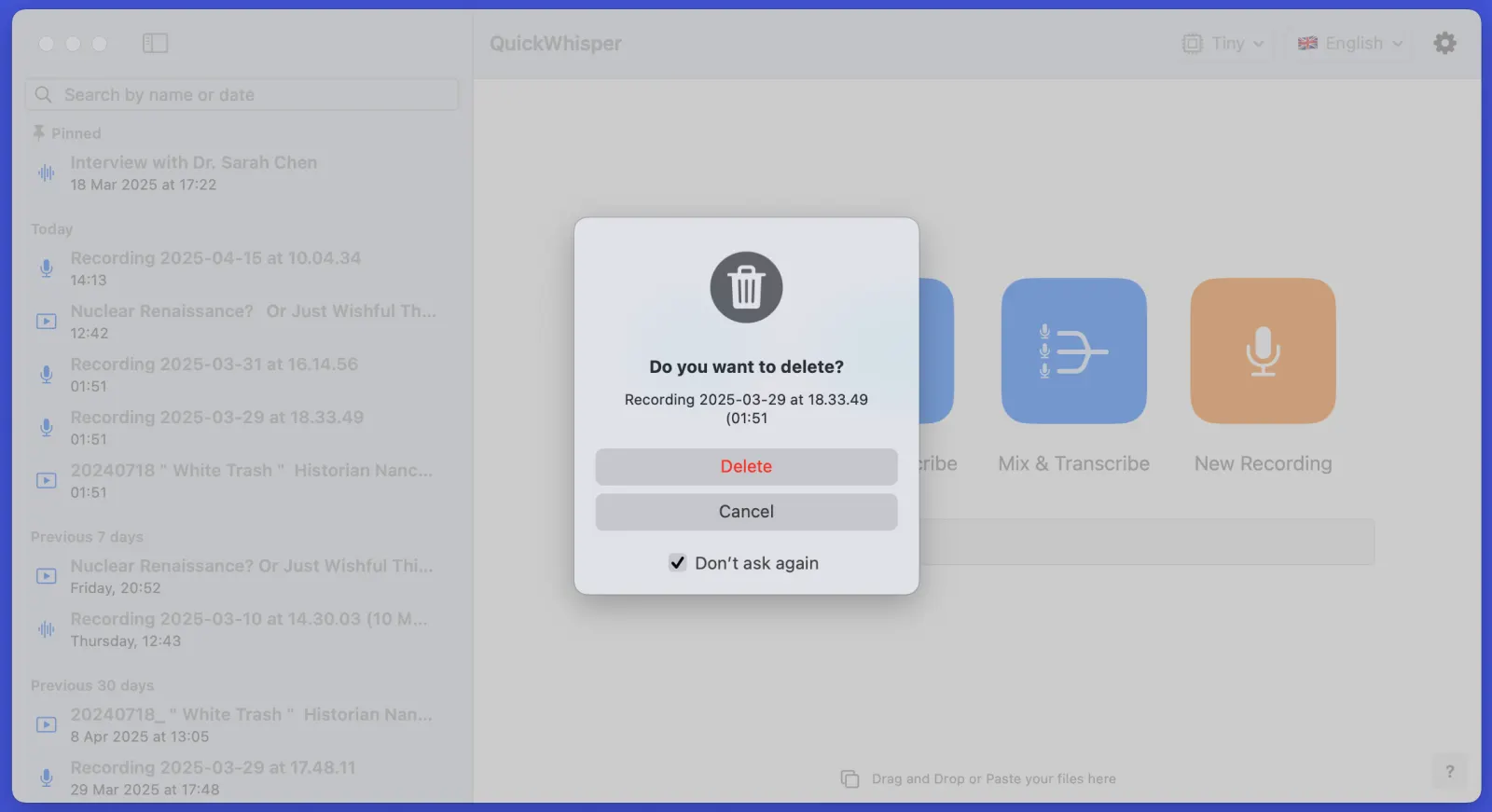
We've heard your feedback about confirmation dialogues! Now you can choose to disable deletion confirmations, making cleanup faster.

MeetMic 1.9 - Streamlined Deletion Process

Flash Attention - Experimental Speed Boost

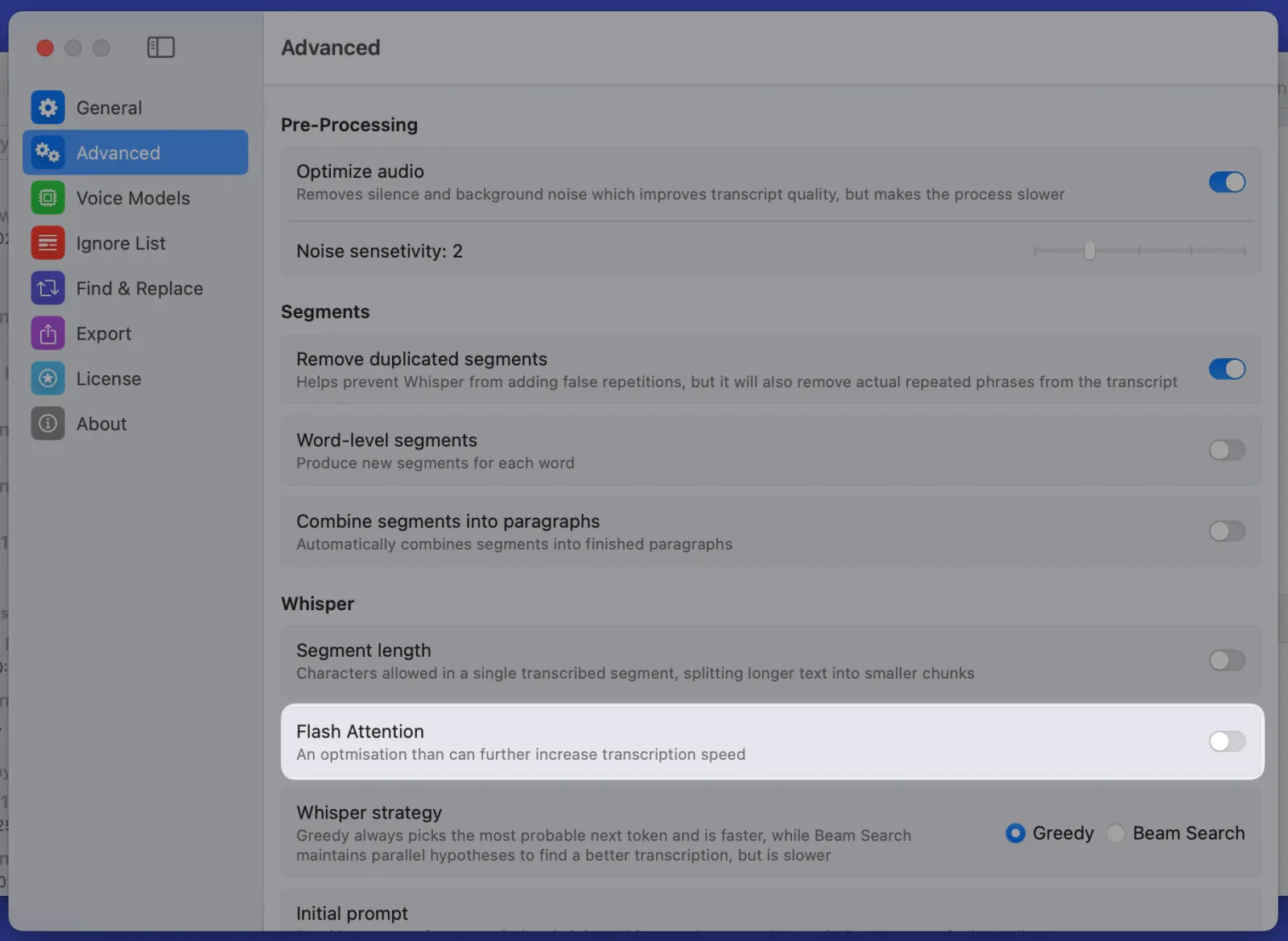
For our power users, we've Flash Attention support for Whisper models - an experimental feature that can increase transcription speed in certain scenarios. Find it in the Advanced Settings, but note that while it may boost performance, it could affect transcription quality.

MeetMic 1.9 - Flash Attention - Experimental Speed Boost

Bug Fixes and Improvements

  • Fixed crashes on macOS 15.4 on opening "Mix and Transcribe" and "Recording" modes.
  • Fixed “Find & Replace” to work with more than one word, making bulk replacements more precise.
  • Preventing Mac from entering Sleep mode while transcription is in progress which protects from crashes for large transcription jobs.

Got thoughts? We'd love to hear them! Drop us a line at support@meetmic.app or add your suggestions in the Feedback. Your support helps us make MeetMic better!

MeetMic 1.8

New month brings you another feature-packed MeetMic release! Let’s have a look what we have for you today.

New Features

Fresh Look and Feel

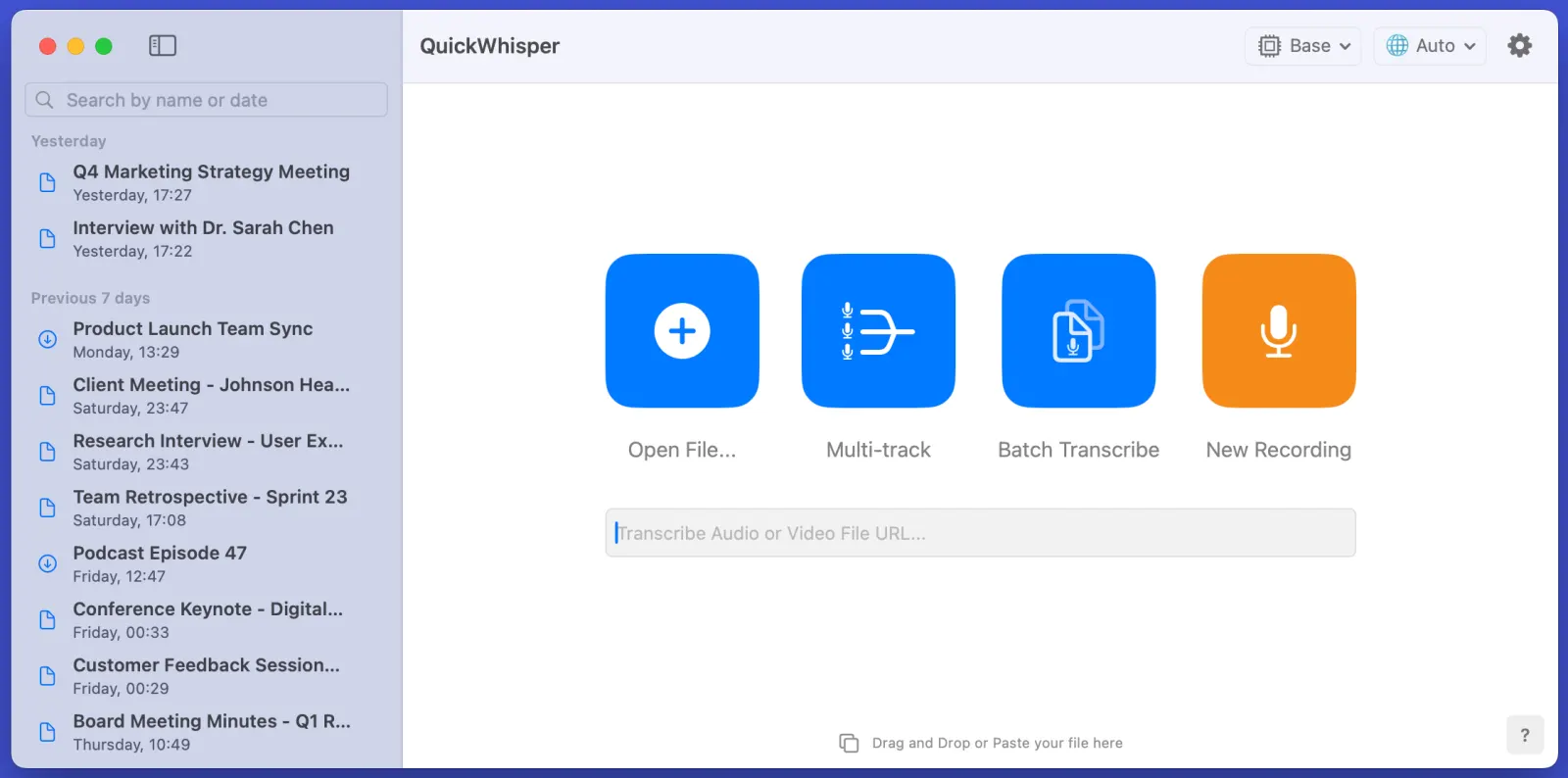
MeetMic's start screen just got a stunning makeover! We've redesigned the interface with enhanced contrast and add distinctive personality, making it not just more visually appealing but also more functional.

MeetMic 1.8 - Fresh Look and Feel

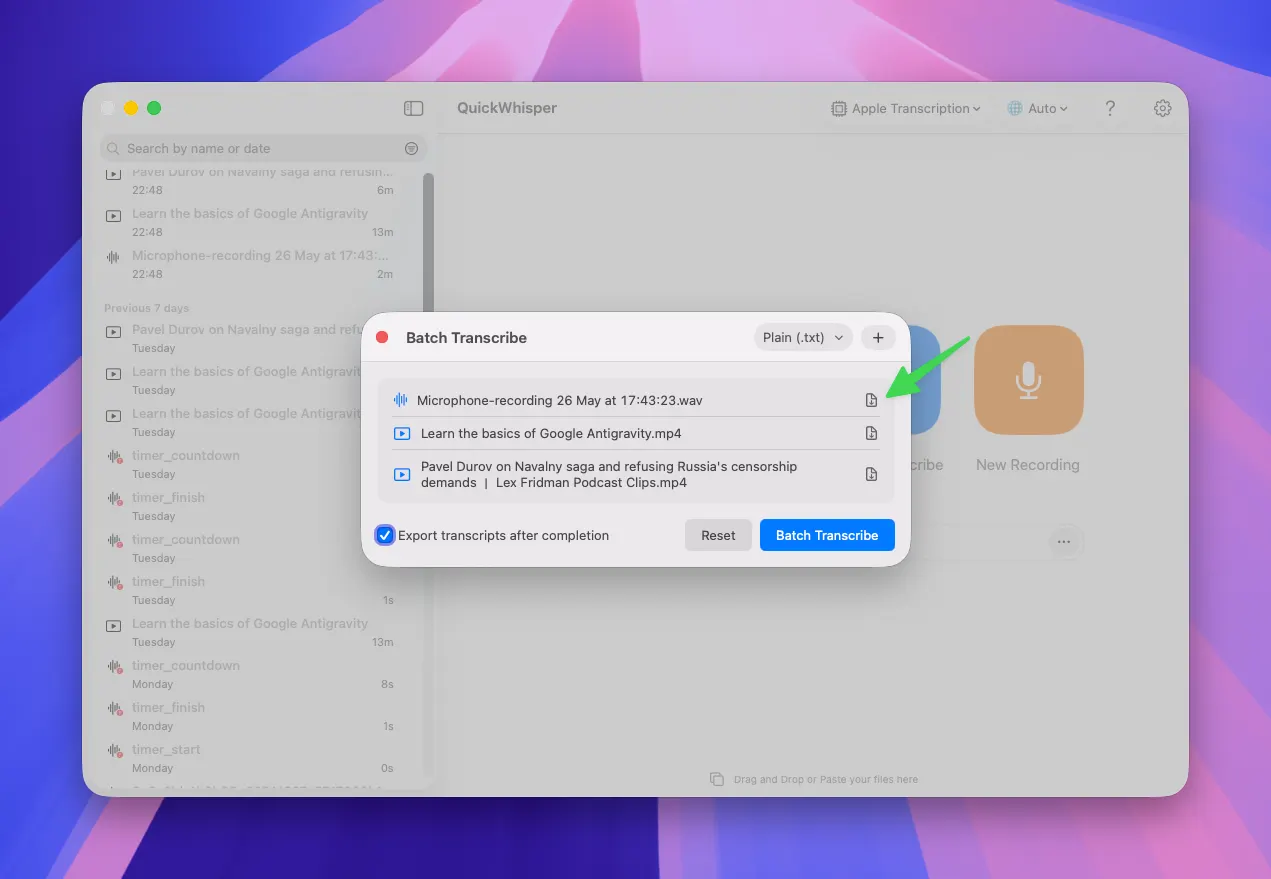
Batch Transcription

Do you need to transcribe multiple files at once? Drag-n-drop files to MeetMic, select export format, and hit "Batch Transcribe." Files will be processed one by one. Each transcription remains individually accessible, allowing you to edit and manage them separately afterwards.

Speaker Diarization: 50% More Accurate!

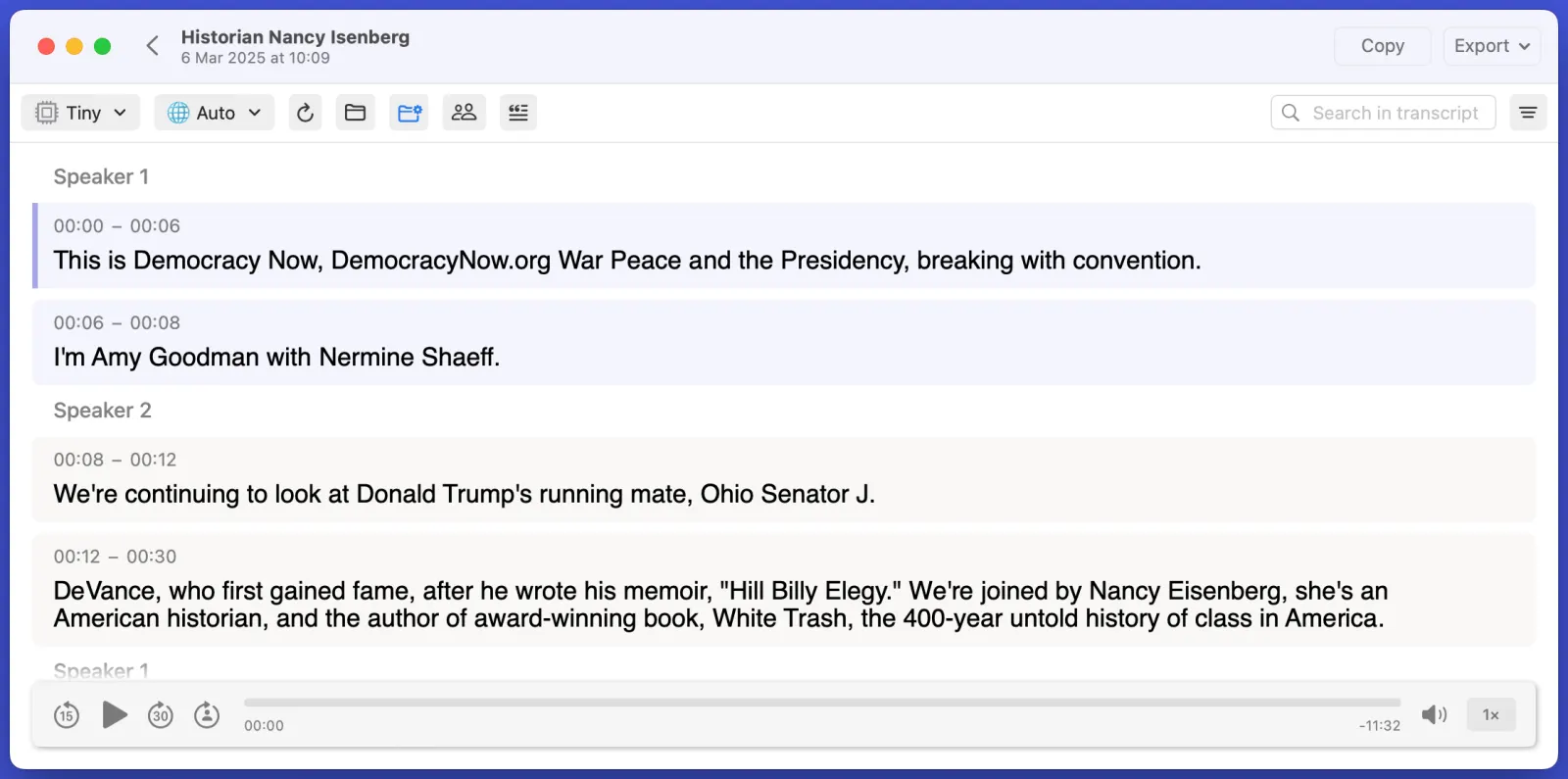
We've made a breakthrough in our speaker diarization engine! This release delivers a remarkable 50% improvement in accuracy, placing MeetMic among the industry leaders in speaker diarization. It particularly shines in interview and podcast recording where speakers maintain clear time separation. The system now excels at:

  • More precise speaker change detection
  • Better handling of quick speaker transitions
  • Enhanced speaker consistency throughout long recordings

We'd love to hear about your experience with the improved diarization feature – share your feedback with us!

MeetMic 1.8 - Speaker Diarization: 50% More Accurate!

Ignore List

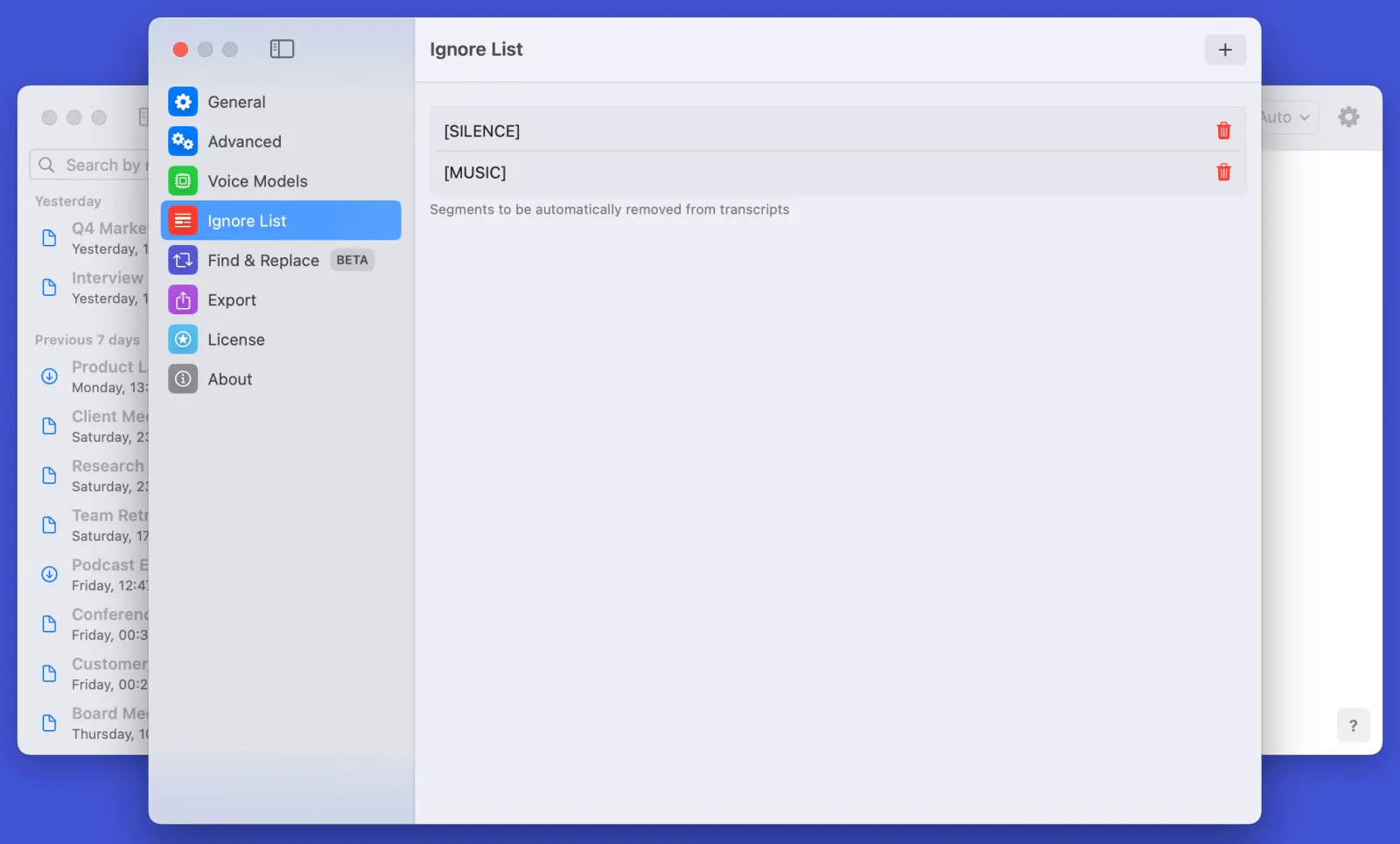
More control over transcription quality with our new Ignore List feature. This feature automatically filters non-verbal segments (like: [SILENCE], [MUSIC]), but also allows you to filter any undesired segments. You can access the feature in Settings → Ignore List or simply open context menu of a segments and click on "Delete and ignore in the future" to add it to the Ignore List.

MeetMic 1.8 - Ignore List

Find & Replace

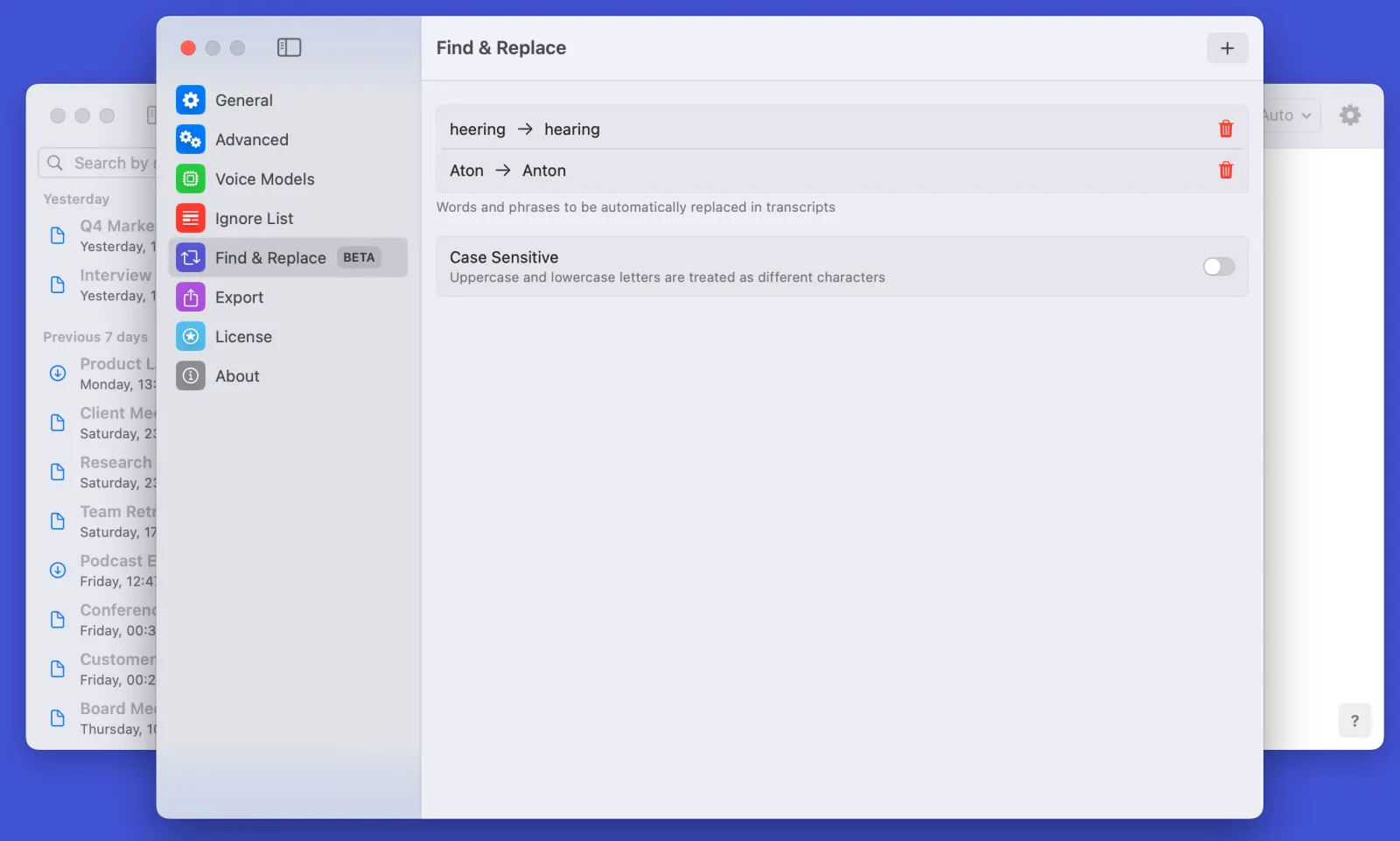
Tired of repeatedly correcting the same transcription errors? Our new Find & Replace feature is here to help! Create custom replacement rules to automatically correct repeating mistakes. Whether it's proper names, technical terms, or recurring phrases, set up your rules once and let MeetMic handle the rest. Perfect for maintaining consistency across all your transcriptions.

MeetMic 1.8 - Find & Replace

Note: This feature is currently in beta, and while powerful, results may occasionally vary from expected outcomes. We're actively collecting user feedback to improve its accuracy.

Audio Export

Take control of your audio recordings with our versatile new audio export options! Whether you need to export specific channel (microphone or system audio), or export the recording as a whole, we've got you covered. Perfect for anyone who needs more granular control over their meeting recordings.

History Search

Finding past transcripts has never been easier! Our new History Search feature lets you quickly locate specific transcripts by filename, date, or content. The smart search functionality supports both recent and archived transcriptions, making project organization effortless.


Got thoughts? We'd love to hear them! Drop us a line at support@meetmic.app or add your suggestions in the Feedback. Your support helps us make MeetMic better!

MeetMic 1.7

We're excited to introduce MeetMic 1.7, bringing powerful project navigation, multi-track transcription mode, and huge performance optimisation!

New features

Transcription projects

Access your transcription projects with our revamped project structure. Your transcripts are now organised in an easy-to-navigate chronological list in the sidebar, making it simple to find and revisit transcription projects. You can also easily rename and delete projects via context menu.

Multi-track Mode (Podcast Mode)

Perfect for podcasts, interviews, and remote meetings where each speaker is recorded on a separate track! Simply import individual audio files from each participant, and MeetMic will combine them into a single, perfectly synchronized transcript.

For example, if you have separate recordings of the host and guest from your podcast, or individual tracks from each participant in your remote meeting, MeetMic will merge them while maintaining precise speaker attribution and timing.

Btw: When using Multi-track mode you can choose to align tracks by their end times instead of start times.

Removing Duplicated Segments

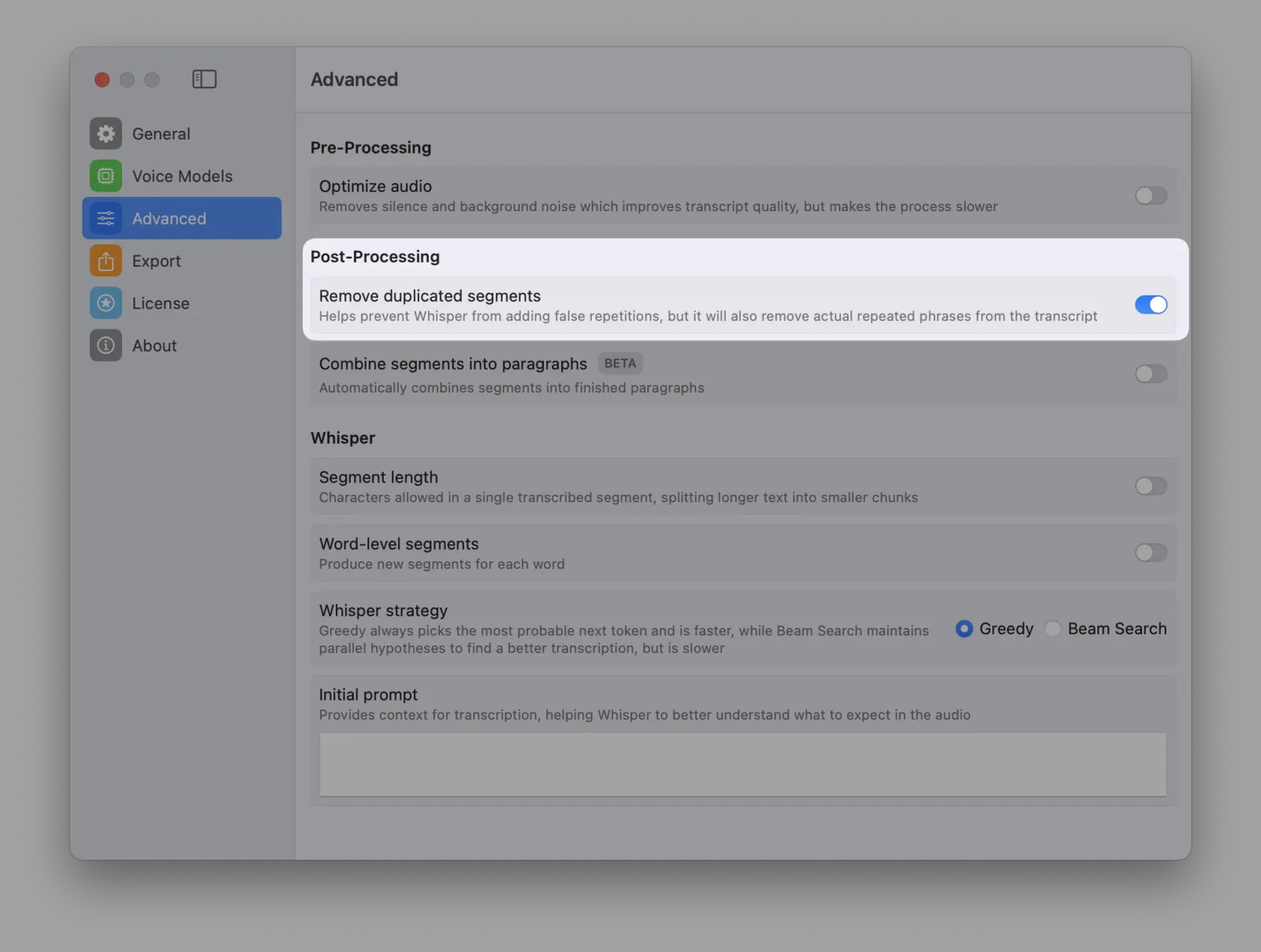
Say goodbye to duplicated segments! Our new filtering system automatically detects and removes repeated text segments in your transcripts. This is especially useful when transcribing lower-quality audio, where Whisper might produce duplicate segments like "Let's begin Let's begin Let's begin".

Note: While this feature works well for cleaning up transcription artifacts, use it carefully with content that intentionally contains repetition (like song lyrics, educational materials, or speeches with deliberate repetition for emphasis).

MeetMic 1.7 - Removing Duplicated Segments

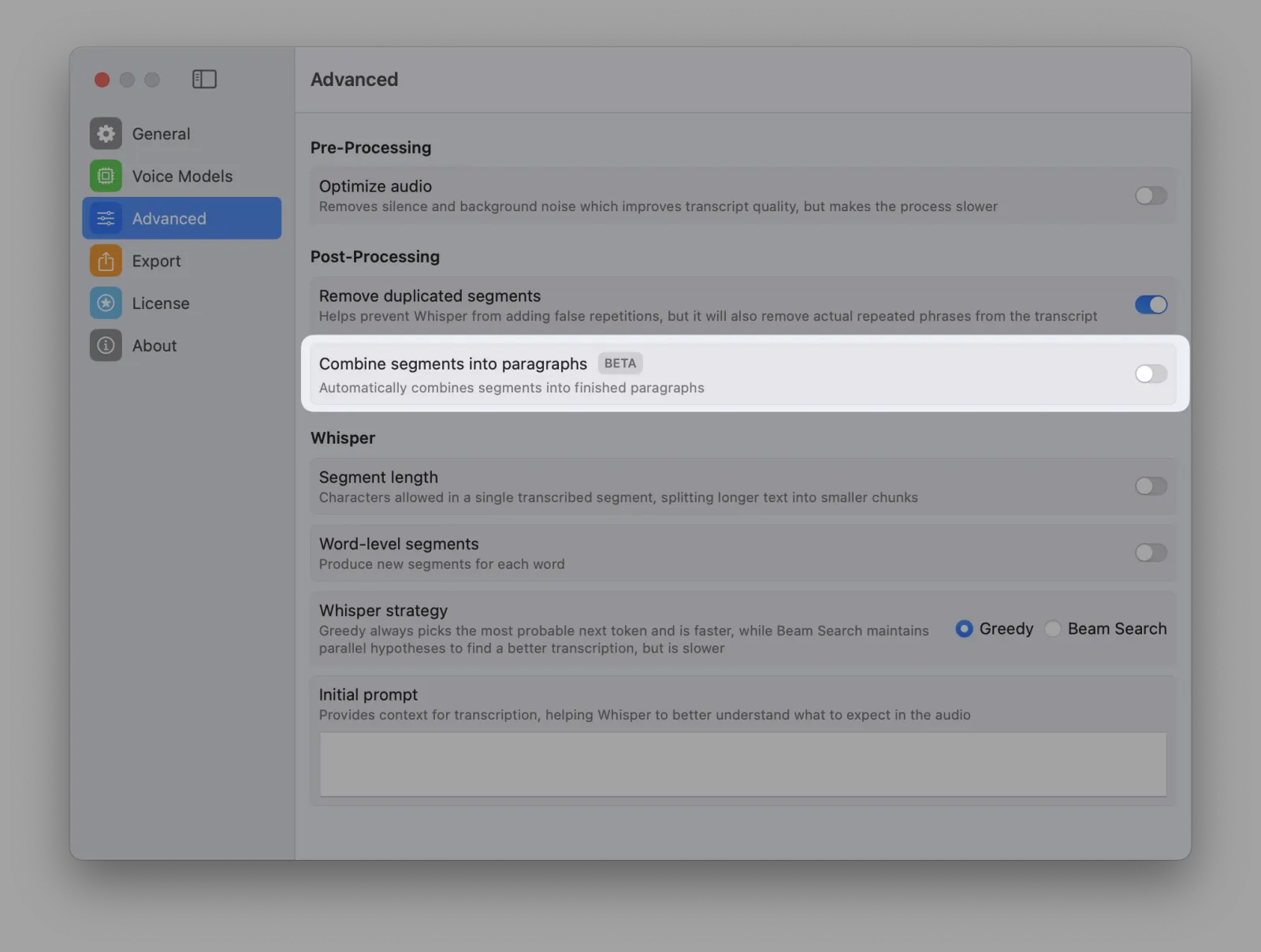
Paragraph Mode (BETA)

Get more natural, readable transcripts with the new Paragraph mode. Instead of breaking text into short segments, MeetMic will intelligently merge adjacent segments to form complete sentences or paragraphs. For example, rather than having three separate segments like "I wanted to", "tell you that", "the meeting is tomorrow", you'll get one natural segment: "I wanted to tell you that the meeting is tomorrow." This makes transcripts much easier to read and work with, especially when you don't need subtitle-style segmentation.

Note: Since this feature relies on Whisper's punctuation detection, it works best with clear audio.

MeetMic 1.7 - Paragraph Mode (BETA)

System Audio Monitor

Recording system audio? Keep an eye on both audio sources with our new split volume meter. Now you can monitor Microphone and System audio levels separately in real-time, helping you catch and fix recording issues before they ruin your session. No more unpleasant surprises of discovering that your interview recording has only audio of your voice.

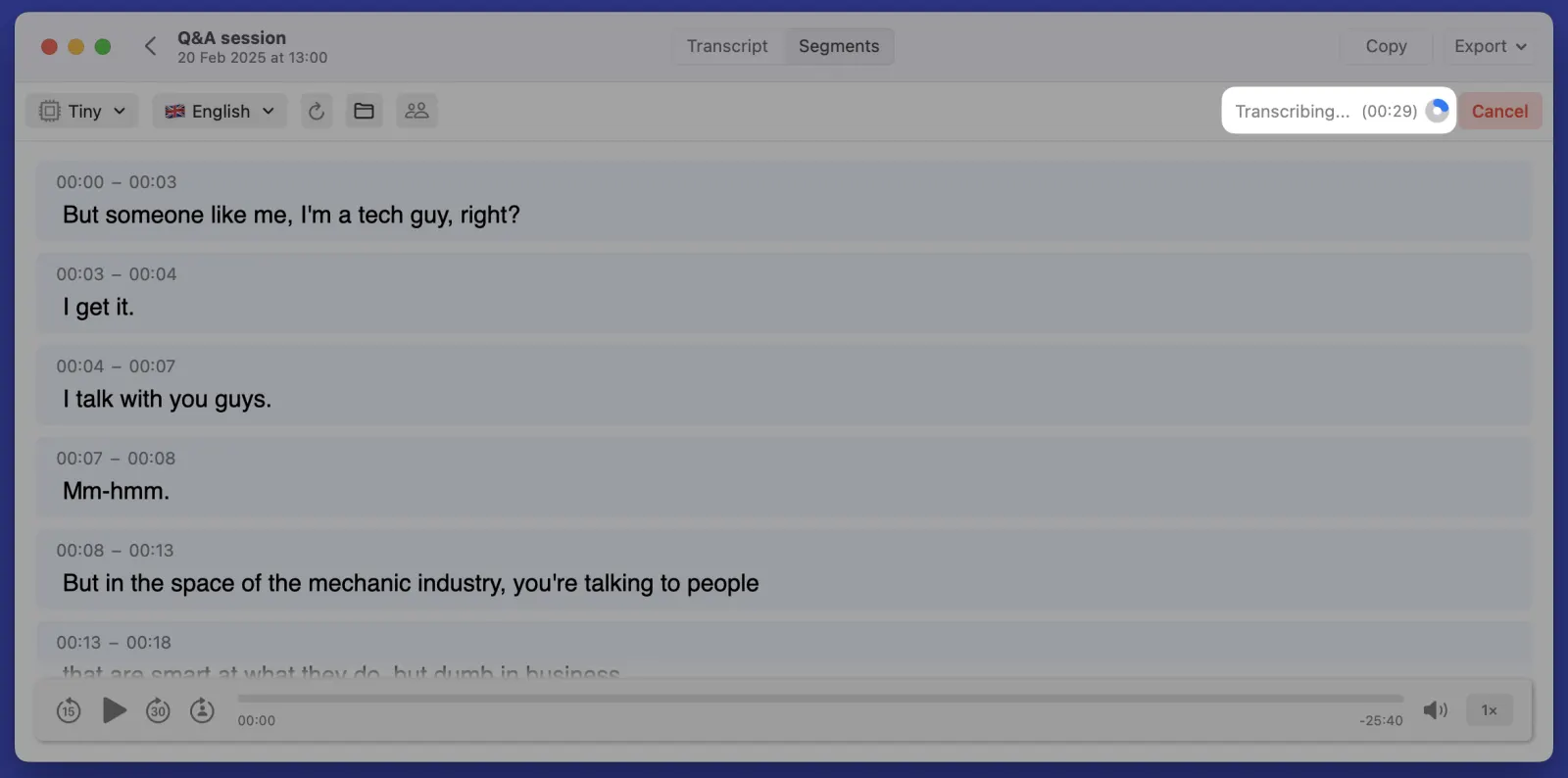
Transcription Progress Estimation

Know exactly when your transcription will be ready with our new time estimation feature. No more guessing, how much time to wait by looking at the progress circle. Especially comforting when working with longer transcriptions.

MeetMic 1.7 - Transcription Progress Estimation

Quick Model and Language Selection

Model and language controls are now available from the main window. No need to go to the setting if you need to change these essential controls.

Performance

We've supercharged our transcription engine! Enjoy up to 20% faster processing times thanks to extensive low-level optimisations.


Got thoughts? We'd love to hear them! Drop us a line at support@meetmic.app or add your suggestions in the Feedback. Your support helps us make MeetMic better!

🎄 As we wrap up 2024, we're excited to deliver one more release of MeetMic to make your transcription tasks in the new year smoother.

New features

Search Navigation

Finding specific content in your transcripts is now easier than ever. As you search, MeetMic not only shows you the total number of matches, but it allows you to navigate between these matches with Next and Previous buttons. You can also use common keyboard shortcuts to start search (Ctrl+F), and go to the next match (Cmd+G) or go back the the previous one (Cmd+Shift+G).

Filtering

You can now filter segments by Speaker or Labels, making it incredibly easy to navigate especially in long transcript. What's even better - when you use the Copy button with a filtered view, MeetMic only copies the visible segments.

Direct Printing

Getting your transcripts on paper is now just a click away. You can print transcripts directly from MeetMic by selecting File → Print or using the standard shortcut (Cmd+P). No need to export to a file first – just print and go.

Adjustable Font Size

We've also added adjustable font sizes to ensure comfortable reading for everyone. Use Cmd+ to increase the font size, Cmd- to decrease it, or quickly return to the default with Cmd+0.

Fixes

  • Fixed various minor UI inconsistencies
  • Enhanced overall performance and stability

Got thoughts? We'd love to hear them! Drop us a line at support@meetmic.app or add your suggestions in the Feedback section. Your thoughts and ideas helps us make MeetMic better!

Happy transcribing!

We're thrilled to present our most feature-packed update yet! This release brings professional-grade customisation, enhanced export options, and powerful new tools for managing your transcripts.

New features

Transcript search

Find exactly what you need - quickly locate specific words or phrases within the transcript

Manual speaker management

In addition to automatic speaker diarization, in 1.5 we bring manual controls for adding/removing speakers to transcripts. We’ve also added handy keyboard shortcuts so that you can assign speakers to segments blazing-fast.

Segment labels

Label segments that matter most for you goal. You select from: Decision, Action Item, Question, Highlight, Positive, Negative. These labels will be exported.

Merge segments

Perfect for cleaning up over-segmented transcripts - combine adjacent segments together for more useful results and better reading experience.

Adjustable timestamps

Fine-tune segment timing - manually adjust start and end times for perfect synchronization.

Start over recording

Lost your thought in the middle of a recording and need to start over? Hit the new Start Over button and begin fresh without leaving the recording window.

Advanced Settings

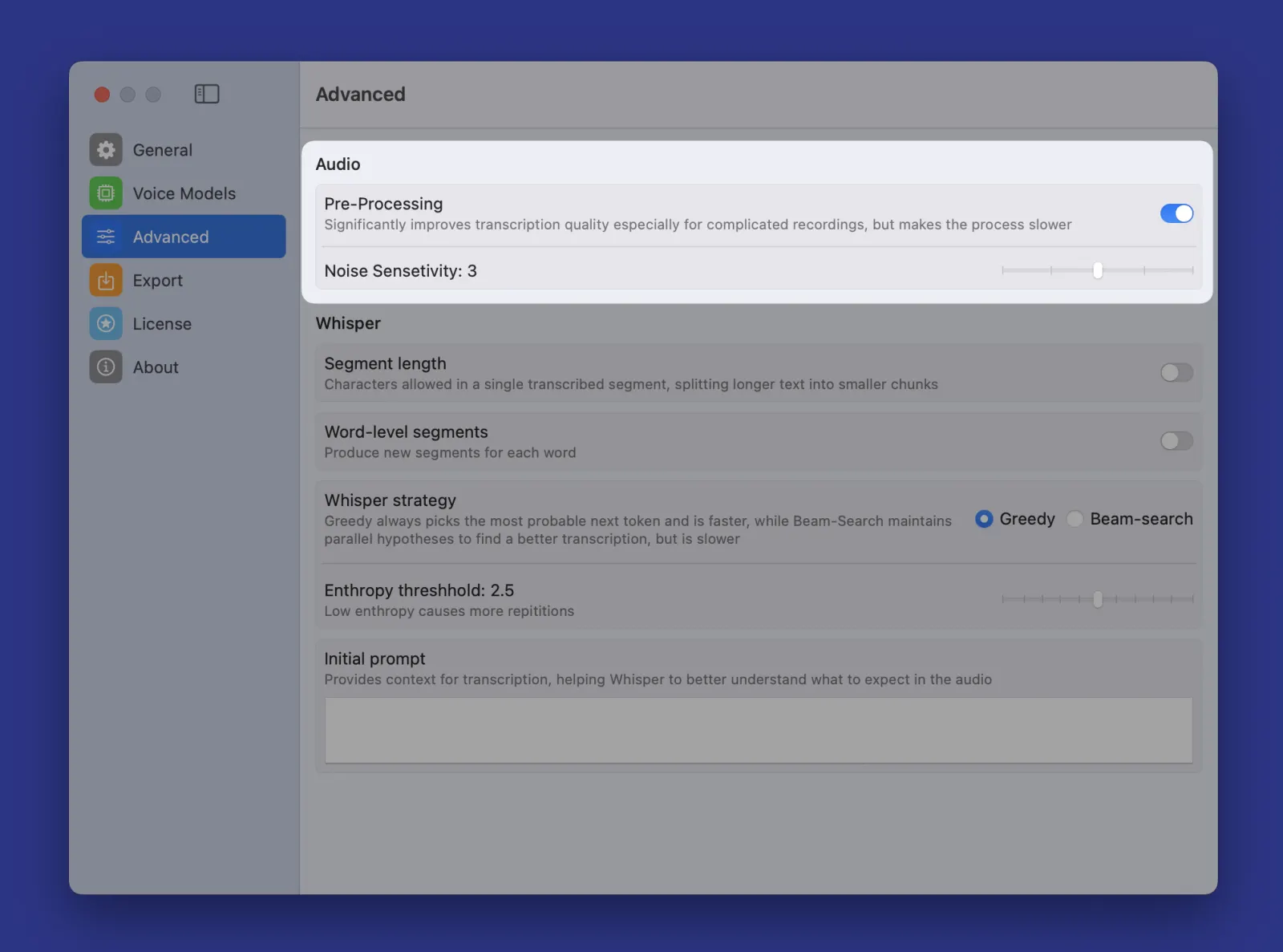
When dealing with complicated or low-quality recordings our new pre-processing option will be handy. While it may take a bit longer, transcriptions are usually getting better when you have multiple overlapping speakers, extended periods of silence, or background noise.

MeetMic 1.5 – Search in Transcripts & Labels - Advanced Settings


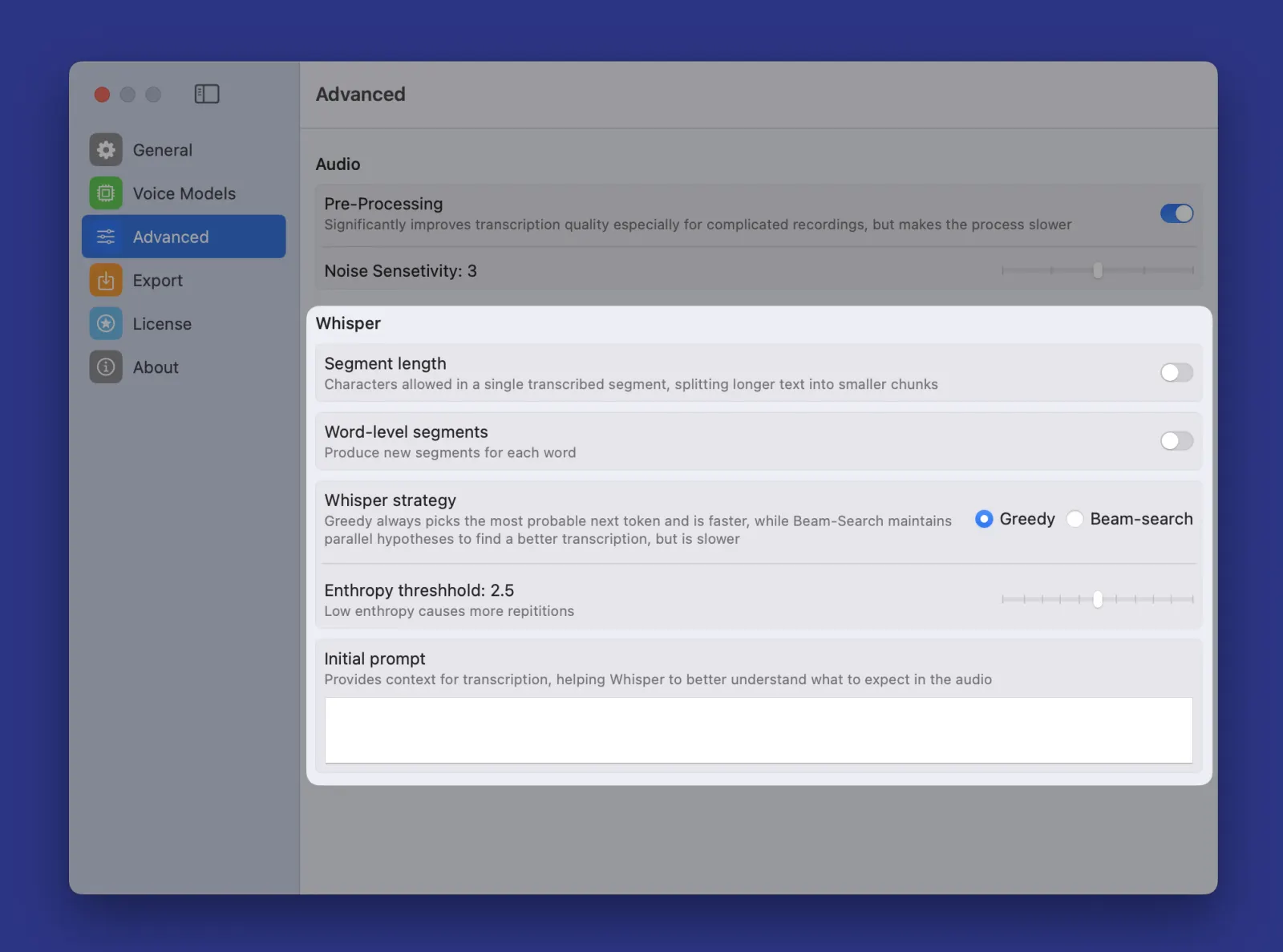
For power users who need precise control, we've exposed Whisper's advanced configuration options. Adjust decoding strategies, initial prompt, and entropy threshold to match your specific needs.

MeetMic 1.5 – Search in Transcripts & Labels - Advanced Settings

Note: The default settings work best for most cases - only adjust if you're familiar with Whisper's configuration.


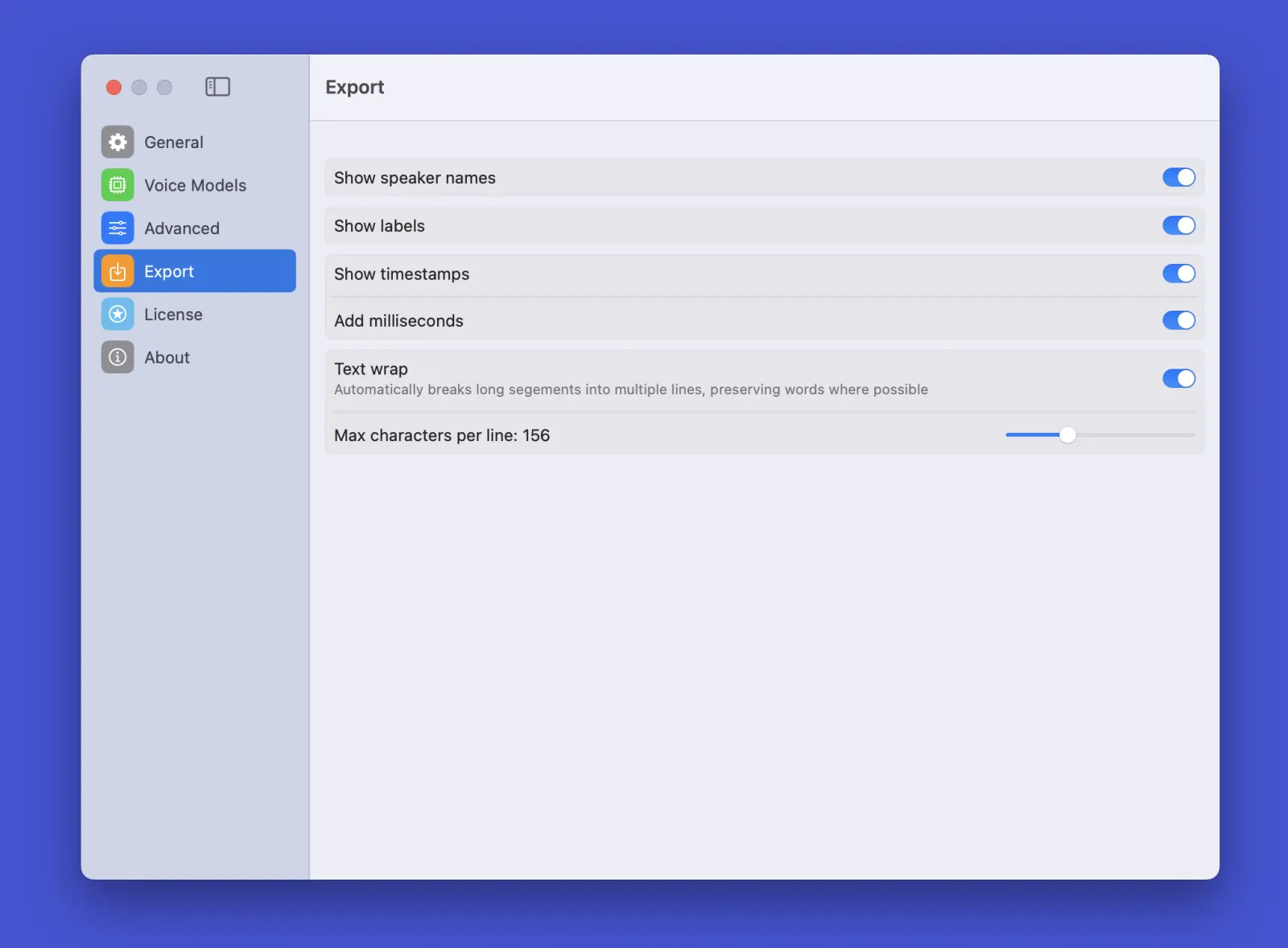
We've also added revamped export to give you full control over your transcript's final shape:

MeetMic 1.5 – Search in Transcripts & Labels - Advanced Settings

New export formats

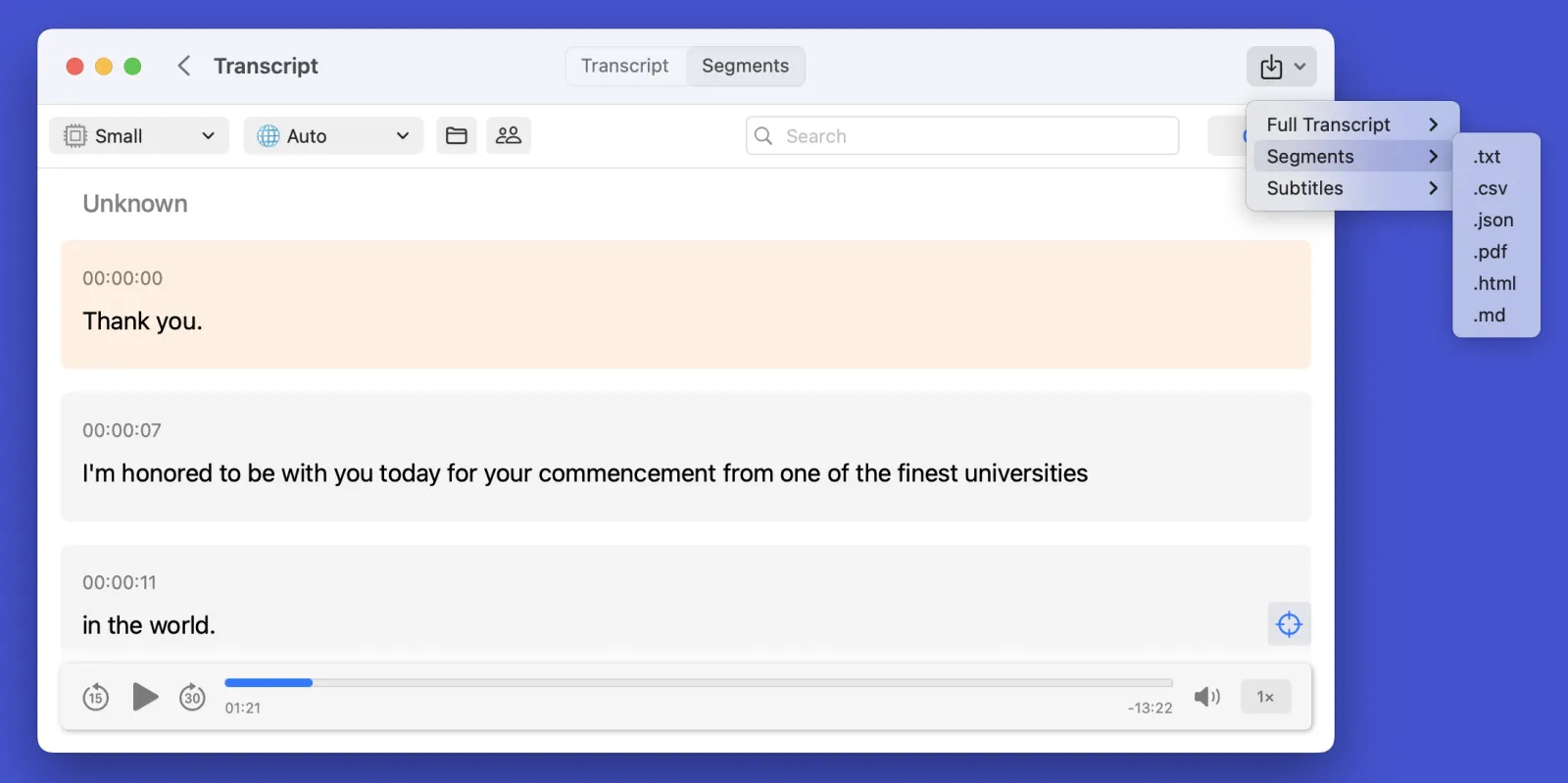
No you have more ways to share! We’ve added export to PDF, HTML, and Markdown.

MeetMic 1.5 – Search in Transcripts & Labels - New export formats

Fixes

  • Fixed various minor UI inconsistencies
  • Enhanced overall performance and stability

Got thoughts? We'd love to hear them! Drop us a line at support@meetmic.app or add your suggestions in the Feedback section. Your feedback helps us make MeetMic better!

Happy transcribing!

We're excited to bring you new features focused on making segments editing more efficient and lots of bugfixes!

New features

Hovering edit button

A convenient edit button appears when you hover any segment, helping you to switch to editing with fewer clicks.

Delete segments using keyboard

No more clicking around. Just select a segment and hit delete button to remove unwanted parts of your transcript.

Transcript View Controls

Compact View

See up to 3x more segments on screen without scrolling, making navigation in long transcripts much more convenient.

\

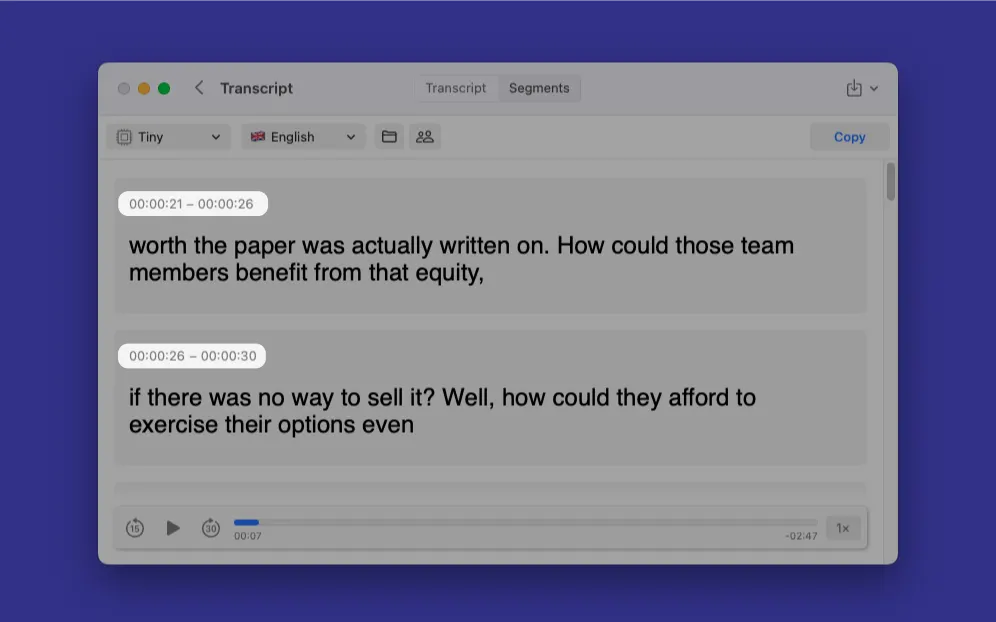
View both start and end times

See exactly when each segment starts and ends, essential for precise transcript timing. You can control timestamps view via Transcript menu in the system bar.

MeetMic 1.4 – Advanced Segment Editing - \
View both start and end times

New Export Options

SBV subtitles

Export your transcripts directly in SBV format, compatible with YouTube and all major video platforms.

Fixes

  • Fixed various minor UI inconsistencies
  • Enhanced overall performance and stability

Got thoughts? We'd love to hear them! Drop us a line at support@meetmic.app or add your suggestions in the Feedback section. Your feedback helps us make MeetMic better!

Happy transcribing!

We're incredibly excited to release our biggest update yet!

Introducing significant enhancements to audio management, transcript editing and speaker management. This update brings professional-grade features designed to streamline your transcription workflow.

New features

Smart Player

Ever wished you could hear exactly what you're reading in the transcript? Now you can! Our new smart audio makes you workflows easier:

  • Playback speed control
  • Watch segments highlighted in real-time as they're played
  • Navigate long transcript faster with visual segment previews

Advanced Transcript Editing

Take control of your transcripts with new editing capabilities:

  • Edit text in segments if you spot a a mistake.
  • Delete unwanted segments
  • Remove all segments before/after current position with one click to trim the fat from your transcripts
  • Perfect for cleaning up meeting recordings

Better Speaker Management

Remember our experimental Speaker detection feature? We've taken it to the next level.

  • Change speakers name from generic Speaker 1, Speaker 2 to real ones.
  • Manually assigning speakers to segments to correct auto-detection errors.

Enhanced Recording Controls

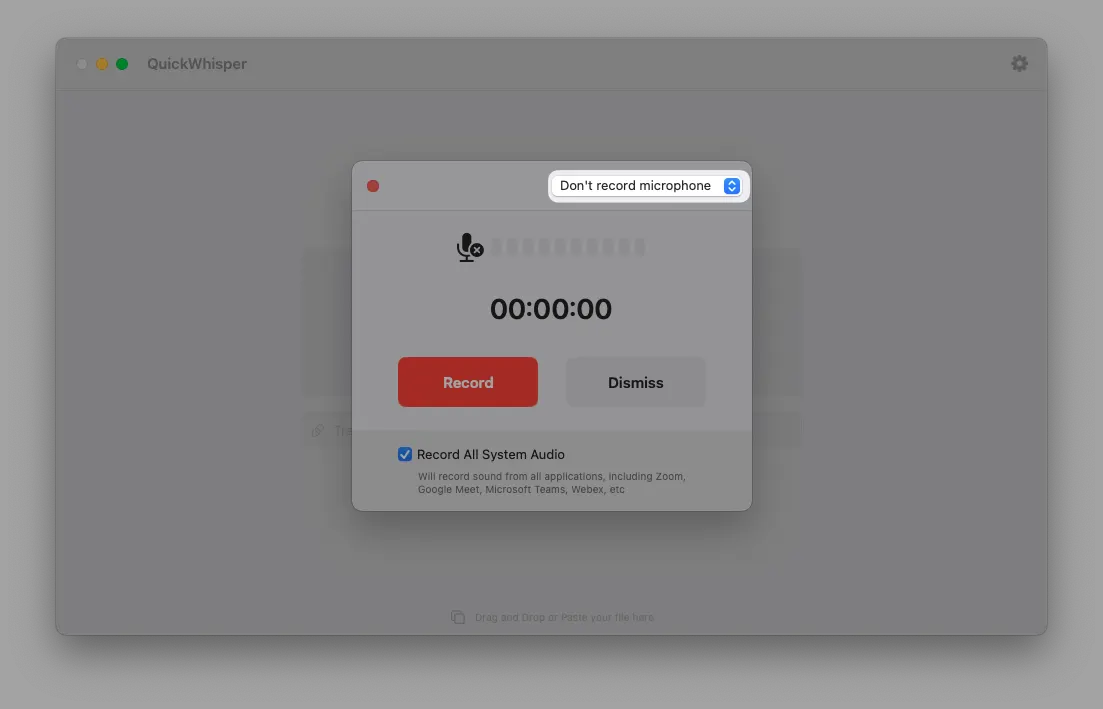
Choose to record system audio exclusively, eliminating microphone feedback when not using headphones.

MeetMic 1.3 – Player & Segment Editing - Enhanced Recording Controls

New High-Performing Voice Model

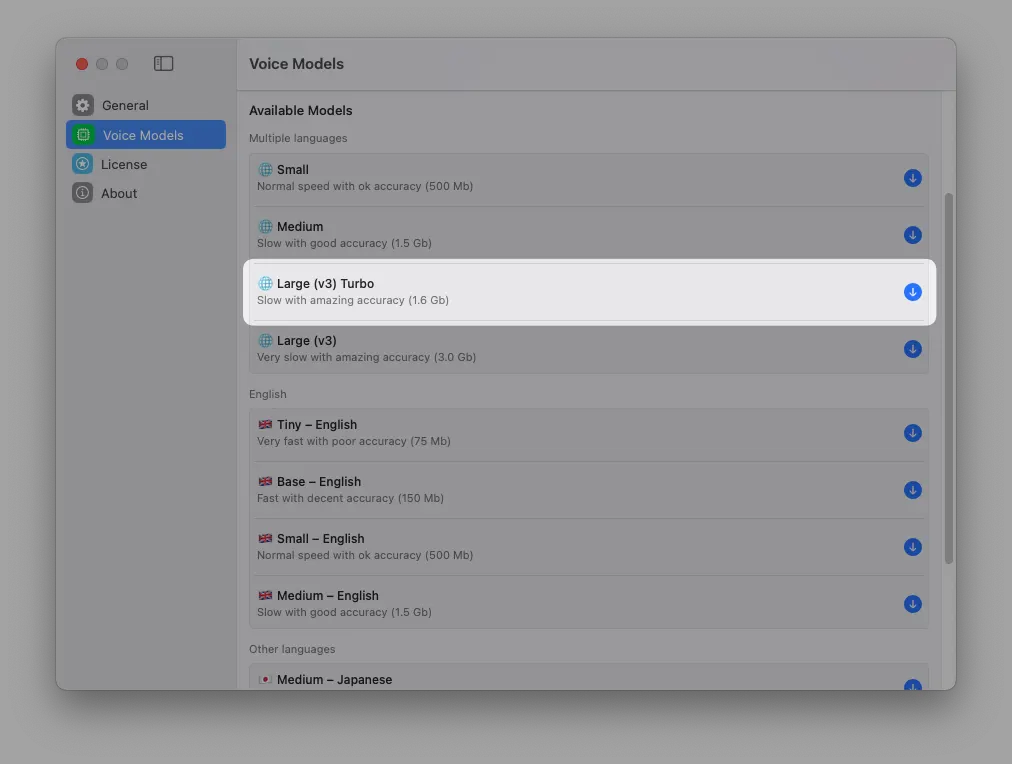
Added the latest OpenAi’s Large v3 Turbo. The new model has transcription quality of Large v2 and lightning-fast speed close to Base models on benchmarks. You should give it a try!

MeetMic 1.3 – Player & Segment Editing - New High-Performing Voice Model

Optimised Size

We sent MeetMic to the gym (metaphorically). After optimisations the app lost more than 100Mb, which means higher perfromance and faster updates.

Fixes

Because nobody likes bugs:

  • Fixed Large v2 Norwegian model download issues
  • Corrected speaker detection progress indicator showing over 100%
  • Resolved empty transcription screen after cancellation

Got thoughts? We'd love to hear them! Drop us a line at support@meetmic.app or add you suggestions in the Feedback section. Your feedback helps us make MeetMic better!

Happy transcribing!

In this long-waited release we introduce Speaker diarization, a feature that will elevate your transcription experience by a mile.

New Features

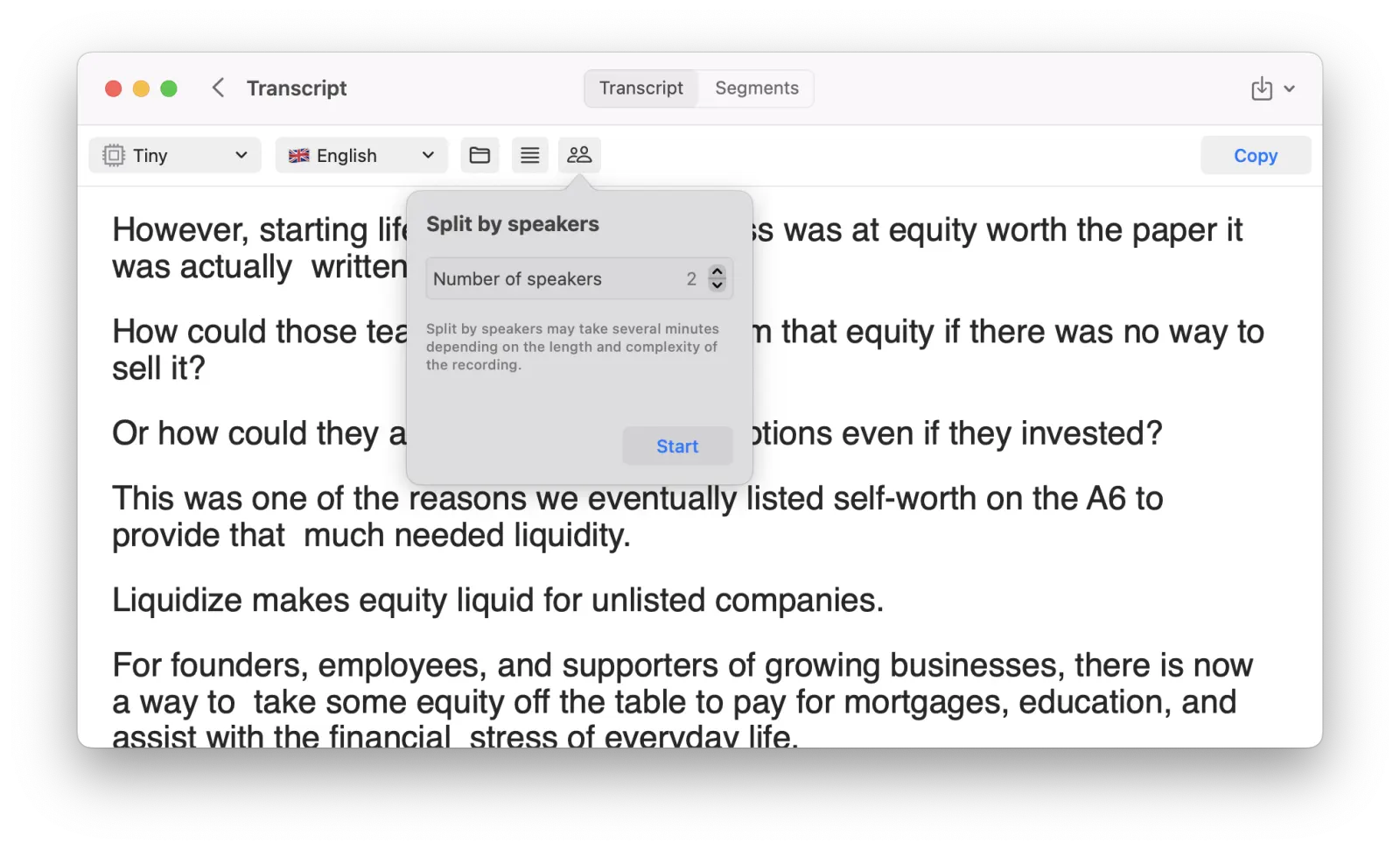
Speaker Detection (Beta)

Automatically identify and separate different speakers in your recordings. Speaker detection can be done via a new button in the transcript view.

⚠️ Please note that this process is computationally intensive and may take some time. We're eager to hear your feedback on this initial release!

MeetMic 1.2 – Speaker Detection (Beta) - Speaker Detection (Beta)

Language-specific Voice Models

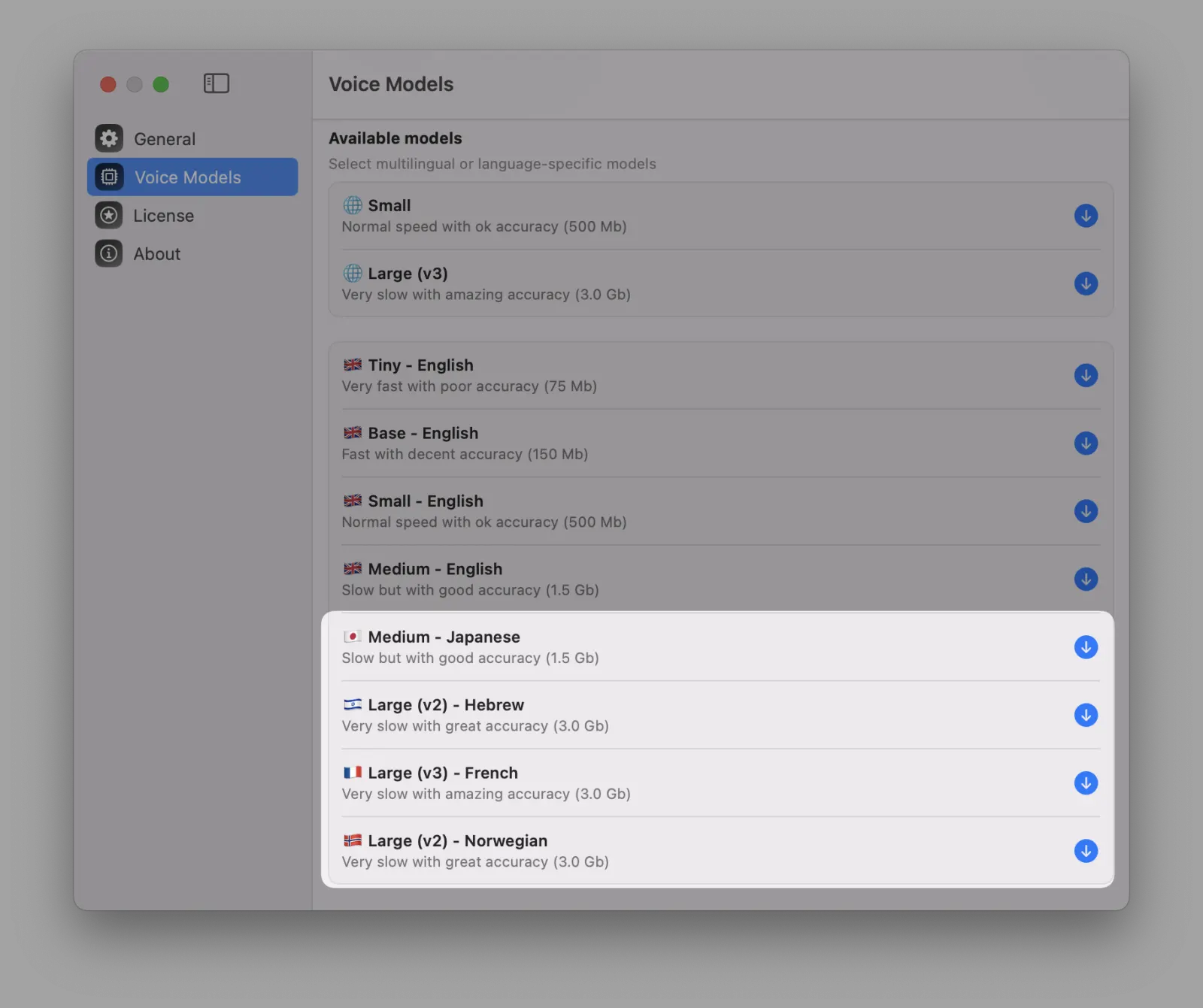
We've added specialised models for 🇫🇷 French, 🇯🇵 Japanese, 🇮🇱 Hebrew, and 🇳🇴 Norwegian, offering improved accuracy and lower error rates compared to standard multi-lingual versions.

MeetMic 1.2 – Speaker Detection (Beta) - Language-specific Voice Models

Improvements

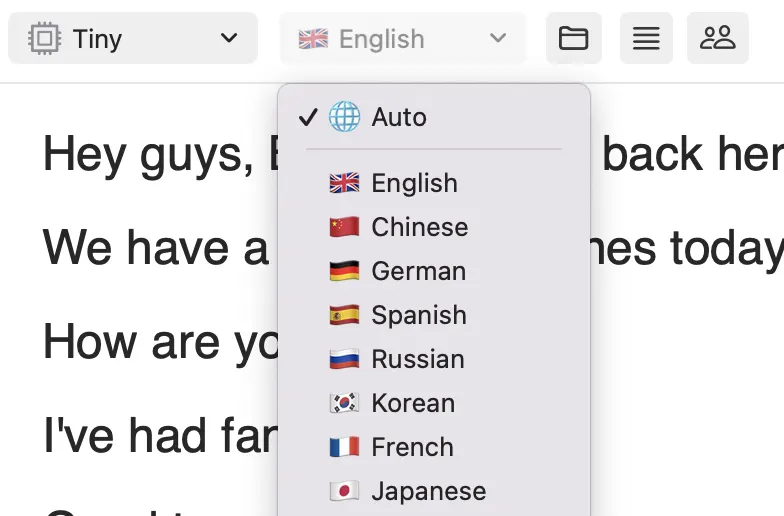
Enhanced Language Selection

Our redesigned language selector now features flags for each language, making it easier and faster to find the right language for your transcription.

MeetMic 1.2 – Speaker Detection (Beta) - Enhanced Language Selection

Right-to-Left (RTL) languages support

Automatic RTL view switching for Hebrew and Arabic languages, enhancing readability and user experience.

MeetMic 1.2 – Speaker Detection (Beta) - Right-to-Left (RTL) languages support

Empty state

If for any reason MeetMic couldn't transcribe the source it will show a message clearly explaining the reason.

New release brings a lot of new features and improvements to enhance your transcription experience. Here’s what’s new:

New Features

  • System Audio Recording: Record audio directly from other applications on your Mac, making it easier to capture and transcribe calls and meetings. You can record any calls in Zoom, MS Teams, Google Meet, Webex, WhatsUp, Discord, Telegram, etc.

    • ⚠️ For the best transcription quality we recommend use of headphones to isolate audio from your microphone and other speakers.
  • Chrome and Firefox Extensions: We released browser extensions for Google Chrome and Firefox to help you copy URLs to MeetMic with a single click.

  • New Language Selector:With our new language selector you can find the right language faster.

  • Speaker Information in Subtitles and Segments: If you record System Audio, your transcription will contain information which words are yours and which belong to another speaker. Speaker information will also be added to export of segments and subtitles.

  • Favicons: When pasting URLs into MeetMic, website favicons are now displayed.

Fixes

  • External Microphone Support: Resolved issues affecting the use of external microphones for recording.
  • Dark Mode Enhancements: Adjustments to UI elements in Dark Mode for better visibility and a more consistent user experience.
  • Transcription Flexibility: Ability to stop an ongoing transcription to switch Voice Model or Languages on the go.

This release is packed with features:

  • Fast and Secure Transcriptions Anywhere: You can quickly and accurately transcribe audio and video files without an internet connection. The whole process runs locally on your machine ensuring your privacy is protected.
  • Expanded Formats Compatibility: Support of a wide range of audio and video file formats, including WAV, MKV, AVI, MP3, M4A, M4V, MOV, MP4, and CAF.
  • Direct URL Transcriptions: Easily transcribe media from URLs, including online videos from YouTube and Vimeo, files from Google Drive and Dropbox, and other platforms.
  • Built-in Voice Recording: Record audio directly within the app with our new built-in functionality.
  • Quality Selection: Choose the Voice Model that best fits your needs to get the perfect balance of speed and accuracy.
  • Export Flexibility: Export your transcriptions in various formats such as TXT, CSV, JSON, SRT, and VTT.
  • Save Projects: Save your transcription projects for future reference or share them with colleagues and friends.
  • Drag & Drop: Drag and Drop files directly into MeetMic to start the transcription.
  • Support for Voice Memos: Seamlessly transcribe your recordings from the Voice Memos app. Just drag and drop your voice memos to the app to get a transcription.
  • Transcribe iMessage Audio Messages: Easily convert audio messages from iMessage into text.
  • Flexible Viewing Options: Choose to view your transcriptions as full text for a comprehensive read or in segments for focused analysis.
  • Reading Mode: Enjoy a clearer and more readable transcription output with each sentence shown on a separate line, making it easier to review your transcript.
  • Configurable Working Folder: You can set a default working folder for saving recordings and transcription results. Organize your files exactly how you want them.