MeetMic 1.27
We're excited to announce MeetMic 1.27, featuring a redesigned main interface, powerful organizational tools, expanded voice model options, and workflow enhancements!
New Features
Redesigned Main Interface
We've completely reimagined the main view to surface your primary tasks:
- Open File
- Dictate
- Record Meeting
- Record Memo
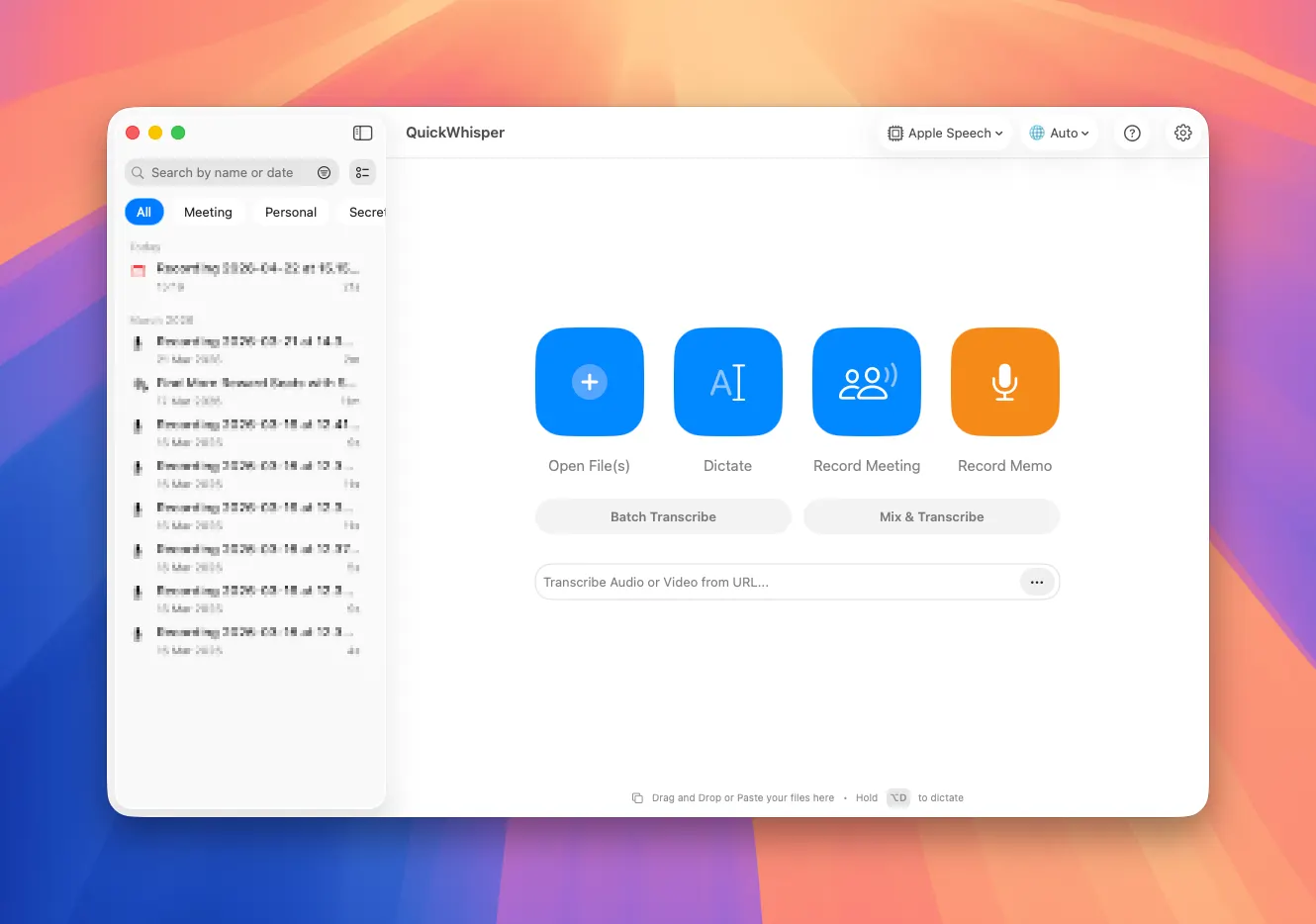
Cleaner, more intuitive layout that highlights just what you need.
Content Tags
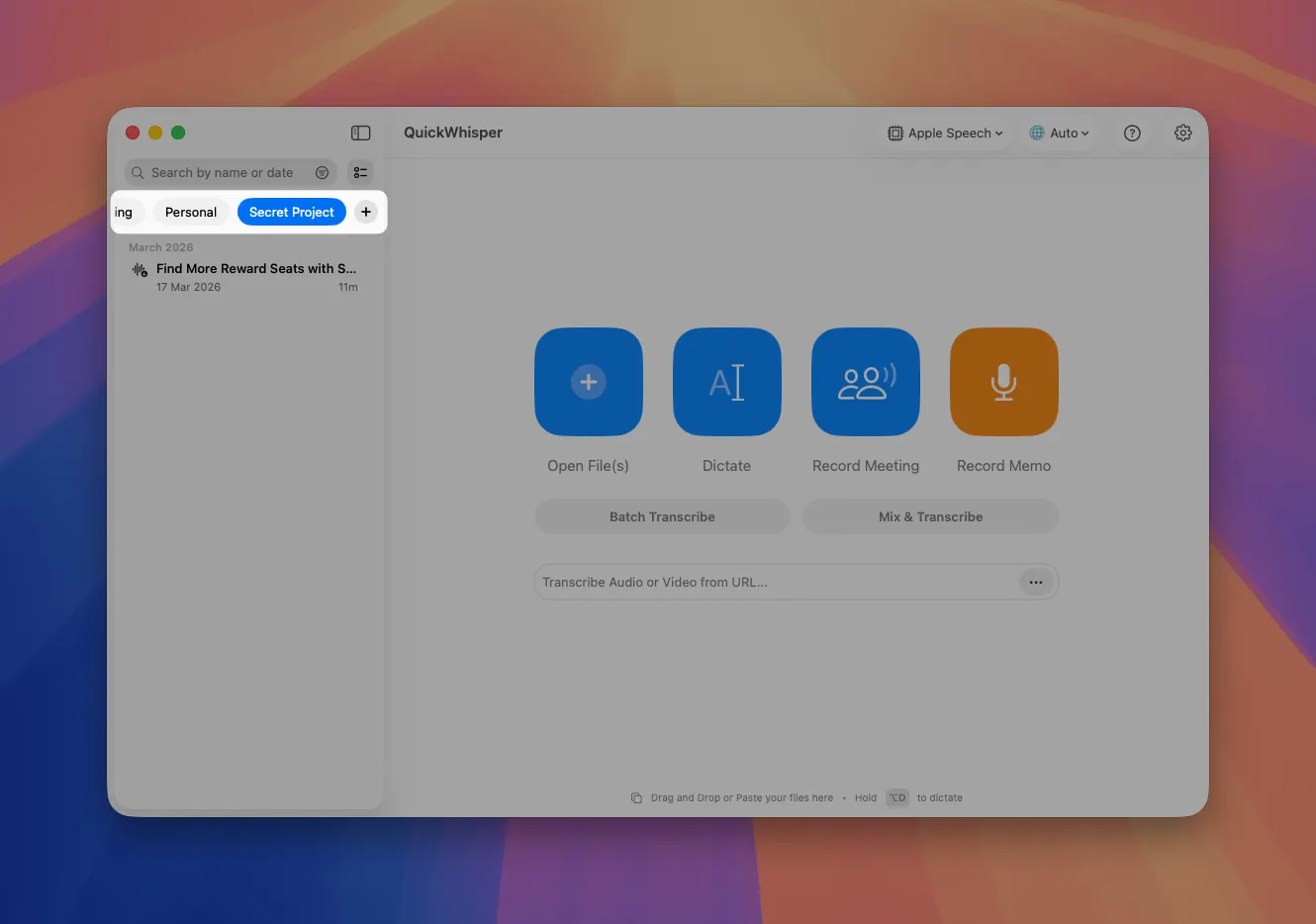
Bring semantic organization to your recordings and transcriptions. Now you can create custom tags like "Meetings," "Secret Project," or "Client Calls". Assign tags to you transcriptions to match you personal workflow
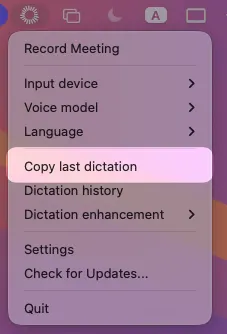
Copy Last Dictation from Menubar
Access your most recent dictation instantly. We’ve add "Copy Last Dictation" option in the menubar. No need to navigate through history when you need to quickly recover content
Auto-Minimize for Meeting Recording
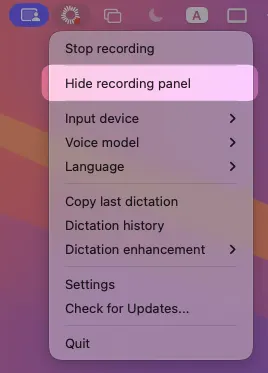
Main window automatically minimizes when starting a meeting recording. Only the floating recorder in the top-right corner remains visible (don’t worry, it is invisible during screen sharing). However, if you want to completely hide the recording panel, go to menubar and hit “Hide recording panel”\
Expanded Voice Model Library
We've added three new voice models to our growing collection:
- Nvidia Parakeet 110M - A lightweight, fast model optimized for English
- Nvidia Nemotron - High-accuracy English transcription with excellent technical terminology recognition
- Mistral Voxtral Mini - Balanced performance across multiple languages with minimal resource usage
As always, we're committed to refining MeetMic based on your feedback. These updates reflect our focus on creating a more intuitive, powerful, and flexible transcription experience.
The MeetMic Team